Xtream Codes API for IPTV: Complete Guide to Setup and Use
Unlock the potential of IPTV with our ultimate guide on Xtream Codes API. Learn setup, features, and why it's essential for streaming success.
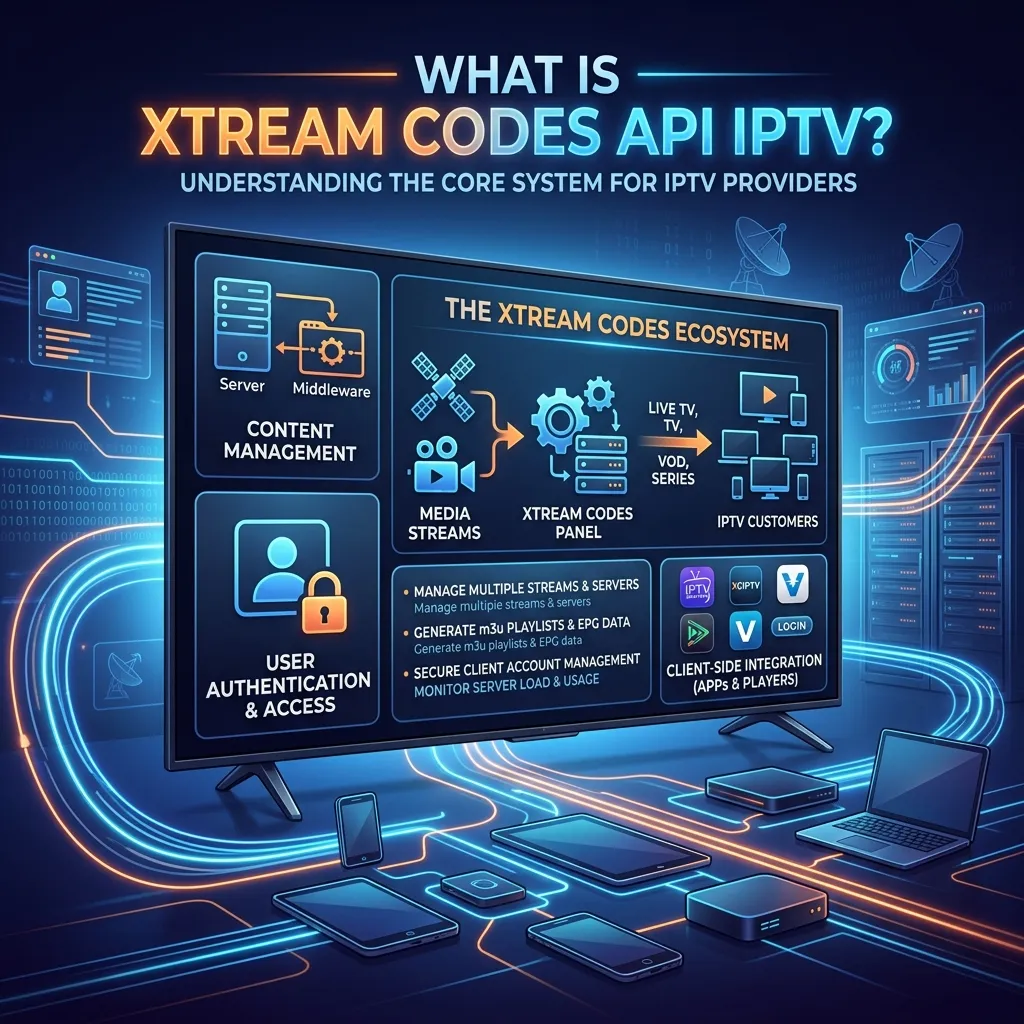
The landscape of digital television has undergone a massive transformation in recent years. Gone are the days when viewers were restricted to traditional cable or satellite subscriptions. Today, Internet Protocol Television (IPTV) has taken center stage, offering unprecedented flexibility, vast content libraries, and cost-effective entertainment solutions. At the very heart of this technological revolution lies a powerful tool that makes modern IPTV possible: the Xtream Codes API.
If you have ever used an IPTV service, chances are you have interacted with Xtream Codes, even if you didn't realize it. Whether you are entering a username, password, and server URL into an application, or browsing a neatly categorized Video on Demand (VOD) library, Xtream Codes is the invisible engine powering your viewing experience.
In this comprehensive, 3000+ word guide, we will dive deep into everything you need to know about Xtream Codes API. We will explore what it is, how it works, why it replaced traditional M3U playlists, how to set it up on various devices, and why choosing a premium provider like Smartiflix that utilizes robust API infrastructure is essential for the best streaming experience.
1. Introduction to Xtream Codes API
To understand Xtream Codes, we first need to understand the problem it solves. In the early days of IPTV, users primarily relied on M3U playlists. An M3U file is essentially a long text document containing URLs to live streams and media files. While functional, M3U playlists are inherently static, cumbersome to manage, and difficult to update dynamically. If a channel URL changed, the entire M3U file needed to be updated and re-downloaded by the user.
Enter Xtream Codes. Originally developed as a comprehensive panel and billing software for IPTV providers, Xtream Codes introduced a revolutionary Application Programming Interface (API). This API allowed IPTV applications (players) to communicate directly with the provider's servers in real-time.
Instead of downloading a massive, static file, the player uses the Xtream Codes API to authenticate the user, request the latest channel lists, fetch Electronic Program Guide (EPG) data, and stream content dynamically. It bridges the gap between the complex backend server infrastructure of an IPTV provider and the user-friendly interface on your smart TV, smartphone, or streaming device.
Key Takeaway: Xtream Codes API is the standard communication protocol that allows your IPTV player app to securely connect to your IPTV provider's servers, instantly delivering live TV, movies, and TV shows in a highly organized, rapidly loading format.
2. The Anatomy of the Xtream Codes System
To fully grasp what Xtream Codes API is, it is helpful to look at its architecture from both the provider's side and the user's side. The system operates in a classic client-server relationship, but with massive scale and real-time streaming requirements.
The Provider Side (Backend)
For an IPTV provider, Xtream Codes (and its modern successors and forks) serves as a complete Content Management System (CMS) and user management platform. It allows providers to:
- Ingest Streams: Capture live TV streams from satellite feeds, local networks, or other sources and transcode them into internet-friendly formats (like H.264 or H.265) to reduce bandwidth without sacrificing quality.
- Manage Users: Create accounts, set subscription durations, manage simultaneous connection limits, and handle billing protocols.
- Organize Content: Group channels into logical categories (e.g., Sports, News, Movies, International, Kids), manage Video on Demand (VOD) libraries by linking IMDB data, and link EPG XML data to specific channels.
- Monitor Servers: Track server loads, bandwidth usage, and active connections to ensure stability and re-route traffic during high-demand events (like major sporting finals).
The User Side (Frontend via API)
For the end-user, the interaction with this complex system is distilled down to three simple pieces of information, commonly referred to as the "Xtream Codes API Login":
- Server URL (Portal): The web address of the provider's server (e.g.,
http://portal.provider.com:8080). - Username: Your unique identifier.
- Password: Your secure access key.
When you enter these details into an IPTV player that supports the API, the app sends an encrypted HTTP request to the Server URL. The server verifies the credentials. If valid, the server responds with an organized, dynamic payload containing all your content, rather than a raw text file.
3. How Does Xtream Codes API Work? A Step-by-Step Breakdown
The magic of the Xtream Codes API lies in its dynamic, request-and-response nature. It uses standard HTTP protocols to fetch data formatted in JSON (JavaScript Object Notation), which apps can read and parse incredibly quickly. Let's break down the step-by-step process of what happens when you log into your IPTV app using Xtream Codes.
Step 1: Authentication and Handshake
When you click "Login" on your IPTV app, the application sends an HTTP GET request to the provider's server. This request includes your username, password, and often a unique identifier for your device.
The server checks its database. If your subscription is active and you haven't exceeded your allowed concurrent connections, it sends back an authentication token or a successful response code. It also sends back critical account information, such as your subscription expiration date, maximum allowed connections, and your account status.
Step 2: Fetching Categories
Once authenticated, the player doesn't download the video streams immediately. Instead, it asks the server for the structure of the content. It requests the categories for Live TV, Movies (VOD), and Series. The server responds with a lightweight JSON file that lists categories like "UK Sports," "US News," "Action Movies," or "Netflix Series," along with their unique category IDs. Because this file contains no video data, it downloads in milliseconds.
Step 3: Fetching Content Lists
When you click on a specific category (e.g., "UK Sports"), the player sends another API request asking for the items within that specific category ID. The server responds with the channel names, stream IDs, and links to the channel logos (picons).
This granular approach means the app only loads what you are currently looking at, making navigation incredibly fast and responsive, even with providers offering tens of thousands of channels.
Step 4: Streaming Initiation
Finally, when you click on a specific channel, the app uses the Stream ID provided by the API to request the actual video feed. The server opens a socket connection and begins transmitting the live video data to your device via HTTP Live Streaming (HLS) or MPEG-TS formats.
Step 5: Dynamic EPG Integration
Simultaneously, the API handles the Electronic Program Guide (EPG). Instead of parsing a massive XMLTV file locally on the device (which can crash low-memory devices), the player can request EPG data for specific channels or categories as needed. This ensures your TV guide is always up-to-date with what is currently playing and what is coming next, without slowing down the app's performance.
4. Xtream Codes API vs. M3U Playlists: A Detailed Comparison
One of the most common questions from new IPTV users is whether they should use an M3U playlist or an Xtream Codes API login. While both methods ultimately deliver the same video streams, the user experience is drastically different.
Here is a comprehensive comparison to illustrate why Xtream Codes has become the industry standard.
| Feature / Aspect | Xtream Codes API | M3U Playlist URL |
|---|---|---|
| Data Format | Dynamic JSON API responses | Static text file (.m3u) |
| Content Updates | Automatic and instantaneous. Channels update automatically when you open a category. | Requires the app to re-download and parse the entire file to see updates. |
| Initial Load Time | Very fast. Only fetches categories and metadata first. | Slow. Must download and read a file that can be over 50MB before displaying anything. |
| Organization | Excellent. Natively supports separate tabs for Live TV, Movies, and Series. | Poor. Everything is often lumped together in one massive list unless manually edited. |
| EPG (TV Guide) | Integrated dynamically. Fast loading and accurate. | Requires a separate XMLTV URL, which is often slow to download and prone to sync errors. |
| Account Info | App can display subscription expiry date, active connections, and account status. | App has no way of knowing your account details or expiration date. |
| Security | Harder to intercept or share maliciously. Connections can be easily monitored by the provider. | Easy for users to copy the M3U link and share it, leading to server abuse. |
| VOD Handling | Treats VOD like a modern streaming app (posters, cast info, ratings via TMDB integration). | Treats VOD as just another channel link. Poor metadata presentation. |
The Verdict: While M3U links are still supported for legacy hardware, the Xtream Codes API is vastly superior in every measurable way. It provides a modern, fast, and feature-rich experience akin to using mainstream streaming platforms like Netflix or Hulu.
If you are setting up a new device, always opt for the Xtream Codes login method. When you subscribe to a premium service like Smartiflix's IPTV subscription, you are provided with both options, but we strongly recommend the API method for the absolute best user experience.
5. The Tangible Benefits of Xtream Codes for Viewers
Understanding the technical backend is great, but what does this mean for you, the viewer, sitting on your couch with a remote control? Here are the tangible benefits of using the Xtream Codes API over older legacy systems.
A Cinematic VOD Experience
With M3U playlists, a movie is just a line of text. With Xtream Codes API, IPTV applications can request rich metadata from the provider's server. This means when you browse the VOD section, you get:
- High-quality movie posters and background fanart.
- Detailed plot synopses and descriptions.
- Information on the cast, directors, and genres.
- Live IMDB/TMDB ratings.
- Advanced categorization (e.g., sort by release year, recently added, or alphabetical order).
This transforms your IPTV app from a simple list of links into a premium home theater interface.
Catch-Up TV Functionality
Many premium IPTV providers offer "Catch-Up" TV, allowing you to watch shows that aired hours or days ago. Xtream Codes API makes this feature seamless. The API allows the player to query the server for past broadcasts, presenting them in an easy-to-navigate timeline or archive within the EPG, allowing you to essentially "rewind" live television.
Seamless Multi-Device Management
Because the API handles authentication dynamically, managing your account across multiple devices is easier. If your provider allows 2 concurrent connections, the server actively monitors API requests to enforce this. It ensures a stable experience by preventing account abuse and allowing you to move from the living room to the bedroom seamlessly.
Reduced Data Consumption and Hardware Strain
Because an Xtream Codes player only requests the data it needs at that specific moment (e.g., only downloading the channel list for the "Documentaries" category when you click on it), it uses significantly less background data compared to a player that must constantly refresh a massive M3U and XMLTV file. This is particularly beneficial for users on metered internet connections, mobile data, or using older devices like early-generation Firesticks with limited RAM.
6. Best IPTV Apps Built for Xtream Codes
While the API is a protocol, you need an application to read it. The market is flooded with IPTV apps, but some are engineered specifically to take full advantage of the Xtream Codes architecture. Here are the top recommendations:
- Tivimate Premium (Android/Firestick): Widely considered the gold standard. It offers the fastest EPG loading, an incredibly polished interface, multi-view capabilities, and flawless Xtream Codes integration.
- IPTV Smarters Pro (Multi-Platform): The most universally recognized app. It is available on Android, iOS, Windows, Mac, and Samsung/LG Smart TVs. It is user-friendly and designed explicitly around the Xtream Codes login screen format.
- XCIPTV (Android/Firestick): Built by the developers behind some of the modern server panels, XCIPTV offers deep integration with Xtream Codes features, including excellent VOD presentation and built-in VPN support.
- IBO Player (Smart TVs): For Samsung and LG TV owners, IBO Player offers a clean interface and robust Xtream Codes support without needing an external streaming stick.
7. How to Set Up Xtream Codes API on Various Devices
Setting up an IPTV service using Xtream Codes is incredibly straightforward. Unlike M3U setups that require typing long, complicated URLs perfectly, Xtream Codes only requires three short pieces of information.
Here is a general guide on how to configure it across different platforms. For more specific, step-by-step tutorials, you can refer to our comprehensive Smartiflix Installation Guide.
Information You Will Need
Before you begin, ensure you have the email from your IPTV provider (like the welcome email from Smartiflix) containing:
- Name: Any name you want to give this playlist (e.g., "Smartiflix").
- Server/Portal URL: (e.g.,
http://premium-tv.stream:8080) - Username: (e.g.,
user12345) - Password: (e.g.,
pass9876)
Setting Up on Android TV, Firestick, and Android Boxes
Android-based devices are the most popular for IPTV due to the vast array of available apps.
If you are using an Amazon Fire TV Stick, which is highly recommended for its performance and price, you can follow our dedicated Smartiflix Firestick Setup Guide.
General Steps for Apps like IPTV Smarters or XCIPTV:
- Download and open the IPTV player application.
- The app will usually prompt you with a few login options. Select "Login with Xtream Codes API".
- You will see four fields. Enter the details provided in your welcome email.
- Any Name: Smartiflix
- Username: Your assigned username
- Password: Your assigned password
- URL: The Server Portal URL
- Click "Add User" or "Login".
- The app will connect to the server, authenticate, and begin downloading the channel categories, VOD, and EPG data. Within seconds, your dashboard will be ready.
Setting Up on Smart TVs (Samsung Tizen / LG WebOS)
Smart TVs often have specialized apps like IBO Player, Flix IPTV, or Smart IPTV available in their native app stores. Because typing long passwords on a TV remote can be frustrating, many of these apps use a paired setup process.
- Download the app on your Smart TV (e.g., IBO Player).
- Open the app. It will display a Device MAC Address and a Device Key on the screen.
- On your computer or smartphone, go to the app's official website (the URL will be displayed on the TV screen).
- Enter your TV's MAC Address and Key to log into the app's web portal.
- Look for an option that says "Add Playlist" or "Add XC Parameters".
- Enter the Xtream Codes details (URL, Username, Password) provided by Smartiflix into the web form and click Save.
- Restart the app on your TV, and your content will load.
Setting Up on Windows PC and Mac
For desktop users, the easiest method is using dedicated software. For the best Xtream Codes experience on desktop, apps like Smarters Player Lite or Windows IPTV Player are recommended.
- Download the desktop version of an Xtream Codes compatible player.
- Launch the application.
- Select "Add New User" and choose "Xtream Codes API".
- Input your Server URL, Username, and Password.
- Click login, and enjoy your content directly on your monitor.
8. Security, Privacy, and Xtream Codes
When engaging with IPTV services, security and privacy should be paramount concerns. The architecture of the Xtream Codes API inherently offers better security features than plain M3U files, but user vigilance is still required.
Provider-Side Security
For a reputable provider like Smartiflix, the Xtream Codes panel allows for advanced security measures to protect the integrity of the streams and user data.
- Token-Based Authentication: Modern Xtream Codes implementations use complex token systems to prevent unauthorized access.
- Anti-Sharing Measures: The API can track IP addresses and concurrent connections. If a user tries to share their login details with ten friends, the API will detect multiple IPs connecting simultaneously and automatically block the account to prevent server abuse.
- Geo-Blocking and VPN Support: Providers can manage which regions can access their servers, and robust APIs are designed to work seamlessly with Virtual Private Networks (VPNs).
User-Side Privacy
From the user's perspective, protecting your data is crucial. While the Xtream Codes API transmits your username and password to the server securely, you must ensure your overall connection is private.
Why You Should Use a VPN with IPTV: Regardless of how secure the Xtream Codes API is, your Internet Service Provider (ISP) can still see that you are streaming large amounts of data from a specific server IP address. Some ISPs aggressively throttle (slow down) IPTV traffic, leading to buffering, especially during live sports.
Using a high-quality VPN encrypts your entire internet connection. It hides the API requests and the video stream from your ISP. They will only see encrypted data passing between you and the VPN server, ensuring your privacy and often improving streaming performance by bypassing ISP throttling.
For a deeper dive into staying secure while streaming, please read our comprehensive Is Smartiflix Safe? Security Guide.
9. Troubleshooting Common Xtream Codes Errors
While the API is generally robust, you may occasionally encounter errors. Most of these are easily resolvable. Here is a troubleshooting guide for the most common Xtream Codes issues.
1. "Invalid Details" or "Authorization Failed"
This is the most common error and almost always means there is a typo in your login credentials. Solution:
- Double-check your Username and Password. Remember that passwords are case-sensitive. A capital 'I' might look like a lowercase 'l'.
- Check the Server URL. Ensure you have included
http://orhttps://and the correct port number (e.g.,:8080) at the end if provided. Do not add a trailing slash/at the very end unless specified. - Confirm your subscription has not expired.
2. "Network Error" or "Cannot Connect to Server"
This indicates that your app cannot reach the provider's server. Solution:
- Check your internet connection. Try opening a web browser on the same device to ensure you have connectivity.
- The provider's server might be undergoing brief maintenance. Wait 15 minutes and try again.
- ISP Blocking: Your Internet Service Provider might be blocking the server URL. Turn on your VPN and try connecting again.
3. "Maximum Allowed Connections Reached"
This happens when you try to use the service on more devices simultaneously than your subscription plan allows. Solution:
- Close the IPTV app entirely on other devices in your home. Just turning off the TV does not always close the app; you must exit it or force stop it.
- If you frequently need to watch on multiple TVs at the same time, consider upgrading your plan. Check out our Smartiflix Pricing page to find a multi-connection plan that suits your family's needs.
4. EPG (TV Guide) Not Loading
Sometimes the channels load perfectly, but the TV guide remains blank. Solution:
- Most IPTV apps have an option in the settings to "Update EPG" or "Refresh TV Guide". Manually trigger this update.
- Ensure your device's date, time, and timezone settings are correct. The API syncs the EPG based on your local device time. If your device time is wrong, the guide will be blank or show incorrect programs.
- Clear the cache of your IPTV app in your device's application settings.
5. Infinite Buffering on VOD
Live TV works, but Movies and Series buffer constantly. Solution:
- VOD files are often high-bitrate 4K or 1080p files that require a strong, stable connection. Ensure you are connected via Ethernet or a strong 5GHz Wi-Fi signal.
- The specific server hosting the VOD might be overloaded. Try a different movie or try again later.
- Use a VPN to bypass potential ISP throttling of large file downloads.
10. The Evolution of Xtream Codes: A Brief History
To appreciate the technology, it helps to understand its history. "Xtream Codes" was originally the name of the company that created the software suite. For years, they held a near-monopoly on IPTV panel software, powering thousands of providers worldwide.
The software was revolutionary. It gave providers an intuitive dashboard to manage streams and clients, and it gave users the seamless API experience we have detailed in this guide.
However, the history of Xtream Codes took a dramatic turn. Due to the software being used by both legitimate providers and unauthorized services, the original Xtream Codes company faced significant legal challenges and sudden shutdowns by authorities a few years ago.
So, if the original company is gone, why do we still use "Xtream Codes API"?
When the original servers went offline, the IPTV industry faced a crisis. However, the architecture and the API protocol they created were so effective and universally adopted by player apps that they became an open standard.
Independent developers quickly reverse-engineered the API and created new, improved panel software (like XUI One, Zaprox, and modern iterations of standard panels) that are completely legal management systems. These new systems were built to be 100% compatible with the legacy Xtream Codes API.
Therefore, when you use "Xtream Codes Login" today, you are not connecting to the defunct company. You are simply using the universal communication language (the API protocol) that almost all modern, high-quality IPTV management systems have adopted as the industry standard. It is akin to using a "USB" port; the standard remains, regardless of who manufactures the computer.
11. The Future of IPTV APIs
As internet infrastructure improves and consumer demands evolve, the APIs powering IPTV will continue to advance. What can we expect in the future?
1. Enhanced Personalization via AI Future iterations of IPTV APIs will likely incorporate machine learning. Similar to Netflix's recommendation engine, the API could analyze your viewing habits and dynamically adjust your categories, pushing recommended VODs and live events to the top of your interface.
2. Seamless 8K Streaming Support As 8K displays become more common, the API architecture will need to evolve to handle the massive bandwidth requirements of 8K streaming efficiently, perhaps implementing more advanced adaptive bitrate (ABR) switching natively within the API payload to ensure smooth playback across varying connection speeds.
3. Interactive Television The API could facilitate more interactive experiences. Imagine watching a live sports game and using your remote to select different camera angles or access real-time player stats overlaying the screen, all requested dynamically from the provider's server via the API.
4. Stronger Decentralization and Redundancy To ensure 100% uptime, API structures will likely become more decentralized. If a primary server goes down, the API could automatically and instantly route the player to a backup server located in a different geographical region without the user experiencing any interruption or having to change their Portal URL.
12. How to Choose an IPTV Provider Utilizing the Best API Infrastructure
Understanding that the Xtream Codes API is the gold standard, how do you choose a provider that utilizes it effectively? Not all providers maintain their backend servers equally. A poorly managed server will result in slow API responses, meaning your app will lag, EPGs will fail to load, and streams will buffer.
Here is what to look for, and why Smartiflix stands out as a premium choice:
1. Fast Server Response Times
A premium provider invests in high-performance dedicated servers. When your app makes an API request to load the movie library, it should happen in milliseconds. Smartiflix utilizes a global Content Delivery Network (CDN) to ensure that the API portal server is always geographically close to you, minimizing latency and maximizing app responsiveness.
2. Comprehensive EPG Data
An API is only as good as the data it serves. Many cheap providers have missing or incorrect TV guides. A high-quality service dedicates resources to scraping and maintaining accurate XMLTV data that the API can deliver flawlessly to your device.
3. Organized VOD Libraries
The beauty of the Xtream Codes API is how it handles VOD. However, if the provider dumps thousands of movies into a single "Movies" folder, the API's organizational power is wasted. Look for providers like Smartiflix that meticulously categorize their VOD library by genre, year, and popularity, making the most of the API's capabilities.
4. Transparent Multi-Connection Policies
If you need to use IPTV on multiple devices, ensure the provider's API handles concurrent connections reliably. Cheap providers often have buggy API implementations that mistakenly block users even when they are within their limit. Smartiflix offers transparent Pricing Plans with reliable multi-room setups managed flawlessly by our advanced server architecture.
5. Dedicated Customer Support
Even with the best technology, questions arise. A provider should offer clear instructions (like our extensive tutorials) and responsive support to help you get your Xtream Codes API details entered correctly on any device you own.
13. Frequently Asked Questions (FAQ)
To wrap up this comprehensive guide, let's address some of the most frequently asked questions regarding the Xtream Codes API.
Q: Is Xtream Codes API an app? A: No. Xtream Codes API is not an application you download. It is the communication method (the "login type") you use inside IPTV player applications (like Tivimate, Smarters, etc.) to connect to your provider's service.
Q: Can I get a free Xtream Codes API login? A: No, an Xtream Codes login requires an active subscription to an IPTV provider. The provider maintains the servers, bandwidth, and content that the API accesses. You can, however, access a premium service by subscribing to Smartiflix.
Q: Does Xtream Codes work on Roku? A: Roku is a closed ecosystem that actively bans standard IPTV players that utilize Xtream Codes. While there are complicated workarounds involving screen mirroring or developer mode sideloading, Roku is generally not recommended for IPTV. We strongly advise using Android TV devices or Amazon Firesticks for a seamless experience.
Q: Why does my app ask for a MAG address instead of an Xtream Codes login? A: MAG boxes (and apps that emulate them, like STB Emu) use a different connection protocol based on the MAC address of the device. It is an older system. While still functional, the Xtream Codes API method is generally considered more flexible as it isn't tied to a specific hardware MAC address.
Q: Can I use the same Xtream Codes login on two different apps? A: Yes. You can enter your API login details into Tivimate on your TV, and Smarters on your phone. However, you can only watch simultaneously on both if your subscription plan allows for 2 concurrent connections.
14. Conclusion
The transition from clunky, static M3U playlists to the dynamic, fast, and feature-rich Xtream Codes API represents the most significant leap forward in the user experience of IPTV. By allowing your streaming device to communicate intelligently with massive, global server networks, it has transformed IPTV from a tech-hobbyist niche into a mainstream, cinematic experience that rivals traditional cable and big-name streaming platforms.
Understanding how this technology works empowers you to troubleshoot minor issues, choose the best applications for your devices, and most importantly, select an IPTV provider that harnesses this technology to its full potential.
If you are ready to experience the power, speed, and organization of a perfectly optimized Xtream Codes API infrastructure, we invite you to explore what we offer. Visit our Homepage to learn more about our service, check out our flexible Pricing Plans, and step into the future of digital entertainment with Smartiflix.
Once you receive your API details, head over to our comprehensive Installation Guide to get set up on your favorite device in minutes. Happy streaming!