IPTV Explained: A Comprehensive Beginner's Guide to Streaming
Learn what IPTV is and how it revolutionizes TV viewing. Our beginner's guide covers everything from setup to benefits of Internet Protocol Television.
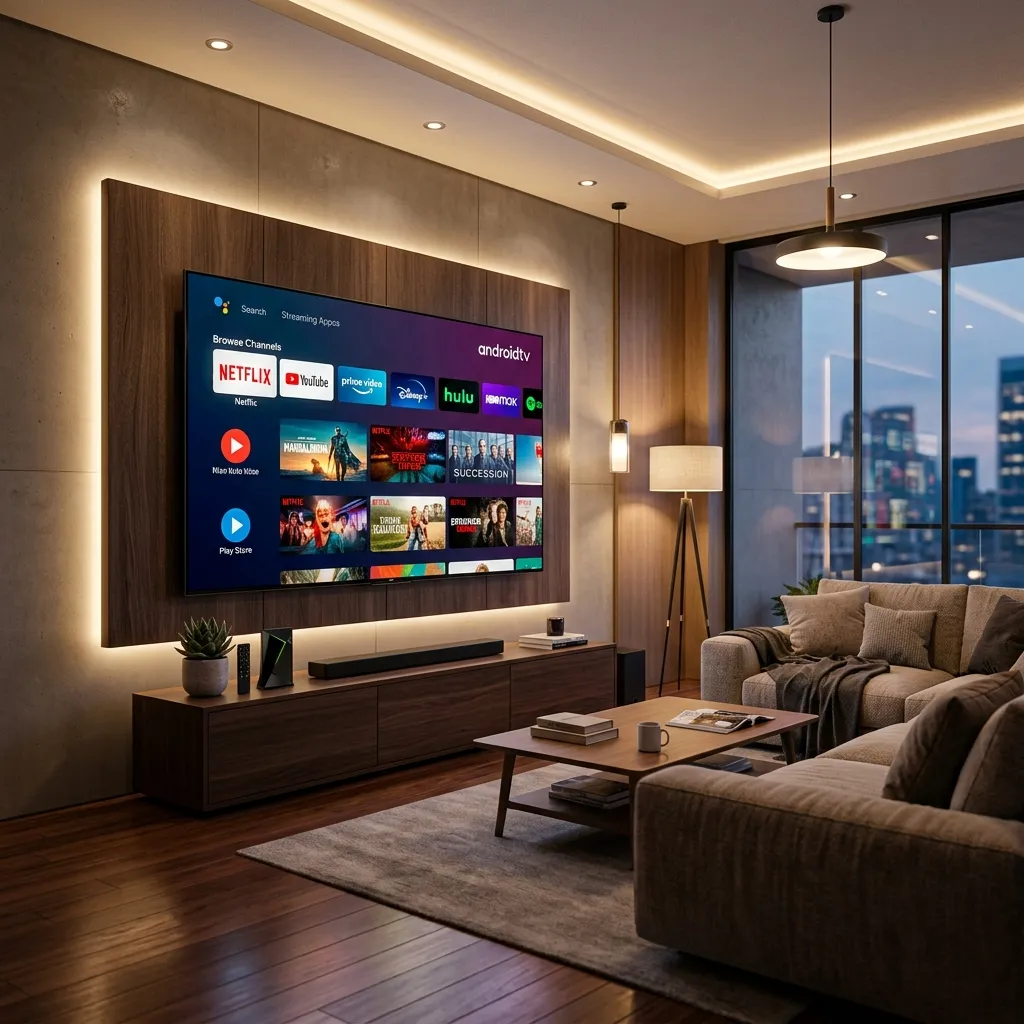
Welcome to the ultimate guide on one of the most transformative technologies in modern home entertainment. If you have been hearing the buzzword "IPTV" thrown around in tech circles, forums, or by friends who have recently "cut the cord," you are likely wondering what all the fuss is about. The television landscape has drastically changed over the last decade. Gone are the days when you had to rely entirely on expensive, rigid cable subscriptions or bulky satellite dishes susceptible to bad weather. Today, the internet rules supreme.
But what exactly is IPTV? How does it differ from traditional TV? Is it legal? What equipment do you need, and how do you get started? In this massive, exhaustive, 3000+ word beginner's guide, we will break down absolutely everything you need to know about Internet Protocol Television. From the underlying networking architecture to selecting the best hardware and software, you will leave this article as an IPTV expert.
Whether you are looking to save money, access international content, or simply enjoy a more flexible viewing experience, migrating to a premium IPTV Subscription is a game-changer. Let us dive deep into the world of digital broadcasting.
Chapter 1: The Evolution of Television
To truly understand the impact and mechanics of IPTV, we must first look at how we got here. Television broadcasting has gone through several massive technological leaps since its inception.
The Analog Era
In the early days of television, broadcasting relied on analog radio frequency (RF) signals transmitted over the air via massive transmission towers. Viewers received these signals using rooftop antennas or "rabbit ears" on top of their TV sets. This method was highly susceptible to interference. Weather conditions, physical obstructions (like mountains or tall buildings), and distance from the broadcast tower all played significant roles in the quality of the picture.
The Rise of Cable and Satellite TV
The next major leap was the introduction of coaxial cables and satellite technology. Cable TV delivered signals directly to homes via a vast network of underground or overhead cables, eliminating most of the interference issues associated with over-the-air broadcasts. This also allowed for a massive increase in the number of channels available. Similarly, satellite TV allowed users to receive signals beamed from space directly to a dish mounted on their property, reaching remote areas where cable infrastructure did not exist.
The Digital Revolution and the Internet
In the late 1990s and early 2000s, television transitioned from analog to digital signals. Digital broadcasting provided better picture quality (HD), improved sound, and more efficient use of bandwidth. However, it still relied on the traditional delivery methods (cable and satellite). Simultaneously, the widespread adoption of broadband internet began to change how we consume media. The realization that audio and video data could be broken down into digital packets and sent over an IP (Internet Protocol) network laid the groundwork for modern streaming. This was the birth of IPTV.
Key Takeaway: IPTV is the natural evolution of television, moving away from closed-circuit cables and satellite beams to the limitless, borderless potential of the internet.
Chapter 2: What is IPTV? Core Definitions
IPTV stands for Internet Protocol Television.
At its most basic level, IPTV is the delivery of television content over Internet Protocol (IP) networks. This is in contrast to delivery through traditional terrestrial, satellite, and cable television formats.
Unlike downloaded media, IPTV offers the ability to stream source media continuously. As a result, a client media player can begin playing the content (such as a TV channel or a movie) almost immediately. This is known as streaming media.
When you use traditional cable, the broadcast is essentially "pushed" to your television. All channels are transmitted simultaneously, and when you change the channel on your TV or set-top box, you are simply tuning into a different frequency that is already being pumped into your home. With IPTV, the content remains on the host network (the provider's servers) until you request it. When you change the channel or select a movie, a request is sent to the server, and the server sends precisely that requested stream of data to your device via the internet.
This two-way communication makes IPTV a highly interactive and efficient system. It requires less overall bandwidth on the user's end because you are only downloading the single channel or movie you are currently watching, rather than receiving 500 channels simultaneously.
Chapter 3: How Does IPTV Work? The Technical Architecture
While you do not need to be a computer engineer to enjoy an IPTV Subscription, understanding the technical magic behind the scenes will help you troubleshoot issues and optimize your home network.
The architecture of an IPTV network is complex and involves several key components working in perfect harmony.
1. The Head-End (Content Acquisition)
The journey begins at the provider's "head-end." This is a massive facility where live TV signals are captured from satellites, local broadcasters, or direct feeds. Once the raw video and audio feeds are received, they are uncompressed and prepared for the next stage.
2. Video Encoding and Compression
Raw video data is far too large to be sent over standard internet connections. At the head-end, the video is passed through powerful hardware and software encoders. These encoders compress the video files into standardized formats—most commonly H.264 (AVC) or the newer, more efficient H.265 (HEVC). These codecs shrink the file size dramatically while maintaining high picture quality, allowing high-definition and even 4K streams to pass through regular broadband connections.
3. Middleware and DRM
Middleware is the software layer that connects the user interface (what you see on your screen) with the back-end servers. It manages user authentication, electronic program guides (EPG), billing, and interactive features. Additionally, Digital Rights Management (DRM) encryption may be applied at this stage to protect the content from unauthorized copying.
4. Content Delivery Networks (CDNs)
If a million people are trying to watch the Super Bowl on a single server in New York, that server will crash instantly. This is where Content Delivery Networks come in. A CDN is a globally distributed network of proxy servers deployed in multiple data centers. The primary stream is replicated across these servers. When a user in London requests to watch a channel, the request is routed to the closest CDN server in the UK, rather than the origin server in New York. This drastically reduces latency, buffering, and server load.
5. Multicast vs. Unicast Routing
IPTV utilizes two primary types of routing protocols:
- Multicast: Used for Live TV. A single stream is sent from the server, and the network routers duplicate that stream for multiple users requesting the same channel. This is incredibly efficient for live broadcasts.
- Unicast: Used for Video on Demand (VOD). A dedicated, one-to-one connection is established between the server and the individual user. Every user watching a VOD movie requires their own individual stream.
6. The End-User Device (Set-Top Box or App)
Finally, the data packets arrive at your home router and are sent to your viewing device. The device's software (like an IPTV app) decrypts the data, decodes the H.264/H.265 video, and displays the moving pictures and sound on your television screen. This entire process, from the head-end capturing the live feed to it appearing on your TV, happens in a matter of seconds.
Chapter 4: The Three Main Formats of IPTV
When people talk about IPTV, they are usually referring to a combination of different service types. The technology is versatile enough to support multiple viewing models. Here are the three primary formats you will encounter.
1. Live IPTV (Simulcasting)
This is the closest equivalent to traditional TV. Live IPTV broadcasts television channels in real-time as they are happening. Whether it's a live sports event, a rolling news channel, or a broadcast network airing a primetime show, Live IPTV lets you tune in exactly as you would with a cable box. Live TV over IP requires robust server infrastructure because latency and buffering must be kept to an absolute minimum for a good user experience.
2. Video on Demand (VOD)
VOD is exactly what it sounds like. It allows you to select and watch video content whenever you want. Instead of waiting for a movie to air at 8:00 PM, you browse a massive library of content, click play, and the stream begins instantly. Services like Netflix, Amazon Prime Video, and Disney+ are technically utilizing IPTV technology for their VOD platforms. Most comprehensive IPTV providers include a massive library of VOD movies and TV series alongside their live channels.
3. Time-Shifted TV (Catch-Up)
Time-shifted television bridges the gap between Live TV and VOD. It allows users to watch broadcasts that have already aired.
- Catch-Up TV: Providers record live channels and store them on their servers for a specific period (usually 24 to 48 hours, sometimes up to a week). If you miss your favorite daily soap opera or the evening news, you can go back into the Electronic Program Guide (EPG), select the past program, and watch it as if it were VOD.
- Start-Over TV: A sub-feature of time-shifting that lets you restart a live program currently in progress from the very beginning.
Chapter 5: IPTV vs. Traditional Cable and Satellite
Why are millions of people worldwide cutting the cord and switching to IPTV? To understand the massive shift in consumer behavior, let us compare IPTV directly against traditional cable and satellite television across several key metrics.
Comparison Overview
| Feature | IPTV | Traditional Cable TV | Satellite TV |
|---|---|---|---|
| Delivery Method | Internet Protocol (Broadband/Fiber) | Dedicated Coaxial Cables | RF Signals from Space to Dish |
| Hardware Required | Smart TV, Firestick, PC, Smartphone | Provider-specific Cable Box | Satellite Dish, Provider Receiver |
| Content Selection | Global (Thousands of channels) | Local & National (Hundreds) | National & Regional (Hundreds) |
| Interactivity | High (VOD, Catch-up, Search) | Low (Basic DVR features) | Low (Basic DVR features) |
| Weather Dependency | None (Depends on internet stability) | Very Low | High (Susceptible to heavy rain/snow) |
| Cost | Generally Low (Monthly/Yearly) | High (Often includes hidden fees) | High (Hardware rental fees) |
| Portability | High (Watch anywhere with internet) | None (Tied to the physical house) | None (Tied to the physical house) |
The Ultimate Advantages of Switching to IPTV
- Cost Efficiency: Traditional cable companies are notorious for price gouging, hidden fees, hardware rental charges, and expensive contract minimums. IPTV providers usually offer straightforward, transparent Pricing models. You can often get ten times the amount of content for a fraction of your monthly cable bill.
- Unparalleled Variety: With cable, you are locked into the packages offered by your local monopoly. IPTV shatters geographical borders. A good provider offers channels from the USA, UK, Canada, Europe, South America, and beyond. This is especially fantastic for expats or sports fans wanting to follow international leagues.
- Multi-Device Compatibility: Your cable box is permanently tethered to your living room TV. IPTV travels with you. You can watch the morning news on your Smart TV, catch a football match on your smartphone during your commute, and watch a movie on your laptop in a hotel room, all using the same subscription.
- No Bulky Hardware: Say goodbye to ugly satellite dishes bolted to your roof and massive cable boxes cluttering your TV stand. IPTV often requires nothing more than a discrete streaming stick hidden behind your TV or simply an app downloaded directly to your Smart TV.
- Customization: Modern IPTV applications allow you to create custom favorites lists, hide categories you don't care about, and tailor the electronic program guide to your exact preferences.
The Potential Drawbacks (And How to Mitigate Them)
- Internet Dependency: The biggest caveat of IPTV is that it lives and dies by your internet connection. If your internet goes down, your TV goes down. To mitigate this, ensure you have a reliable ISP.
- Bandwidth Requirements: Streaming high-definition video requires adequate bandwidth. If you have a slow connection (under 10 Mbps) or a heavily congested home network, you may experience buffering. We will cover bandwidth requirements in detail in Chapter 7.
- The Learning Curve: For elderly users or those not technologically inclined, setting up IPTV for the first time can seem daunting compared to simply pressing "power" on a cable remote. However, following a good Installation Guide makes the process simple.
Chapter 6: Essential Equipment – What Do You Need to Start?
One of the greatest appeals of IPTV is its accessibility. You likely already own most of the equipment needed to get started. Here is a comprehensive breakdown of the hardware and software requirements.
1. A High-Speed Internet Connection (The Backbone)
As discussed, a stable and reasonably fast internet connection is non-negotiable. But how fast is fast enough? Here are the generally accepted minimum bandwidth requirements for uninterrupted streaming:
- Standard Definition (SD): 3-5 Mbps minimum.
- High Definition (HD - 720p/1080p): 10-15 Mbps minimum.
- Ultra High Definition (4K): 25-30 Mbps minimum (50+ Mbps recommended for stability).
- Pro Tip: Latency (Ping) is just as important as download speed. A ping under 50ms to your provider's servers will ensure snappy channel zapping and reduce buffering.
2. A Compatible Streaming Device (The Hardware)
You need a device capable of receiving the internet signal and decoding the video to display on your screen. The options are vast:
- Smart TVs: Modern Smart TVs (Samsung Tizen, LG WebOS, Android TV) can run IPTV apps directly. No extra boxes needed.
- Amazon Fire TV Stick: This is arguably the most popular, cost-effective device for IPTV. It is cheap, powerful, and easy to customize. Setting up a Firestick Setup takes mere minutes.
- Android TV Boxes: Devices like the NVIDIA Shield TV or generic Android boxes offer immense power, ample storage, and the freedom of the Google Play Store.
- MAG Boxes: Dedicated IPTV set-top boxes preferred by traditionalists. They emulate the classic cable box experience and connect via "Stalker Portals" using MAC addresses.
- Apple TV: High-end, buttery-smooth devices that run powerful IPTV applications like iPlayTV or Smarters.
- Computers & Mobile Devices: Windows PCs, Macs, iPhones, iPads, and Android smartphones are all natively capable of running IPTV software.
3. An IPTV Player Application (The Software)
Unless you are using a dedicated MAG box, you will need an app to "play" the IPTV service. The IPTV provider gives you the content (the playlist), and the app acts as the media player to view it.
- TiviMate: Widely considered the gold standard for Android and Firestick users. It offers a beautiful, cable-like interface, multi-view, and excellent EPG management.
- IPTV Smarters Pro: A highly versatile app available on almost every platform (Android, iOS, Smart TVs, PC).
- XCIPTV: Another fantastic, lightweight player with an intuitive interface.
- GSE Smart IPTV: Popular among Apple/iOS users.
4. A Reliable IPTV Provider (The Content)
This is the final and most crucial piece of the puzzle. You need a subscription from an IPTV service provider that will give you the credentials (usually an M3U link or Xtream Codes API login) to input into your chosen app. Finding a great provider requires research into their channel stability, VOD library, customer support, and server reliability. We highly recommend exploring a premium IPTV Subscription tailored to high-definition, buffer-free streaming.
Chapter 7: Network Optimization – Eradicating Buffering
There is nothing more frustrating than sitting down to watch a crucial live sports match, only to have the screen freeze with a spinning loading circle. Buffering is the enemy of IPTV. Fortunately, 90% of buffering issues can be solved by optimizing your home network.
Ethernet vs. Wi-Fi
Rule Number One of IPTV: Hardwire your device if possible. While modern Wi-Fi is fast, it is prone to interference, packet loss, and fluctuating speeds. A direct Ethernet cable from your router to your TV or streaming box provides a dedicated, uninterrupted data pipeline. If you absolutely must use Wi-Fi, ensure your device is connected to the 5GHz band, not the crowded and slower 2.4GHz band.
ISP Throttling and Network Routing
Sometimes, your internet speed is fine, but your Internet Service Provider (ISP) intentionally slows down (throttles) IPTV traffic. ISPs, especially those that also sell cable TV packages, may identify streaming traffic and choke the bandwidth to discourage cord-cutting. Furthermore, the route your data takes from the IPTV server to your home might be congested. The ultimate solution to both ISP throttling and poor routing is a Virtual Private Network (VPN). A VPN encrypts your traffic so your ISP cannot see what you are doing, completely preventing targeted throttling. It also forces your connection through a different geographical server, potentially finding a faster, less congested route to the IPTV data center.
Router Optimization
If you are using the cheap, generic router provided by your ISP, you may be bottlenecking your entire home network. Upgrading to a high-quality aftermarket router (or a Mesh network if you have a large home) can drastically improve wireless performance. Look for routers with "QoS" (Quality of Service) features, which allow you to prioritize network traffic to your specific IPTV device over other background tasks in your home.
Chapter 8: Security and Legality in the IPTV Space
As IPTV has grown in popularity, questions about its legality and safety have naturally arisen. It is a complex topic that requires nuance.
Is the Technology Legal?
Yes, absolutely. IPTV itself is merely a protocol for transmitting data. Major corporations like AT&T, Verizon, and Comcast use IPTV technology. Services like Netflix, Hulu, and Sling TV are perfectly legal, regulated IPTV services. The technology is just a vehicle.
Are Third-Party IPTV Services Legal?
This is where the gray area begins. The legality of an IPTV service depends entirely on whether the provider has secured the proper broadcasting licenses and copyright permissions for the content they are streaming.
- Licensed Providers: Services that pay for the rights to broadcast content are 100% legal.
- Unverified/Third-Party Providers: Many low-cost IPTV providers operate without official licenses, gathering streams from various global sources. In many jurisdictions, the act of hosting and selling these unauthorized streams is illegal. However, for the end-user (the person watching), the laws vary wildly by country. In many places, simply streaming (downloading data temporarily to RAM without saving a permanent copy) is not considered a criminal offense, though it may breach civil copyright laws.
Safety and Privacy
Because the landscape includes many unverified providers, security should be a priority. You are sending payment information and allowing an app access to your home network.
- Use Reputable Providers: Do your research. Read reviews. Look for providers with secure websites, professional customer support, and transparent policies.
- Use a VPN: As mentioned in the buffering section, a VPN is crucial for privacy. It hides your IP address, keeping your viewing habits completely private from your ISP and any potential third parties.
- Secure Payments: Be wary of services that only accept obscure payment methods. Look for standard, secure gateways. For a much deeper dive into protecting yourself and ensuring your setup is secure, read our comprehensive Security Guide.
Chapter 9: Step-by-Step: How to Set Up Your First IPTV
Ready to take the plunge? While specific instructions vary depending on the app and device you choose, the general workflow is universally similar. Follow these high-level steps, or refer to our detailed Installation Guide for device-specific walkthroughs.
Step 1: Secure Your Subscription
Visit your chosen provider and select a package. It is always highly recommended to review the Pricing and take advantage of a short trial (1-month) before committing to a full year.
Step 2: Receive Your Credentials
Once purchased, the provider will send you an email containing your login credentials. You will typically receive:
- An M3U URL: A long web link that points to a file containing your channel list.
- Xtream Codes API details: A Server URL, a Username, and a Password. (This is generally the preferred, more modern method).
Step 3: Install a Player App
Boot up your Smart TV, Firestick, or Android Box. Navigate to the respective App Store (Google Play Store, Amazon Appstore, etc.) and search for an IPTV Player. Download and install your preferred app (e.g., TiviMate, IPTV Smarters).
Step 4: Input Credentials
Open the app. It will ask how you want to log in.
- If using Xtream Codes, select "Login with Xtream Codes API" and carefully type in the Server URL, Username, and Password provided in your email.
- If using an M3U link, select "Add M3U Playlist" and carefully type out the long URL.
Step 5: Wait for Content to Load
Click connect or save. The app will reach out to the server and begin downloading the channel list, VOD library, and Electronic Program Guide (EPG). Depending on the size of the provider's library, this first load can take a few minutes.
Step 6: Start Watching!
You will be presented with a customized interface. Browse categories, add your favorite channels to a specific list, explore the movie library, and enjoy your new, boundless entertainment hub.
Chapter 10: The Future of IPTV and Cord-Cutting
The traditional cable television model is in terminal decline. The shift toward internet-based broadcasting is not a temporary trend; it is the permanent future of media consumption. But how will IPTV evolve in the coming years?
Integration of 5G Networks
The rollout of global 5G mobile networks is a massive catalyst for IPTV. 5G offers fiber-like internet speeds over cellular networks with incredibly low latency. This means seamless, high-quality IPTV streaming on mobile devices, in cars, and in rural areas where laying physical fiber-optic cables is too expensive. The cord-cutting revolution will expand far beyond the home.
Artificial Intelligence and Personalization
Future IPTV middleware will rely heavily on AI to curate content. Much like the algorithms used by YouTube and Netflix, your IPTV interface will learn your viewing habits, automatically suggesting live sports events, news topics, and VOD movies tailored specifically to your tastes, pulling from thousands of available channels.
8K Streaming and Immersive Media
As television hardware advances, so too must the broadcasting technology. IPTV providers are already beginning to experiment with 8K streams. Because IPTV relies on scalable server infrastructure and highly efficient codecs (like the upcoming H.266/VVC), it is uniquely positioned to deliver the massive data requirements of 8K video long before traditional cable infrastructure can catch up. We may also see the integration of Virtual Reality (VR) live event broadcasting delivered via IP protocols.
Frequently Asked Questions (FAQ)
To wrap up this ultimate beginner's guide, let us address some of the most common questions newcomers have when entering the IPTV space.
1. Can I use a single IPTV subscription on multiple TVs at the same time? This depends entirely on your provider and the specific Pricing plan you choose. Most base subscriptions allow for one concurrent connection. If you try to watch on two TVs simultaneously with a single connection, the stream will constantly disconnect and buffer. However, most providers offer "multi-connection" plans for a small extra fee, allowing you to use 2, 3, or more devices at the exact same time.
2. Do I need a Smart TV to use IPTV? No. While a Smart TV allows you to download apps directly, any older "dumb" TV can become an IPTV powerhouse simply by plugging a streaming device (like an Amazon Firestick, Roku, or Apple TV) into its HDMI port.
3. What is an M3U playlist? An M3U file is a plain text file that contains multimedia playlists. In the context of IPTV, it is essentially a very long list of web links, where each link points to the specific server address for a single TV channel or VOD file.
4. Why is my Electronic Program Guide (EPG) empty? The EPG is usually a separate data file (often an XMLTV format) that syncs with the channel list. If it is empty, try forcing a manual EPG update within your IPTV app's settings. If it remains empty, your provider may be having server-side issues with their guide data.
5. Can I pause and rewind live TV with IPTV? Yes, if two conditions are met: First, your IPTV player app must support "Timeshift" capabilities (apps like TiviMate do). Second, you must have a USB flash drive or sufficient internal storage on your device to temporarily save the live stream data while you pause or rewind it.
6. Does IPTV use a lot of data? Yes. Streaming video is data-intensive. If your home internet connection has a strict monthly data cap (e.g., 500GB or 1TB per month), heavy IPTV usage (especially 4K streaming) could cause you to exceed that cap quickly. If you plan to cut the cord, highly recommend switching to an ISP plan with unlimited data.
7. Can I watch local news channels on IPTV? Most premium IPTV providers carry regional and local network affiliates (ABC, NBC, CBS, Fox in the US, or local BBC/ITV regions in the UK). However, availability varies by provider. It is always wise to check a provider's channel list or ask for a trial to ensure your specific local stations are included.
8. Is there a difference between IPTV and OTT? They are very similar and often used interchangeably, but there is a technical difference. OTT (Over-The-Top) refers to content delivered directly over the open internet (like Netflix or YouTube), bypassing traditional distribution entirely. True IPTV, in a strict telecom sense, often refers to managed IP networks controlled by an ISP (like BT TV or AT&T U-verse), ensuring guaranteed quality of service. However, in popular consumer terminology, "IPTV" has become the catch-all term for any live television streamed over the internet.
Conclusion
Internet Protocol Television has fundamentally revolutionized the way we consume media. By breaking the restrictive chains of traditional cable and satellite providers, IPTV puts the power back into the hands of the consumer. It offers unparalleled choice, significant cost savings, and the flexibility to watch what you want, when you want, on whatever device you choose.
While the technical jargon—M3U playlists, Xtream Codes, Multicast routing—might seem intimidating at first, the actual user experience is remarkably simple and user-friendly once set up. Armed with a solid internet connection, a capable streaming device, and a reliable provider, you are ready to enter the future of home entertainment.
If you are ready to cut the cord and experience the ultimate freedom in television broadcasting, return to our Homepage to explore the best services, or dive right into setting up a premium IPTV Subscription today. Welcome to the revolution!