IPTV MAC Address vs M3U Playlists: Key Differences Explained
Explore the differences between IPTV MAC Addresses and M3U Playlists. Find out which format suits your streaming needs best in our comprehensive guide.
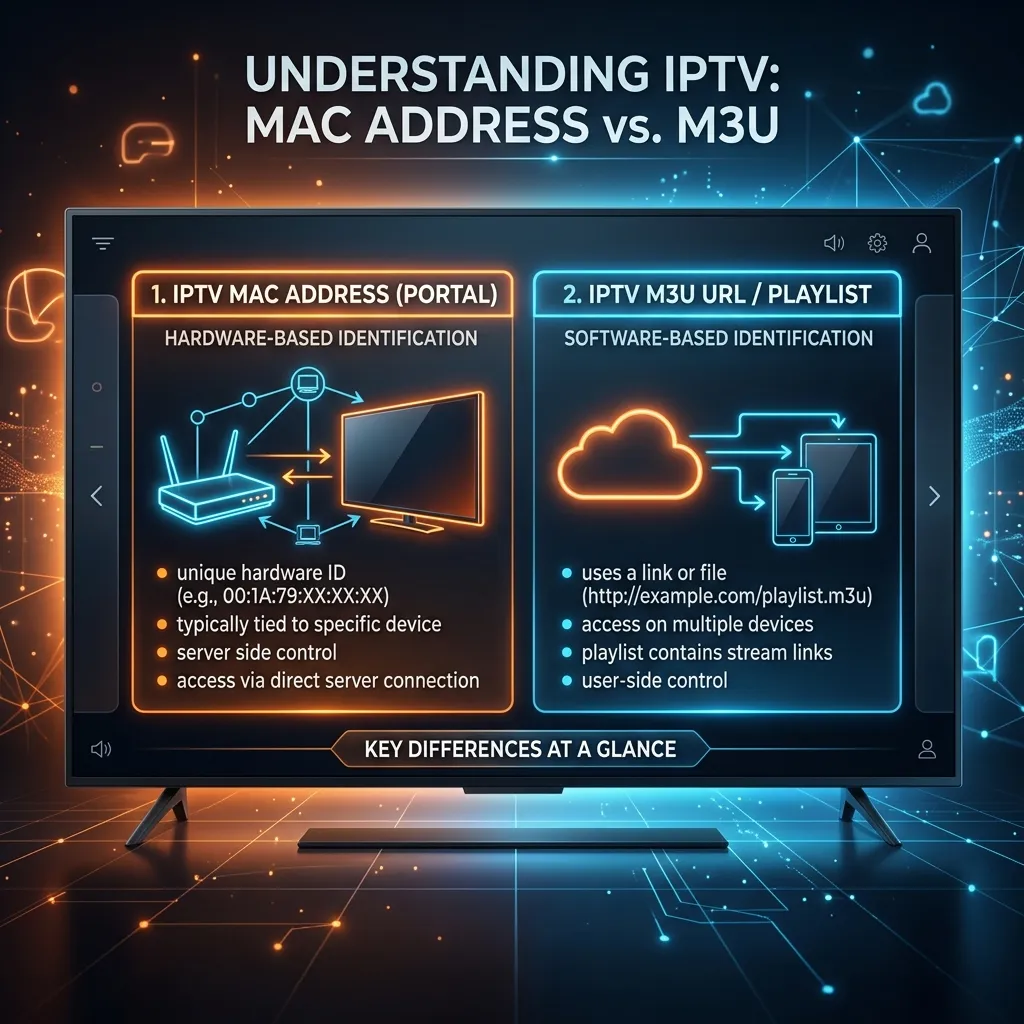
The world of television and digital streaming has undergone a monumental shift over the past decade. Traditional cable, satellite dishes, and terrestrial aerials are rapidly being replaced by more flexible, internet-based solutions. At the forefront of this digital revolution is Internet Protocol Television, a technology that delivers television content over Internet Protocol (IP) networks. If you are venturing into this cord-cutting territory, perhaps by visiting our Homepage, you have undoubtedly encountered a vast array of technical jargon. Among the most common and often confusing terms are MAC Address and M3U Playlist.
When you purchase an IPTV subscription, the provider needs a way to deliver their massive library of live television channels, movies, and series directly to your device. The method by which this content is delivered and authenticated forms the crux of the debate between using a MAC Address and using an M3U Playlist. Both methods are widely used, both have proven their reliability over time, and both cater to different types of users, devices, and viewing preferences.
Understanding the fundamental differences between an IPTV MAC Address and an M3U Playlist is absolutely critical for optimizing your streaming experience. Choosing the wrong format for your specific hardware can lead to frustration, buffering, complicated setups, and a generally poor user experience. Conversely, selecting the right format ensures a seamless, cable-like experience with lightning-fast channel zapping, beautifully organized Electronic Program Guides (EPG), and robust security.
In this exhaustive, massive 3000+ word guide, we are going to dive deep into the technical architecture, practical applications, setup processes, and the pros and cons of both M3U Playlists and MAC Addresses. By the end of this comprehensive article, you will have a masterful understanding of how these delivery methods work, enabling you to make an informed decision when setting up your premium IPTV Subscription.
1. What is IPTV and Why Does the Authentication Format Matter?
Before we pit MAC addresses against M3U playlists, it is crucial to establish a foundational understanding of what Internet Protocol Television actually is and why the authentication format is so important.
The Evolution of Content Delivery
Historically, television was broadcast via radio frequency signals transmitted through coaxial cables, satellite dishes, or terrestrial antennas. The physical infrastructure dictated what you could watch, when you could watch it, and how much it cost. IPTV flips this model entirely on its head. Instead of receiving content via traditional broadcast methods, IPTV uses your internet connection (specifically, TCP/IP network protocols) to stream live and on-demand media directly to your screen.
When a television network broadcasts a program, the IPTV provider captures that signal, encodes it into a digital format (such as H.264 or H.265/HEVC), and stores it on massive servers. When you, the end-user, decide to watch a channel, your device requests the specific stream from the provider's server. The server then sends the video data in data packets over the internet, which your device decodes and displays on your screen in real-time.
The Need for Authentication
Because IPTV relies on premium, highly-demanded content, providers must strictly control who has access to their servers. If a provider's server were completely open to the public, the massive influx of users would overwhelm the bandwidth, causing catastrophic buffering and server crashes for everyone. Therefore, an authentication method is required to verify that the person requesting the video stream is an active, paying subscriber.
This is exactly where the M3U Playlist and the MAC Address come into play. They are, at their core, two distinct methods of authenticating your account and telling your IPTV app where to find the video streams on the provider's servers.
- M3U Playlist: Authenticates via a unique string of characters (a URL containing a username and password) that downloads a static list of channels.
- MAC Address: Authenticates by verifying the unique physical hardware identifier of your specific streaming device against a portal server.
Understanding which authentication method works best for your setup is the first step in creating a flawless home entertainment system. Let's break down each method in extensive detail.
2. Deep Dive: What is an M3U Playlist?
If you have spent any time researching IPTV, you have almost certainly seen the term "M3U" thrown around. It is arguably the most common and universally supported format in the streaming world. But what exactly is an M3U file, and how does it power your television viewing?
The Technical Definition of M3U
M3U stands for MP3 URL or Moving Picture Experts Group Audio Layer 3 Uniform Resource Locator. Originally, M3U files were created by Nullsoft in the late 1990s for their wildly popular Winamp media player. The primary purpose of an M3U file was simply to tell a media player where to find a sequence of MP3 audio files, creating a custom playlist of music.
Over the years, the format proved to be so simple and effective that it was adapted for video. Today, an M3U file is essentially a plain text file that contains an index or a "playlist" of multimedia resources. In the context of IPTV, an M3U file does not actually contain any video data. Instead, it contains hundreds or thousands of hyperlinks, with each link pointing directly to a specific live TV channel or Video on Demand (VOD) file on the IPTV provider's server.
The Anatomy of an M3U File
To truly understand M3U playlists, let's look at what the code inside one actually looks like. If you were to open an IPTV M3U file in a text editor like Notepad, you would see lines of code resembling this:
#EXTM3U
#EXTINF:-1 tvg-id="bbc1" tvg-name="BBC One" tvg-logo="http://example.com/logos/bbc1.png" group-title="UK Entertainment",BBC One HD
http://iptv-server.com:8080/live/your_username/your_password/1054.ts
#EXTINF:-1 tvg-id="cnn" tvg-name="CNN International" tvg-logo="http://example.com/logos/cnn.png" group-title="USA News",CNN News HD
http://iptv-server.com:8080/live/your_username/your_password/2088.ts
Let's break down what these commands mean:
#EXTM3U: This is the header. It must be the very first line of the file. It tells your media player or IPTV app that this is an extended M3U file, capable of holding metadata (like channel names and logos) rather than just raw links.#EXTINF:-1: This denotes the extended information for the stream that immediately follows it. The "-1" indicates that the stream is a live continuous broadcast with no fixed duration. If it were a VOD movie, it might show the duration in seconds.tvg-id,tvg-name,tvg-logo: These are attributes used to map the channel to the Electronic Program Guide (EPG). It tells the app what logo to display and what TV guide data to fetch.group-title: This categorizes the channel, telling the app to put it in a specific folder (e.g., "UK Entertainment", "Sports", "Movies").The URL: The actual web address of the video stream. Notice how it often contains your specific username and password right in the link.
How You Use M3U Playlists
When you sign up for a service, your provider will typically give you an M3U URL (a web link) rather than the raw file itself. It usually looks like this:
http://server-address.com/get.php?username=YOURUSER&password=YOURPASS&type=m3u_plus&output=ts
You simply copy and paste this long URL into an IPTV application (such as TiviMate, IPTV Smarters, or GSE Smart IPTV). The app then reaches out to the internet, downloads the text file containing all the #EXTINF data, reads the thousands of links, and generates a beautiful user interface with categories, channels, and logos.
The Pros of Using M3U Playlists
- Universal Compatibility: M3U is the MP3 of video playlists. Virtually every media player on the planet—including VLC Media Player, Kodi, Smart TVs, Android boxes, smartphones, and tablets—can read an M3U file.
- Extreme Flexibility: M3U playlists are not tied to a single physical device. If your provider allows for multiple concurrent connections, you can use the same M3U link on your living room TV, your bedroom Firestick, your smartphone, and your laptop simultaneously.
- Customizability: Because an M3U file is just plain text, tech-savvy users can download the
.m3ufile, open it in a text editor, and manually delete channels they don't want, rearrange categories, or change channel names before uploading the edited file to their app. - App Independence: You are never locked into a single application interface. If you dislike the look of IPTV Smarters, you can simply paste your M3U link into TiviMate or Flix IPTV and instantly enjoy a completely different user experience.
The Cons of Using M3U Playlists
- Prone to Typos: M3U URLs are extremely long and complex strings of characters. Manually typing an M3U link into a Smart TV using an on-screen keyboard and a remote control is notoriously tedious and prone to frustrating errors.
- Security Vulnerabilities: Because your username and password are out in the open within the URL, it is easier for someone to steal your link. If your M3U link falls into the wrong hands and someone else uses it, your provider might flag your account for "connection sharing" and ban you.
- Slower Loading Times: A premium IPTV service might offer 20,000 live channels and 100,000 VOD movies. An M3U file containing that much data can be hundreds of megabytes in size. Every time you open your app, it has to parse that massive text file, which can cause slower load times on older or underpowered devices.
- VOD Updates: Depending on how the app handles the M3U URL, the list of Video on Demand movies might not update automatically. You sometimes have to manually refresh the playlist to see newly added content.
For a detailed look at how to properly deploy an M3U link on your devices, be sure to check out our comprehensive Smartiflix Installation Guide.
3. Deep Dive: What is a MAC Address (Stalker / MAG Portal)?
On the other side of the IPTV authentication spectrum is the MAC Address system. If you want an experience that mimics the plug-and-play simplicity of a traditional cable television set-top box, the MAC Address route is often the preferred choice.
The Technical Definition of a MAC Address
In the realm of computer networking, MAC stands for Media Access Control. A MAC address is a completely unique, 12-character alphanumeric identifier assigned to a network interface controller (NIC) by the manufacturer. Think of it as the digital fingerprint or the serial number of your device's network card.
A standard MAC address looks like this: 00:1A:79:4C:B2:9F.
Every device that connects to the internet—your smartphone, your laptop, your smart fridge, and your streaming box—has a unique MAC address. In the context of IPTV, the MAC address concept was popularized by a company called Infomir, which manufactures the famous MAG Set-Top Boxes (e.g., MAG 250, MAG 322, MAG 520).
How MAC Address Authentication Works
Instead of giving you a long URL filled with channels, MAC Address authentication operates on a closed-loop "Portal" system, usually powered by middleware software known as the Stalker Portal (now officially known as Ministra TV Platform).
Here is how the authentication process works:
- Locate your MAC: You find the MAC address of your streaming device. If you have a physical MAG box, the MAC address is usually printed on a sticker on the bottom of the device. Notably, MAG box MAC addresses almost always begin with
00:1A:79. - Register with Provider: You provide this 12-character MAC address to your IPTV provider when purchasing your subscription.
- Server-Side Activation: The IPTV provider enters your specific MAC address into their main Stalker server and associates it with your paid account.
- Input the Portal URL: The provider gives you a short, simple web address called a "Portal URL" (e.g.,
http://mag.smartiflix.com/c/). You enter this short portal URL into your device. - The Handshake: When you turn on your device, it reaches out to the Portal URL and essentially says, "Hello, I am device
00:1A:79:4C:B2:9F. Do I have an active subscription?" The server checks its database, sees that your MAC is registered and paid for, and instantly grants you access.
The most fascinating aspect of MAC authentication is that your device does not download a massive text file of links. Instead, the user interface, the channel list, the VOD library, and the EPG are all rendered on the server side and pushed to your device.
The Rise of STB Emulators
You do not actually need to buy a physical MAG box to use MAC authentication. Developers have created applications known as STB Emulators (Set-Top Box Emulators). These apps run on Android devices, Firesticks, and Smart TVs. When you install an STB Emulator, the app generates a virtual, completely fake MAC address (starting with 00:1A:79). You give this virtual MAC address to your provider, input the portal URL into the emulator, and the app flawlessly mimics the interface of a physical MAG box. For Firestick users looking to replicate this setup, read our dedicated guide on Firestick Setup.
The Pros of Using MAC Address Authentication
- The Ultimate Cable-Like Experience: The user interface generated by Stalker portals is incredibly robust. It looks, feels, and behaves exactly like a high-end cable box from Comcast or Sky. It supports picture-in-picture, native TV recording, and lightning-fast channel zapping.
- Simplified Setup: You do not have to type a massive string of characters. You simply give the provider your MAC address, and you only have to type in a very short Portal URL (which rarely changes).
- No Heavy Downloads: Because the channels and EPG are managed on the server side, your device does not have to parse a massive 100MB text file every time you open the app. The interface loads instantly and smoothly, even on older, less powerful hardware.
- Automatic VOD and EPG Updates: You never have to manually refresh your playlist. As soon as the provider adds a new movie to their server, it instantly appears on your screen. The TV guide data is also pushed automatically, ensuring it is always perfectly synced.
- Enhanced Security: MAC authentication is incredibly secure. Because your account is strictly tied to the physical hardware identifier of your device, it is impossible for hackers to steal a URL and use your account. If you want to dive deeper into securing your streaming setup, read our Security Guide.
The Cons of Using MAC Address Authentication
- Hardware Locked (The Biggest Drawback): The most significant downside of MAC authentication is that your subscription is permanently locked to one single device. If you activate your subscription using the MAC address of your living room TV, you absolutely cannot use that same subscription on your smartphone when you leave the house. If you buy a new TV, you have to contact your provider's customer support and ask them to manually unbind your old MAC address and bind the new one.
- No Flexibility: You cannot edit the channel list. What the provider puts on their portal is exactly what you get. You cannot use third-party text editors to remove foreign channels or rearrange categories.
- Interface Lock-in: You are stuck with the interface that the Stalker portal provides. You cannot easily switch to a modern app like TiviMate or IPTV Smarters if you prefer their layout.
- No Multi-Connection Support: Because the account is tied to a specific hardware piece, you generally cannot buy a "2-connection" package and use it on two separate devices under the same MAC system without paying for two completely separate accounts with two different MAC addresses.
4. Head-to-Head Comparison: M3U vs MAC Address
To make the decision easier, let's look at a comprehensive head-to-head comparison of both formats across the most important metrics for a daily user.
| Feature Category | M3U Playlist | MAC Address (Stalker / MAG) |
|---|---|---|
| Setup Process | Tedious. Requires typing long, complex URLs into applications. | Simple. Provide a 12-character code to the host, type a short URL. |
| Multi-Device Usage | Winner. Highly flexible. Can be used on phones, TVs, laptops, and tablets. | Loser. Strictly locked to a single physical hardware device. |
| Customizability | Winner. Playlists can be downloaded, edited, and trimmed manually. | Loser. Zero customization. The provider dictates the channel list structure. |
| User Interface Options | Limitless. Use any app you want (TiviMate, Smarters, VLC, Kodi). | Locked into the Stalker Portal interface or STB Emulator interface. |
| Performance (Older Devices) | Can be slow due to the heavy lifting required to parse massive text files. | Winner. Extremely fast. Server-side rendering reduces strain on the device. |
| EPG & VOD Syncing | Sometimes requires manual refreshing or secondary EPG URLs. | Fully automatic. Always perfectly synced directly from the provider's server. |
| Security & Privacy | URLs can be leaked, stolen, or accidentally shared, causing bans. | Winner. Tied to physical hardware. Nearly impossible to steal or leak. |
| Cable-TV Feel | App-dependent. Highly modern, but feels more like a smartphone app. | Perfectly mimics the traditional set-top box remote-control experience. |
Analyzing the Verdict
If you analyze the table above, a clear narrative emerges. The choice between M3U and MAC is a classic tradeoff between Flexibility vs. Simplicity.
M3U playlists offer unparalleled freedom. You are the master of your domain, choosing which app you want to use, what device you want to use it on, and how the channels are organized. However, this freedom comes at the cost of a slightly more technical setup and the potential for a sluggish interface if your device lacks processing power.
MAC Address authentication offers a rigid, perfectly polished, bulletproof system. It is designed for the user who wants to sit on the couch, pick up a remote control, and flip through channels without ever worrying about text files, app configurations, or manual playlist refreshes. The cost of this simplicity is a total lack of portability; your subscription lives and dies on that specific television.
5. The Modern Middle Ground: Xtream Codes API
In the early days of IPTV, the M3U vs. MAC debate was a strict binary choice. You had to choose one or the other. However, as the industry matured, a third, highly dominant standard emerged that essentially took the best parts of both M3U and MAC and combined them. This is known as the Xtream Codes API.
What is Xtream Codes API?
Xtream Codes was originally a software company that built server management platforms for IPTV providers. Although the original company is defunct, the API (Application Programming Interface) structure they designed became the gold standard for the entire industry.
When you use the Xtream Codes API, you do not use a MAC address, nor do you download a massive .m3u text file. Instead, the IPTV provider gives you three simple pieces of information:
- Server URL: (e.g.,
http://premium-iptv.com:8080) - Username: (e.g.,
JohnDoe2026) - Password: (e.g.,
SecurePass123)
Why Xtream Codes is the Best of Both Worlds
Most modern IPTV applications—most notably IPTV Smarters Pro, TiviMate, and XCIPTV—are built entirely around the Xtream Codes API. When you input your server URL, username, and password into the app, the app communicates directly with the provider's database via the API.
- Like M3U: Xtream Codes is incredibly flexible. You can log into your account on your living room TV, your phone, and your tablet, using different apps, without being hardware-locked like a MAC address. (Assuming your Pricing plan allows for multiple connections).
- Like MAC Address: Xtream Codes does not download a massive, heavy text file. The API allows the app to request only the data it needs at that specific moment. This means the app loads incredibly fast, the EPG updates automatically in the background, and VOD categories populate instantly, perfectly mimicking the speed and reliability of a Stalker portal.
For 90% of modern IPTV users, Xtream Codes API is the absolute best format to use. It completely bypasses the tedious typing of M3U URLs and eliminates the restrictive hardware locks of MAC addresses.
6. Detailed Step-by-Step Setup Scenarios
To further illustrate the differences in practical terms, let's walk through what the actual setup process looks like for both an M3U user and a MAC Address user.
Scenario A: Setting up an M3U Playlist via TiviMate
TiviMate is widely considered the greatest IPTV player available for Android TV devices. If your provider only gave you a raw M3U link, here is how the setup process works:
- Install TiviMate: Download the app from the Google Play Store onto your Nvidia Shield, Android TV, or Firestick.
- Add Playlist: Open TiviMate and click on "Add Playlist".
- Select M3U Playlist: Choose the option for "M3U Playlist".
- Enter the URL: This is the hard part. Using your remote control, you must meticulously type out the 80+ character URL exactly as provided:
http://super-server.com/get.php?username=myuser&password=mypass&type=m3u_plus&output=ts. One wrong letter, and it will fail. - Process the File: TiviMate will connect to the internet, download the massive text file, and parse all the channel data. This can take several minutes.
- Assign EPG: Often, M3U playlists do not contain perfect EPG data. You might have to go back into the settings, click "Add EPG", and manually type in a secondary URL for the TV Guide data.
- Finished: Once configured, you have a beautiful, customizable layout.
Scenario B: Setting up a MAC Address via STB Emulator
If you prefer the MAC route but do not own a physical MAG box, you will use the STB Emu app on your Firestick or Android box.
- Install STB Emu: Download the STB Emulator app to your device.
- Find the Virtual MAC: Open the app, press the menu button, and navigate to
Settings > Profiles > Test Profile > STB Configuration. Here, you will see a randomly generated MAC address (e.g.,00:1A:79:AB:CD:EF). - Register the MAC: Contact your IPTV provider (via email or customer portal) and say, "Please activate my account for this MAC address:
00:1A:79:AB:CD:EF". - Enter the Portal URL: Wait for the provider to confirm activation. Then, in the STB Emu app, go to
Settings > Profiles > Test Profile > Portal Settings. Enter the short URL the provider gave you (e.g.,http://portal.provider.com/c/). - Reload the Portal: Exit the settings and click "Reload Portal".
- Finished: The screen will go black, a yellow loading bar will appear, and suddenly, you are greeted with a flawless, cable-style interface. No massive downloads, no EPG configurations.
As you can see, the M3U setup requires more technical maneuvering on the device itself, while the MAC setup requires more communication with the provider to authenticate the hardware.
7. Which Format Should You Choose? Recommendations by Use Case
Still unsure which format is right for you? Let's break it down into real-world user scenarios to help you finalize your decision.
You Should Choose M3U (or Xtream Codes API) If:
- You are a Multi-Device Viewer: You watch the morning news on your living room TV, stream sports on your smartphone while commuting, and watch movies on a tablet in bed. M3U/Xtream Codes gives you the portability to use your subscription anywhere.
- You Love Customization: You enjoy tinkering with software. You want to use TiviMate's advanced recording features, customize the exact color scheme of your EPG, and hide international channels you never watch.
- You Travel Frequently: You want to log into your IPTV account on a hotel Wi-Fi network using your laptop. A hardware-locked MAC address won't allow this easily.
- You Have Modern Hardware: You are using a high-end device like an Nvidia Shield TV Pro or an Apple TV 4K that possesses the processing power to easily chew through massive M3U data files.
You Should Choose MAC Address (Stalker / MAG) If:
- You Want Simplicity for Elderly Relatives: You are setting up a television for parents or grandparents who struggle with technology. A physical MAG box or a perfectly configured STB Emulator provides a numbered remote, a simple guide, and zero app maintenance. It just works.
- You Have Older, Slow Hardware: You are using a 5-year-old, underpowered Android box or a very old Smart TV. Parsing a 100MB M3U file will crash the TV. A MAC portal pushes all the heavy lifting to the provider's server, keeping your slow device running smoothly.
- You Only Watch on One Screen: You have a dedicated home theater room, and you have absolutely no intention of ever watching television on your phone or computer. The strict 1-device lock of a MAC address does not bother you.
- You Demand VOD Reliability: You hate it when M3U apps fail to refresh the latest movie database. With a MAC portal, if a movie is uploaded to the server at 2:00 PM, it is instantly visible on your screen at 2:01 PM without you having to press a single button.
8. Frequently Asked Questions (FAQ)
To wrap up this extensive comparison, let's address some of the most common questions users have regarding MAC addresses and M3U playlists in the IPTV ecosystem.
Can I use both an M3U link and a MAC Address on the same account?
Generally, no. Most premium IPTV providers structure their billing and server software to handle one authentication method per line. If you buy a MAC-based subscription, your account is provisioned on a Stalker server. If you buy an M3U-based subscription, it is provisioned on an Xtream Codes server. While some elite providers might offer hybrid accounts, you usually must choose one format at checkout.
Is it legal to use M3U playlists?
The legality of an M3U playlist depends entirely on what is inside the playlist. An M3U file is just a text document. Using an M3U file to organize your personal, legally acquired video files is 100% legal. However, if the M3U playlist contains links to pirated, copyrighted television broadcasts or movies that you do not have the rights to view, streaming that content may violate copyright laws in your jurisdiction. Always ensure you are using reputable services and consider reading our Security Guide for best practices regarding VPNs and data privacy.
How do I find the MAC address on my Smart TV?
If you want to use an app like Smart IPTV (SIPTV) or Net IPTV on a Samsung or LG Smart TV, the app will generate a virtual MAC address for you. Simply download the app from the TV's app store, open it, and the MAC address will be displayed prominently on the very first screen. You then go to the app developer's website, enter that MAC address, and upload your provider's M3U link. (Notice how in this scenario, the TV app uses a MAC address to identify the TV, but uses an M3U to fetch the channels—a true hybrid approach).
What happens if my MAG box breaks and I lose my MAC address?
If your physical MAG box is destroyed or stops working, you will need to buy a new device. Because your IPTV subscription is bound to the broken device's MAC address, you must contact your IPTV provider's customer support. You will explain the situation, provide them with the new MAC address of your replacement device, and they will manually switch the account over on their backend server.
Are there free M3U playlists available online?
Yes, there are thousands of free M3U playlists floating around the internet, often found on platforms like GitHub. However, these free lists are generally highly unreliable. Because they are public, thousands of people attempt to use the same links simultaneously, causing the servers to crash instantly. Channels buffer aggressively, go offline for days, or are simply shut down by ISPs. For a reliable, buffer-free, high-definition television experience, a premium, paid IPTV Subscription is always the superior route.
9. Conclusion: Making the Right Choice for Your Entertainment
The transition from traditional cable to Internet Protocol Television is one of the most liberating technological jumps you can make. It offers unparalleled access to global content, massive cost savings, and on-demand entertainment. However, navigating the technical jargon can be daunting.
As we have explored in this massive guide, the choice between an IPTV MAC Address and an M3U Playlist is fundamentally a choice about how you want to interact with your television.
-
If you value flexibility, want to use modern, beautifully designed applications like TiviMate, and desire the freedom to watch your content across multiple devices seamlessly, the M3U Playlist (and its modern successor, the Xtream Codes API) is unequivocally the format you should choose.
-
Conversely, if you want a rock-solid, incredibly fast, strictly television-based experience that mimics a high-end cable box without the need for manual updates or complex app configurations, the MAC Address / Stalker Portal ecosystem is an engineering marvel that will not disappoint.
Ultimately, both formats deliver the exact same high-quality video streams. Your decision should be based entirely on the hardware you own and the level of technical involvement you desire. We highly recommend evaluating your current home theater setup, considering how many devices you want to connect, and reviewing our comprehensive Pricing plans to find the perfect subscription tier that matches your chosen delivery format.
Welcome to the future of television. Welcome to Smartiflix. Happy streaming!