IPTV EPG and Catch-Up TV: Enhance Your Streaming Experience
Unlock the power of IPTV EPG and Catch-Up TV features. Discover how they transform your viewing experience with ultimate control over your entertainment.
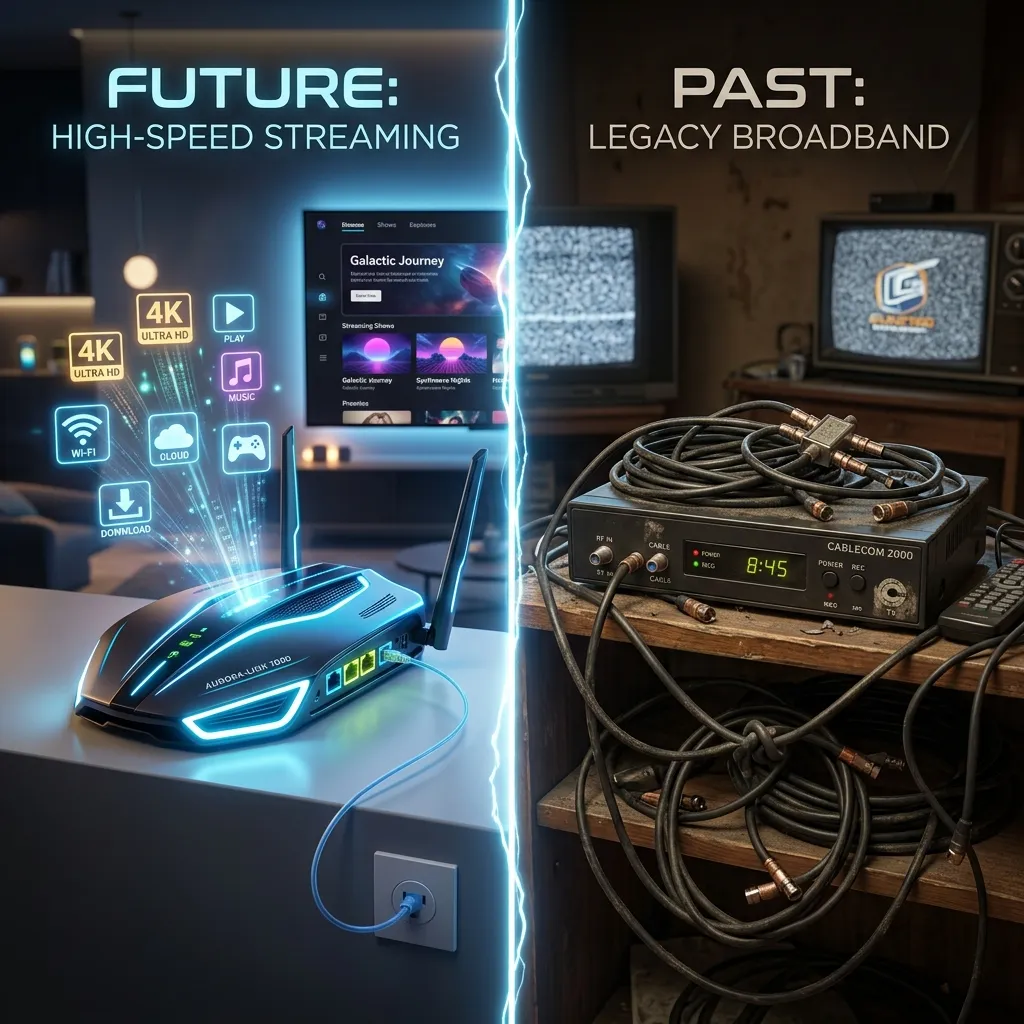
The television viewing experience has undergone a massive transformation over the past decade. We are no longer bound by the rigid schedules of traditional cable and satellite providers. Thanks to the explosive growth of Internet Protocol Television, viewers now have unprecedented control over what they watch, when they watch it, and how they navigate their entertainment options. At the heart of this revolution are two indispensable features: the EPG (Electronic Program Guide) and Catch-Up TV.
Whether you are a cord-cutter exploring your options or an experienced streamer looking to optimize your setup, understanding how to leverage EPG and Catch-Up TV can exponentially improve your daily entertainment experience. In this comprehensive, deep-dive guide, we will explore everything there is to know about these features. We will look at their underlying technology, their historical evolution, how to set them up, how to troubleshoot common issues, and why choosing the right provider makes all the difference.
Welcome to the future of television with Smartiflix, where cutting-edge technology meets unparalleled convenience.
Part 1: The Evolution of Television Navigation
To truly appreciate the power of modern IPTV EPG and Catch-Up features, we must first look back at how television navigation has evolved. For decades, finding out what was on television was a manual, often frustrating process.
The Era of Printed Guides
In the early days of television, viewers relied heavily on printed publications like TV Guide or the entertainment section of their local Sunday newspaper. You had to physically scan columns of text, cross-referencing channels with time slots. If a live event ran long or a network made a last-minute programming change, your printed guide was instantly obsolete. Missing a show meant waiting months for summer reruns.
The Introduction of On-Screen Scrolling Guides
In the 1990s, cable providers introduced the scrolling on-screen guide. Often relegated to a specific channel (like the famous Prevue Channel), this feature displayed a continuously scrolling list of channels and their current programming. While it was a step up from printed guides, it was entirely passive. If you missed the listing for channel 50, you had to wait several minutes for the scroll to cycle all the way back around.
The Dawn of Interactive EPGs
The digital cable and satellite revolution brought us the first true interactive Electronic Program Guides. Suddenly, users could use their remote controls to scroll forward in time, search for specific shows, and set reminders or DVR recordings. However, these proprietary guides were locked to expensive cable boxes and required hefty monthly hardware rental fees.
The IPTV Revolution
Today, IPTV takes the interactive EPG concept and supercharges it via the internet. Because IPTV streams data over your home internet connection, the EPG is no longer restricted by the limited bandwidth of a coaxial cable. Modern IPTV guides pull rich metadata, high-resolution posters, cast information, and dynamically updated schedules from web-based servers in real-time. Paired with a premium IPTV Subscription, the modern EPG is a lightning-fast, visually stunning portal to global entertainment.
Part 2: What Exactly is an IPTV EPG?
An EPG (Electronic Program Guide) is a digital, interactive menu that displays scheduling information for current and upcoming broadcast programming. In the context of IPTV, the EPG is the interface that bridges the gap between raw video streams and a user-friendly television experience.
The Anatomy of an EPG
A high-quality EPG provides much more than just the title of a show. When you highlight a program on a premium IPTV service, you are typically presented with a wealth of metadata:
- Program Title and Episode Number: Knowing exactly where you are in a series.
- Synopsis/Description: A brief summary of the movie or episode plot.
- Genre and Tags: Categorizations like "Action," "Live Sports," "News," or "Documentary."
- Cast and Crew Information: Directorial credits and starring actors.
- Release Year and Ratings: Parental guidance ratings and critic scores (like IMDb ratings).
- Start and End Times: Precise scheduling, often localized to your specific time zone.
- Progress Bars: A visual indicator showing how much of the current live program has already aired.
How EPG Data is Delivered: The XMLTV Format
Under the hood, most IPTV EPGs rely on a standardized data format known as XMLTV. XMLTV is an XML-based file format specifically designed to store television listings.
When you connect your IPTV app to a service provider, the app downloads an XML file (often compressed as a .gz file to save bandwidth). This file contains structured tags that your app parses and translates into the beautiful grid interface you see on your screen.
Here is a simplified example of what XMLTV data looks like behind the scenes:
<programme start="20260613140000 +0000" stop="20260613160000 +0000" channel="espn.us">
  <title lang="en">Live Premier League Soccer</title>
  <desc lang="en">Manchester United vs. Arsenal. Live coverage from Old Trafford.</desc>
  <category lang="en">Sports</category>
</programme>
Your IPTV player reads this code and knows exactly where to place the "Live Premier League Soccer" block on your grid, aligning it with the ESPN channel row and the 2:00 PM time column.
Why EPG Accuracy Matters
Not all EPGs are created equal. A common complaint among users of low-tier, free IPTV lists is the dreaded "No Information Available" tag. Without a functioning EPG, navigating thousands of live channels becomes an impossible chore of "channel surfing" blindly.
A premium provider invests heavily in reliable, multi-source EPG APIs to ensure that schedules are accurate, account for time-zone differences, and automatically update when live events (like sports going into overtime) cause scheduling shifts.
Part 3: Deep Dive into Catch-Up TV
If the EPG is your map of the television landscape, Catch-Up TV is your time machine. Catch-Up TV is a feature that allows users to watch television broadcasts that have already aired, directly through the EPG interface, without needing to manually record them in advance.
How Catch-Up TV Works
In traditional television, if you wanted to watch a show later, you had to set a VCR or a digital DVR to record it locally on your hard drive. This required foresight, storage space, and hardware.
Catch-Up TV shifts this burden from the user's hardware to the provider's servers.
- Server-Side Recording: The IPTV provider continuously records and archives the broadcasts of specific, popular channels on their massive cloud servers.
- The Rolling Window: This archive is typically kept for a rolling window of time—usually between 24 hours to 7 days, depending on the provider and the channel.
- On-Demand Retrieval: When a user selects a past program from the EPG, the IPTV app sends a request to the server, which streams the archived video file just like a Video On Demand (VOD) movie.
The Benefits of Catch-Up TV
1. Freedom from Schedules
The most obvious benefit of Catch-Up TV is total freedom. If your favorite prime-time drama airs at 8:00 PM but you don't get home from work until 9:30 PM, you no longer have to miss it or wait for it to appear on a separate streaming app months later. You simply open your EPG, scroll backwards to 8:00 PM, and press play.
2. The Power of Time-Shifting (Pause, Rewind, Fast-Forward)
Because Catch-Up TV streams a pre-recorded file, you gain full media controls. If you are watching a caught-up broadcast, you can pause it to answer the door. More importantly, you can fast-forward through commercial breaks—a feature that traditional live TV simply cannot offer.
3. A Game-Changer for Sports Fans
Live sports are the primary reason many people retain live TV subscriptions. However, global time zones make following international sports difficult. If you live in the United States but passionately follow European soccer or Formula 1 racing, events often occur in the early hours of the morning. With Catch-Up TV, you can wake up at a reasonable hour, avoid social media spoilers, and watch the entire event from the beginning exactly as it aired.
4. Zero Local Storage Required
Because everything is hosted on the provider's servers, you don't need expensive hard drives or complex DVR setups. This makes Catch-Up TV perfect for lightweight streaming devices with limited storage, which we outline in our Firestick Setup guide.
Comparing Viewing Methods
To better understand where Catch-Up fits into the ecosystem, let's compare the three main pillars of IPTV content:
| Feature | Description | Requires Foresight? | Skips Commercials? | Storage Requirement |
|---|---|---|---|---|
| Live TV | Watching the broadcast exactly as it happens in real-time. | No | No | None |
| VOD (Movies/Series) | A library of curated, permanent content to watch anytime. | No | Yes | None |
| Local DVR | Manually setting your device to record a live stream. | Yes | Yes | High Local Storage |
| Catch-Up TV | Accessing the past 1-7 days of live TV broadcasts. | No | Yes | None (Server-Side) |
Part 4: The Perfect Synergy - EPG and Catch-Up Working Together
Catch-Up TV would be practically unusable without a robust EPG. The EPG is the interface through which you access Catch-Up content.
Visual Indicators
When you open an advanced IPTV player like TiviMate, IPTV Smarters, or IMPlayer, you will notice visual cues that indicate the synergy between the EPG and Catch-Up.
- The Clock Icon: Channels that support Catch-Up TV usually feature a small clock or "rewind" icon next to their name in the EPG channel list.
- Highlighted Past Programs: When you scroll left (back in time) on the EPG grid, programs that are available to stream via Catch-Up will often be highlighted in a specific color or feature a play button icon. Programs that are too old or on non-Catch-Up channels will be greyed out.
Seamless Transitions
The magic happens when you click on a past event. The application reads the XMLTV data to find the exact timestamp of when that program started and ended. It then sends a command to the IPTV server requesting the video file for that exact time block. Within seconds, the program begins playing seamlessly.
[!TIP] Catch-Up Buffer Padding: Good IPTV apps allow you to add "padding" to Catch-Up playback. Because live TV (especially sports) doesn't always adhere strictly to the EPG schedule, adding a 5-minute padding ensures you don't miss the thrilling end of a game just because the EPG said the broadcast ended at 4:00 PM.
Part 5: Setting Up EPG and Catch-Up on Your Devices
To experience the full benefits of these features, you must use a capable IPTV application and configure it correctly. While the exact steps vary by app, the fundamental principles remain the same.
1. Choosing the Right Hardware
While you can watch IPTV on a smartphone or computer, the traditional "TV Guide" experience is best enjoyed on a big screen using a remote control. Android-based streaming devices are the gold standard for this. We highly recommend checking out our comprehensive Firestick Setup guide for hardware optimization, or our general Installation Guide for other platforms like Apple TV, Android TV boxes, and Smart TVs.
2. Choosing the Right Software
Not all IPTV apps handle EPG and Catch-Up well. If you are using a generic, bare-bones media player (like VLC), you will only get a raw list of channels without any EPG grid or Catch-Up capabilities.
Top-tier apps that fully support these features include:
- TiviMate: Widely considered the best Android IPTV player. It offers a beautiful, customizable EPG grid, excellent Catch-Up integration, and advanced features like multi-view and Catch-Up padding.
- IPTV Smarters Pro: A highly versatile app available on almost all platforms (iOS, Android, Windows, Mac, Smart TVs). Its "Catch-Up" section is cleanly separated from Live TV, making it very user-friendly.
- IMPlayer: Another premium Android option that mimics the look and feel of high-end digital cable boxes, with deep EPG customization.
- XCIPTV: A lightweight, fast player with strong EPG support, excellent for older or less powerful devices.
3. Configuring the EPG URL
When you purchase a Smartiflix Pricing plan, you are typically provided with login credentials. You can use these credentials in two ways:
- Xtream Codes API (Recommended): By entering your Username, Password, and Server URL, the app automatically pulls the channel list, VOD, EPG, and Catch-Up data in one seamless connection. This is the preferred method as it drastically reduces setup time.
- M3U and EPG URLs: If your app doesn't support Xtream Codes, you will need to input an M3U link (for the channels) and a separate XMLTV link (for the EPG data). You must input both for the guide to populate.
4. Updating the EPG Regularly
EPG data changes constantly. Live events get delayed, networks change their schedules, and new channels are added. To ensure your guide is always accurate:
- Go to your IPTV app's settings.
- Find the "EPG" or "TV Guide" section.
- Set the "Update Interval" to update automatically. We recommend setting it to update every 12 to 24 hours, preferably in the middle of the night so it doesn't interrupt your viewing.
- Turn on "Update on App Start" so you always have fresh data when you sit down to watch.
5. Enabling and Using Catch-Up
Once your EPG is populated, using Catch-Up is straightforward:
- Ensure your provider supports Catch-Up (Smartiflix provides robust Catch-Up features on top channels).
- Open your EPG grid.
- Scroll left past the current time.
- Select any program with the Catch-Up indicator (usually a clock/rewind icon).
- Press "Play" or "Watch."
[!IMPORTANT] Network Stability Requirement: Catch-Up TV streams rely heavily on a stable internet connection. Because you are pulling a massive video file from an archive, your connection needs to be robust to handle fast-forwarding and rewinding without buffering.
Part 6: Security and Privacy Considerations
When interacting with any internet-based service, security should always be a priority. Because IPTV involves streaming significant amounts of data directly to your home network, you must ensure your connection is private and secure.
Why You Need a Secure Connection
When you browse an EPG, search for a show, or stream Catch-Up TV, you are communicating with external servers. Without proper protection, your Internet Service Provider (ISP) can see exactly what you are streaming, when you are streaming it, and how much bandwidth you are using.
Many ISPs engage in a practice called bandwidth throttling. If their automated systems detect heavy streaming traffic (like pulling a high-bitrate HD stream from a Catch-Up server), they may intentionally slow down your connection, resulting in endless buffering and a ruined viewing experience.
Protecting Your Privacy
To combat throttling and protect your privacy, the use of a Virtual Private Network (VPN) is highly recommended. A VPN encrypts all the internet traffic leaving your device, making it impossible for your ISP to read the data or determine its destination. Because the ISP cannot see that you are streaming IPTV, they cannot selectively throttle your connection.
Furthermore, a VPN protects you from potential bad actors on public Wi-Fi networks if you are streaming on the go. For a deep dive into keeping your streaming environment safe, secure, and private, be sure to read our comprehensive guide: Is Smartiflix Safe?.
Part 7: Troubleshooting Common EPG and Catch-Up Issues
Even with the best providers and hardware, technology occasionally hiccups. Here is a troubleshooting guide for the most common issues users face with EPGs and Catch-Up TV.
Issue 1: "No Information" displayed on the EPG Grid
This is the most common EPG issue. You open your guide, but every channel simply says "No Information" or "TBA."
- Fix 1: Force Update the EPG. Go to your app settings and manually click "Update EPG" or "Refresh TV Guide." Sometimes the automated update fails due to a brief network drop.
- Fix 2: Check Your Typo (If using M3U). If you manually entered an XMLTV link, ensure there are absolutely no typos. A single wrong letter will break the entire link.
- Fix 3: Clear App Cache. In Android/Firestick settings, go to Apps, find your IPTV player, and click "Clear Cache." Do NOT click "Clear Data" unless you want to log in again.
- Fix 4: Provider Server Maintenance. Occasionally, the EPG server itself may be undergoing temporary maintenance. Wait a few hours and try updating again.
Issue 2: The EPG Time is Wrong
If the guide says the evening news is on at 2:00 PM, your time offset is incorrect.
- Fix: IPTV EPGs are usually delivered in UTC (Coordinated Universal Time). Your app needs to convert this to your local time zone. Look in your app's EPG settings for an option called "Time Offset" or "Time Shift." Adjust this slider (e.g., +5 hours or -5 hours) until the programs align perfectly with the current real-world time.
Issue 3: Catch-Up TV is Buffering Constantly
You are trying to watch yesterday's football game, but it pauses every 10 seconds.
- Fix 1: Check Internet Speed. Run a speed test on your device. You need at least 25 Mbps for smooth HD streaming, and 50+ Mbps for 4K.
- Fix 2: Use a Wired Connection. If possible, connect your streaming device directly to your router using an Ethernet cable rather than relying on Wi-Fi, which is susceptible to interference.
- Fix 3: Try a VPN. As mentioned in the security section, your ISP might be throttling the connection to the Catch-Up server. A VPN will bypass this restriction.
- Fix 4: Change the Media Player Engine. Apps like TiviMate and Smarters allow you to change the underlying media player (e.g., from ExoPlayer to VLC). Switching the hardware decoding engine can often resolve stuttering and buffering on recorded streams.
Issue 4: Clicking a Catch-Up Program Plays the Wrong Show
You click on a 6:00 PM sitcom, but the stream starts playing the 5:30 PM news broadcast.
- Fix: This happens because live TV rarely runs exactly to the second, and the EPG XML data provides strict, rigid start times. If the 5:30 news ran 5 minutes late, the server's recording of the 6:00 PM block will contain the end of the news.
- Solution: Simply use the fast-forward function to skip the first few minutes of the stream until your desired program begins. This is where Catch-Up's ability to skip commercials and filler content shines.
Part 8: Choosing the Right IPTV Provider for These Features
The hardware and software you use are only half of the equation. The quality of your EPG and Catch-Up experience relies heavily on the server infrastructure of your IPTV provider.
Free or cheap "budget" providers almost never offer reliable Catch-Up TV because storing days' worth of high-definition video requires massive, expensive data centers. Furthermore, keeping an EPG highly accurate across thousands of international channels requires costly premium API licenses.
What to Look For in a Provider
When evaluating an IPTV Subscription, look for the following criteria:
- Extensive Catch-Up Window: Look for a provider that offers at least a 3-to-7 day Catch-Up window on premium channels.
- Wide Channel Support: Catch-Up is usually not available on every single channel. Ensure the provider offers it on the channels that matter most (Sports, Premium Movies, Major Networks).
- High-Quality EPG Data: The provider should advertise regular EPG updates with rich metadata (posters, descriptions).
- Anti-Freeze Technology: Because Catch-Up pulls archived video, the server delivery must be robust and supported by anti-freeze technology to ensure smooth playback during fast-forwarding and rewinding.
At Smartiflix, we pride ourselves on delivering an unparalleled viewing experience. Our servers are optimized to provide blazing-fast Catch-Up TV with extensive archives on all major networks and sports channels. Our EPG is meticulously maintained, ensuring you never have to guess what you are watching. Explore our Smartiflix Pricing plans to find the perfect package for your entertainment needs.
Part 9: The Future of TV Navigation and Time-Shifting
The technology behind EPG and Catch-Up TV is not static; it is constantly evolving. As artificial intelligence and machine learning become more integrated into streaming software, we can expect a radical transformation in how we discover and consume content.
Predictive Catch-Up and AI Recommendations
Future EPGs will likely move away from the traditional grid format towards highly personalized, AI-driven dashboards. Instead of you searching the EPG for what you missed, the system will learn your habits. If it knows you watch the same sports talk show every Tuesday but you missed it this week, the app will automatically surface that Catch-Up file on your home screen the moment you log in.
Enhanced Metadata Integration
We are moving towards a future where EPG data is hyper-linked. Imagine highlighting a movie in your EPG, clicking on the lead actor's name, and instantly being presented with a dynamic playlist of every VOD movie they star in, plus a schedule of every live channel currently broadcasting their work.
Seamless Multi-Screen Experiences
Catch-Up TV will soon integrate flawlessly across devices via cloud-syncing. You will be able to start watching a Catch-Up broadcast of a football game on your living room television, hit pause, jump into a taxi, open the app on your smartphone, and resume the broadcast at the exact second you left off.
Conclusion: Taking Control of Your Screen
The days of organizing your life around television schedules are officially over. The combination of an accurate Electronic Program Guide and robust Catch-Up TV completely democratizes the viewing experience. It puts the power back where it belongs: in the hands of the viewer.
By understanding how XMLTV data populates your guide, how cloud servers manage your time-shifted streams, and how to properly configure your hardware and software, you can transform a simple television into an ultimate, personalized entertainment hub.
If you are ready to stop channel surfing blindly and start experiencing television on your own terms, it is time to upgrade. Visit our Homepage to learn more about our cutting-edge infrastructure, or dive straight into our Installation Guide to get your devices configured for the ultimate EPG and Catch-Up experience today.
Never miss a moment of the action, the drama, or the news again. Welcome to the Smartiflix revolution.