IPTV Setup Guide for Beginners: Easy Steps for 2026
Unlock the future of TV with our IPTV setup guide for beginners! Learn to stream effortlessly on Firestick, Android TV, Smart TVs, and more.
Introduction to the IPTV Revolution in 2026
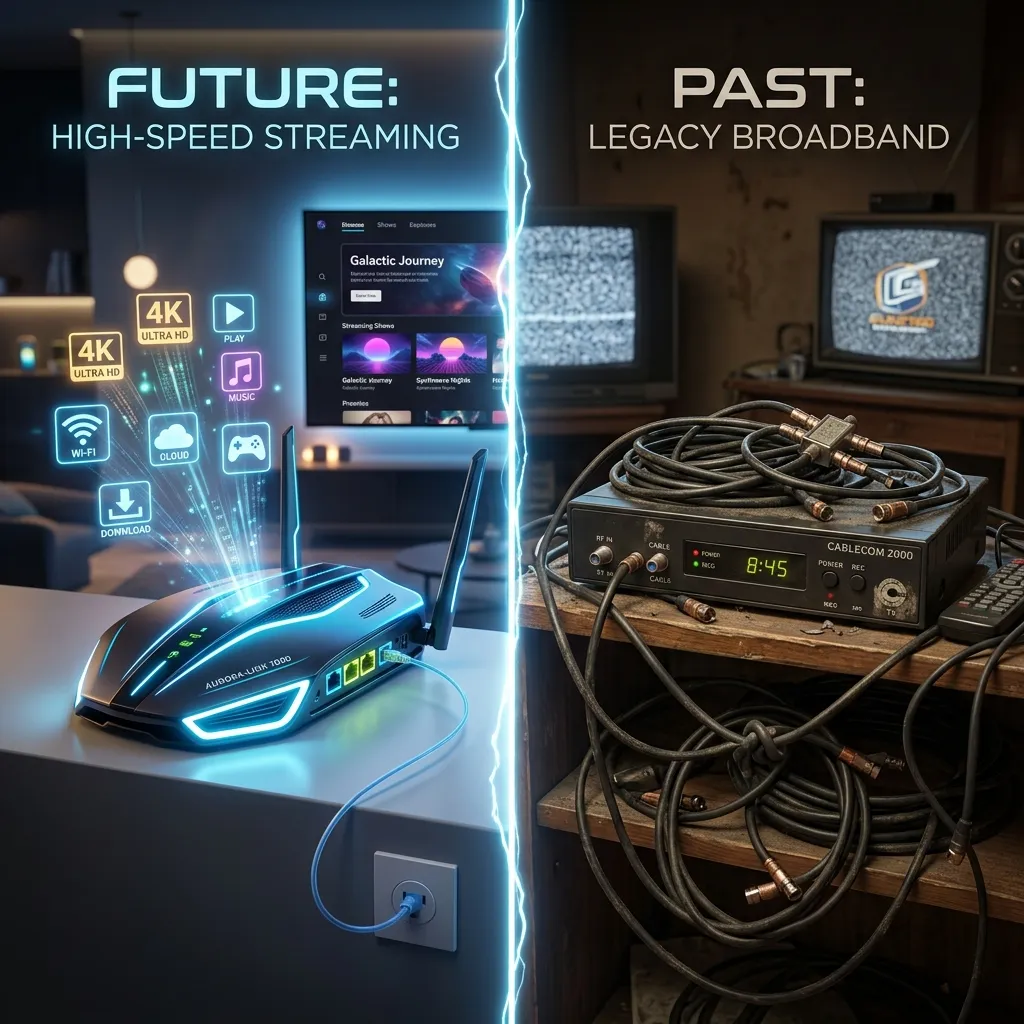
Welcome to the definitive, most comprehensive, and ultimate guide to setting up IPTV in 2026. Whether you are completely new to the world of Internet Protocol Television or you are looking to upgrade your existing home entertainment system, this guide is meticulously designed specifically for you. The landscape of television consumption has shifted dramatically over the past decade, and 2026 represents the pinnacle of this evolution. Traditional cable and satellite television services are rapidly becoming a thing of the past. They are notoriously expensive, rigid, and often bloated with hundreds of channels you never watch, bundled together in restrictive contracts. In stark contrast, IPTV offers unparalleled freedom, flexibility, and affordability, putting the power of choice firmly back in the hands of the consumer.
At Smartiflix, we understand that diving into the world of IPTV can initially seem overwhelming. There are numerous devices to choose from, various applications to configure, and a plethora of confusing terms like M3U playlists, Xtream Codes, and EPGs. That is precisely why we have created this monumental guide. We will walk you through every single step of the process, from understanding the foundational concepts of IPTV to selecting the optimal hardware, choosing the best software, and configuring your system for flawless, buffer-free streaming. By the time you finish reading this exhaustive resource, you will possess the knowledge and confidence of a seasoned IPTV veteran, ready to transform your living room into a state-of-the-art cinematic hub.
This article is structured to take you on a logical journey. We will start with the absolute basics, clarifying what IPTV is and how it works under the hood. Then, we will explore the essential prerequisites required to guarantee a smooth, uninterrupted viewing experience. Following that, we will dive deep into hardware comparisons, analyzing the pros and cons of popular streaming devices like the Amazon Firestick, Android TV boxes, Apple TV, and Smart TVs. Once the hardware is sorted, we will transition into software, examining the best IPTV player applications available on the market today. Finally, we will provide step-by-step installation instructions for various platforms, troubleshoot common issues, and offer advanced tips to maximize your entertainment setup. Get ready to unlock a universe of limitless entertainment.
Section 1: What Exactly is IPTV?
Understanding the Technology Behind the Screen
IPTV stands for Internet Protocol Television. To put it simply, instead of receiving television programs as broadcast signals that enter your home via a rooftop antenna, a satellite dish, or a fiber-optic cable from a traditional provider, you receive them via your internet connection. It utilizes the very same robust internet protocol framework that you use to browse the web, send emails, and stream music.
When you watch traditional cable TV, all the channels are being broadcast simultaneously. You simply "tune in" to the specific frequency of the channel you wish to watch. IPTV, however, operates on a fundamentally different, much more efficient premise known as unicast streaming. When you select a channel or a movie on an IPTV service, the video content is broken down into small data packets and streamed directly to your device in real-time. This "on-demand" delivery method means you are only downloading the specific content you are actively watching, which is a highly efficient use of bandwidth.
Why is IPTV Taking Over Traditional Cable?
The exodus from traditional cable to IPTV is staggering, and the reasons are crystal clear. Here is why millions of households globally are making the switch in 2026:
- Unmatched Cost Efficiency: Traditional cable bills can easily exceed hundreds of dollars per month, especially when factoring in premium sports packages and movie channels. IPTV subscriptions represent a fraction of that cost. By checking our highly competitive Pricing plans, you can instantly see the massive financial benefits of making the switch.
- Infinite Content Variety: With IPTV, geographical limitations are a thing of the past. You can access thousands of live TV channels from across the globe, alongside massive Video on Demand (VOD) libraries containing the latest blockbuster movies, entire seasons of critically acclaimed TV series, and exclusive documentaries.
- Cross-Platform Compatibility: Unlike cable, which ties you to a specific set-top box in a specific room, IPTV can be enjoyed on virtually any internet-connected screen. You can start watching a movie on your living room Smart TV, continue it on your tablet during your commute, and finish it on your smartphone while lying in bed.
- Advanced Features: Modern IPTV services offer features that traditional cable could only dream of, such as extensive Catch-Up TV (allowing you to watch programs broadcast days ago), customizable Electronic Program Guides (EPG), and seamless recording capabilities without the need for clunky DVR hardware.
The Different Types of IPTV Formats
To fully grasp the IPTV ecosystem, it is essential to understand the primary formats in which the service is delivered to your screen:
- Live Television: This is the direct streaming of live TV channels as they happen, identical to watching a live broadcast on standard cable. This includes live sports events, breaking news broadcasts, and live reality television shows.
- Video on Demand (VOD): Similar to massive streaming giants like Netflix or Hulu, VOD allows you to browse an extensive catalog of movies and TV shows and watch them instantly, whenever you want. You have complete control to play, pause, rewind, and fast-forward at your leisure.
- Time-Shifted TV / Catch-Up TV: This fantastic feature enables you to watch broadcasts that aired hours or even days ago. If you missed the season finale of your favorite show or an important football match, Catch-Up TV ensures you can retrieve and watch it later.
Section 2: Essential Prerequisites for a Flawless IPTV Setup
Before diving into purchasing devices or subscribing to services, you must ensure your home infrastructure is properly equipped to handle high-quality IPTV streaming. The foundation of a spectacular viewing experience relies on these four critical pillars.
Pillar 1: A High-Speed, Stable Internet Connection
The single most important component of any IPTV setup is your internet connection. Since all video and audio data is transmitted over the internet, a slow or unstable connection will inevitably lead to the bane of all streamers: buffering.
In 2026, the definition of "high-speed" has evolved. While standard definition (SD) streams might survive on slower connections, you are likely aiming for High Definition (HD), Full HD (1080p), or breathtaking 4K Ultra High Definition (UHD).
- Minimum Requirements: For standard 1080p HD streaming, we strongly recommend a consistent, dedicated download speed of at least 25 Mbps.
- Optimal Requirements: For crystal-clear 4K UHD streaming, especially for live sports with high framerates, you should aim for a minimum of 50 Mbps, though 100 Mbps or higher provides a comfortable buffer for when other devices in your home are also utilizing the network.
Pro Tip: Whenever physically possible, connect your streaming device directly to your router using a physical Ethernet cable rather than relying on Wi-Fi. An Ethernet connection provides unparalleled stability, drastically reducing latency, packet loss, and the likelihood of freezing during crucial moments.
Pillar 2: A Compatible and Powerful Streaming Device
Your streaming device acts as the engine that processes the incoming data and renders the video onto your screen. While you can use older, underpowered devices, investing in modern, capable hardware will significantly enhance your experience. A fast processor ensures that menus load instantaneously, channel zapping is lightning fast, and high-bitrate 4K videos play without dropping frames. We will dedicate an entire extensive section to choosing the best device later in this guide, but just know that hardware matters immensely.
Pillar 3: A Reliable, Premium IPTV Subscription
The hardware and internet connection are useless without high-quality content to stream. This is where selecting a premier provider becomes critical. The market is flooded with thousands of IPTV services, ranging from excellent to virtually unusable.
When searching for a provider, you need reliability, minimal server downtime, comprehensive channel lineups, constantly updated VOD libraries, and responsive customer support. This is precisely the unparalleled quality we deliver. We invite you to explore our premium IPTV Subscription packages, designed to provide a flawlessly curated, buffer-free entertainment experience tailored to your exact needs.
Pillar 4: A Virtual Private Network (VPN) for Security
In the digital age of 2026, privacy and security are paramount. Utilizing a Virtual Private Network (VPN) while streaming IPTV is highly recommended, and in many cases, essential.
A VPN serves multiple crucial functions:
- Throttling Prevention: Many Internet Service Providers (ISPs) actively monitor your online traffic. If they detect heavy streaming activity (which IPTV generates), they may artificially slow down your connection, a practice known as bandwidth throttling. A VPN encrypts your traffic, hiding your activities from your ISP and preventing them from throttling your speeds.
- Privacy Protection: A VPN masks your real IP address, routing your connection through secure, encrypted servers. This protects your digital footprint from hackers, snoops, and aggressive data tracking.
- Bypassing Restrictions: Occasionally, certain internet networks or geographic regions may impose restrictions on streaming services. A VPN allows you to connect to servers in different locations, effectively bypassing these arbitrary blockades.
For a comprehensive, deep dive into the security aspects of streaming and whether you are protected, we strongly encourage you to read our detailed Security Guide.
Section 3: Choosing the Right Streaming Hardware
The market is saturated with streaming devices, each boasting different features, operating systems, and price points. Making the correct choice depends entirely on your budget, your technical comfort level, and your specific viewing preferences. Let's break down the major contenders in 2026.
The Uncontested Champion: Amazon Fire TV Stick
The Amazon Fire TV Stick, specifically the Firestick 4K Max or the Fire TV Cube, remains arguably the most popular streaming device for IPTV globally.
Why it dominates:
- Affordability: Firesticks offer an incredible performance-to-price ratio. They are frequently on sale and provide high-end features at a budget-friendly cost.
- Sideloading Capabilities: Because the Fire OS is essentially a modified version of Android, it is incredibly easy to "sideload" third-party applications that are not officially available on the Amazon Appstore. This is crucial, as many of the absolute best IPTV players require sideloading.
- Portability: The Firestick is no larger than a standard USB flash drive. You can easily unplug it, slip it into your pocket, and plug it into a TV at a hotel or a friend's house, taking your entire entertainment setup with you.
If you choose this phenomenal device, you must consult our definitive, step-by-step Firestick Setup guide, which covers everything from initial unboxing to advanced configuration.
The Powerhouse Alternative: Android TV Boxes
Android TV boxes (such as the NVIDIA Shield TV Pro or the Google Chromecast with Google TV) represent the absolute zenith of streaming power.
The NVIDIA Shield TV Pro is widely considered the ultimate streaming device on the planet. It features a blazing-fast Tegra X1+ processor, advanced AI upscaling capabilities that make 1080p content look indistinguishable from 4K, and flawless support for complex audio formats like Dolby Atmos. If you are building a high-end home theater and demand zero compromises, an Android TV box is the definitive answer.
Furthermore, having access to the official Google Play Store means installing your favorite IPTV applications is a seamless, one-click process, eliminating the need for complex sideloading procedures.
The Built-in Solution: Smart TVs (Samsung, LG, Sony)
Almost all modern televisions sold in 2026 are "Smart TVs," coming equipped with their own operating systems (like Tizen for Samsung, webOS for LG, and Google TV for Sony).
The Pros:
- Convenience: You don't need to purchase or plug in any additional hardware. Everything is contained within the television itself, controlled by a single remote.
- Aesthetic: It keeps your entertainment center completely free of cable clutter.
The Cons:
- Performance Limitations: The internal processors built into most Smart TVs, even expensive ones, are generally significantly weaker than dedicated streaming devices. This can lead to slower menu navigation and potential performance hiccups when handling massive IPTV playlists.
- App Store Restrictions: Samsung and LG have highly restrictive, proprietary app stores. Finding and installing the best, most advanced IPTV players on these platforms can be frustrating or sometimes impossible, forcing you to rely on basic, feature-poor alternatives.
The Premium Ecosystem: Apple TV 4K
For users deeply entrenched in the Apple ecosystem, the Apple TV 4K is a phenomenal piece of hardware. It boasts incredible processing power, a sleek and ad-free user interface, and seamless integration with iPhones, iPads, and Macs.
However, from a purely IPTV-centric perspective, Apple TV is slightly more restrictive than Android or Fire OS. Sideloading is complex and generally requires developer accounts or third-party workarounds. Fortunately, the official Apple App Store has seen an influx of fantastic, high-quality IPTV players in recent years (such as iPlayTV and GSE Smart IPTV), making the Apple TV 4K a highly viable and luxurious option for streaming.
The Traditional Route: MAG Boxes
MAG boxes (manufactured by Infomir) were once the absolute industry standard for IPTV. They operate on a completely different system, utilizing MAC address portal connections rather than M3U playlists or Xtream Codes.
They provide a user interface that perfectly mimics a traditional cable box, which makes them incredibly appealing for elderly users or those who abhor change. However, they are largely considered outdated in 2026. They are single-purpose devices (they only do IPTV, you cannot install Netflix or YouTube on most basic models) and lack the versatility, speed, and expansive app ecosystems of Android or Fire OS devices. We generally recommend modern alternatives over MAG boxes for new setups.
Desktop and Mobile: Windows, Mac, iOS, Android
Sometimes you just want to watch on the go. Your PC, Mac, Android smartphone, or iPhone can all act as extremely powerful IPTV receivers. Using software such as VLC Media Player for PCs, or dedicated mobile apps like Smarters Player Lite on iOS and Android, you can take your entire content library absolutely anywhere in the world. The only requirement is a cellular or Wi-Fi connection.
Section 4: Decoding IPTV Protocols and Formats
When configuring your IPTV player, you will inevitably be asked to input your subscription details using one of several different formats. Understanding these terms is the key to a stress-free setup.
The Universal Standard: M3U Playlists
An M3U playlist is essentially a long, structured text file containing the direct URLs to every single live TV channel, movie, and TV show included in your subscription.
When you purchase a subscription, your provider will typically give you an "M3U Link" (a long web address ending in .m3u or .m3u8). You simply paste this massive link into your IPTV player. The player then connects to that URL, downloads the text file, reads all the internal links, and meticulously organizes them into an accessible, navigable menu on your screen.
While M3U links are universally supported by almost every player in existence, typing them out manually using an on-screen TV remote is a notoriously painful, error-prone experience due to their sheer length.
The Modern Marvel: Xtream Codes API
Xtream Codes API is the modern, significantly more user-friendly evolution of IPTV connectivity. Instead of dealing with agonizingly long URLs, the Xtream Codes method breaks your login details down into three simple, easily manageable components:
- Server URL (or Portal URL): The web address of the provider's server.
- Username: Your unique identifier.
- Password: Your secret security key.
Almost all premium, modern IPTV players heavily favor the Xtream Codes login method. It is incredibly fast to type, drastically reduces the chance of typos, and allows the player application to communicate directly and efficiently with the provider's servers, often resulting in faster loading times and more accurate Electronic Program Guide (EPG) data.
The MAC Address / Portal System (Stalker Portal)
As mentioned earlier in the MAG box section, the MAC Address system operates differently. Every single network-capable device on earth has a unique string of characters assigned to its network chip, known as a MAC address (e.g., 00:1A:79:XX:YY:ZZ).
In this system, you provide your device's unique MAC address to your IPTV provider. The provider then authorizes that specific device on their servers. You then input a "Portal URL" into your device. The device connects to the portal, the server recognizes the authorized MAC address, and instantly grants access to the content. This method is incredibly secure but ties your subscription permanently to that single, specific piece of hardware. If you buy a new device, you must contact your provider to update your MAC address on their end.
Section 5: The Ultimate Showdown: Selecting the Best IPTV Player App
Hardware is only half the battle. The software application you choose to process and display your IPTV streams profoundly impacts your viewing experience. A great app makes navigation a joy; a terrible app makes it a chore. Here are the absolute best applications available in 2026.
The Undisputed King: TiviMate IPTV Player
In the vast universe of IPTV applications, TiviMate stands alone at the absolute pinnacle. It is, without exaggeration, the most powerful, elegantly designed, and feature-rich IPTV player ever created for Android TV and Fire OS devices.
Why TiviMate Reigns Supreme:
- Stunning UI: The user interface is breathtakingly clean, modern, and intuitively designed to look exactly like a premium, top-tier cable or satellite TV guide.
- Multiview Mastery: TiviMate allows you to watch up to four live channels simultaneously on the same screen—a game-changer for sports fanatics trying to track multiple live matches.
- Advanced Customization: You have complete, granular control over everything. You can rearrange channel groups, hide unwanted categories, customize the EPG timeline, and fine-tune exactly how the player behaves.
- Recording Capabilities: It offers robust, reliable DVR capabilities, allowing you to schedule recordings of live TV directly to external USB drives or network-attached storage (NAS).
While there is a free version, unlocking TiviMate's true power requires purchasing the Premium version, which is widely considered the best investment any IPTV enthusiast can make.
The Versatile Champion: IPTV Smarters Pro
IPTV Smarters Pro is arguably the most famous and widely utilized IPTV player globally. Its massive popularity stems from its incredible versatility and ease of use.
Key Strengths of Smarters Pro:
- Universal Availability: Unlike TiviMate, which is restricted to Android/Fire OS, Smarters Pro is available on almost everything: Android, iOS, Windows, macOS, and many Smart TVs.
- Xtream Codes Focused: It is specifically designed to excel with Xtream Codes API logins, providing a highly organized dashboard that beautifully separates Live TV, Movies, and Series into distinct, easy-to-navigate sections.
- Multi-Screen Support: Similar to TiviMate, it offers multi-screen viewing functionalities.
- Integrated EPG: It handles Electronic Program Guide data exceptionally well, ensuring you always know what is currently playing and what is coming up next.
The Sleek Contender: XCIPTV Player
XCIPTV is a phenomenal, highly polished alternative that rivals IPTV Smarters Pro in functionality and often exceeds it in pure aesthetic design.
Why Choose XCIPTV:
- Exceptional VOD Interface: While many players focus heavily on Live TV, XCIPTV shines brilliantly in how it handles Video on Demand. Its movie and series menus look and feel exactly like a premium streaming service like Netflix, pulling in rich metadata, movie posters, and cast information.
- Built-in Media Players: It comes equipped with two of the best internal media players (ExoPlayer and VLC), guaranteeing that virtually any video or audio codec will play flawlessly without requiring external software.
- Backup and Restore: It features a brilliant cloud backup system, allowing you to save your settings, favorites, and configurations and instantly restore them on a different device.
The Underdog: iMPlayer
Often compared favorably to TiviMate, iMPlayer is a remarkably robust Android TV/Firestick application. It offers many of the same premium features as TiviMate, including multi-view, recording capabilities, and a highly customizable user interface. Some users actually prefer iMPlayer's VOD layout over TiviMate's. It's a fantastic alternative if you are looking to explore beyond the biggest names.
Section 6: Comprehensive Step-by-Step Installation Guides
Now that you understand the theory, the hardware, and the software, it is time for action. Here are the precise, step-by-step instructions for getting IPTV running on the most popular platforms.
[!IMPORTANT] If you require even more detailed, granular instructions, please consult our dedicated Installation Guide.
How to Set Up IPTV on Amazon Firestick (Using TiviMate)
As the Firestick is a closed ecosystem, we must use an application called "Downloader" to sideload TiviMate.
- Prepare the Firestick: Navigate to Settings > My Fire TV > Developer Options.
- Enable Unknown Sources: Turn ON "Install unknown apps" or "Apps from Unknown Sources." (If you don't see Developer Options, go to About, highlight your Fire TV Stick's name, and click the "Select" button rapidly 7 times to reveal it).
- Install Downloader: Go back to the main Home screen. Select the Find (magnifying glass) icon. Search for an app called Downloader. Download and install it.
- Download TiviMate: Open the Downloader app. In the URL bar, type the official TiviMate APK download link (you can easily find the official shortlink online) and click Go. The app will download.
- Install TiviMate: Once downloaded, click Install.
- Launch and Configure: Open TiviMate. Select Add Playlist. Choose the Xtream Codes login method. Enter the Server URL, Username, and Password provided by your IPTV Subscription. Click Next, and your channels will begin to populate!
How to Set Up IPTV on Android TV / Google TV (Using IPTV Smarters Pro)
The process on Android TV is remarkably simpler, as we can utilize the official Google Play Store.
- Open the Google Play Store: Navigate to the Play Store application on your Android TV home screen.
- Search: Use the search function (voice or text) and look for IPTV Smarters Pro.
- Install: Select the official application and click Install.
- Launch and Log In: Open the app once installation is complete. Accept the terms of service. Select the option "Login with Xtream Codes API".
- Enter Details: Input your customized name (e.g., "Smartiflix"), your Username, Password, and the Portal URL provided to you.
- Add User: Click "Add User." The application will connect to the servers, download your content libraries, and present you with your dashboard.
How to Set Up IPTV on Windows PC or Mac
Watching IPTV on a desktop or laptop is fantastic for multitasking or dedicated viewing sessions.
- Download Smarters Pro: Open your web browser and navigate to the official IPTV Smarters website.
- Select OS: Download the specific installation file for either Windows (.exe) or macOS (.dmg).
- Install the Software: Run the downloaded installer and follow the standard on-screen prompts to install the application onto your computer.
- Launch: Open the IPTV Smarters application.
- Authenticate: Just like the TV version, select Login with Xtream Codes API, enter your credentials provided by your subscription, and log in to access your entire library directly from your computer monitor.
How to Setup IPTV on Smart TVs (Samsung & LG)
Because Smart TVs have closed app stores, your choices are more limited, but the process is very straightforward.
- Access the App Store: Open the Samsung Smart Hub or LG Content Store.
- Search for Players: Search for apps like Smart IPTV (SIPTV), Flix IPTV, or Net IPTV.
- Install and Launch: Install your chosen app. Upon launching, it will display a MAC address on the screen.
- Upload Playlist via Web: You must go to your computer, visit the specific application's website (e.g., siptv.eu/mylist for Smart IPTV), enter the MAC address displayed on your TV, and upload the M3U URL provided by your IPTV subscription.
- Restart App: Go back to your TV, restart the application, and the channels will load.
Section 7: Troubleshooting the Most Common IPTV Issues
Even with the most perfect, optimized setup, technology can occasionally falter. Here is how to diagnose and instantly fix the most prevalent IPTV issues in 2026.
The Nightmare of Buffering and Freezing
Buffering is the enemy of entertainment. If your stream constantly pauses to load, try these crucial steps:
- Reboot Everything: The oldest IT advice is still the best. Completely unplug your router, your modem, and your streaming device from the power outlet. Wait a full 60 seconds. Plug the modem and router back in first, wait for the lights to stabilize, and then plug in your streaming device. This clears temporary cache and re-establishes a fresh connection.
- Check Your Internet Speed: Run a speed test directly on your streaming device (not on your phone connected to the same network). Ensure you are genuinely receiving the speeds you are paying for, specifically looking at the download speed.
- Hardwire Your Connection: If you are on Wi-Fi, the signal may be experiencing interference. Connect an Ethernet cable directly from your router to your device. This single action solves 90% of buffering issues.
- Clear Application Cache: Over time, your IPTV player accumulates temporary data. Go to your device's settings, navigate to Applications, find your IPTV player (e.g., TiviMate), and select Clear Cache (Do NOT click Clear Data, as this will delete your login details).
- Enable/Disable VPN: Sometimes, ISPs throttle IPTV traffic. Turning ON your VPN can bypass this throttling. Conversely, if your VPN server is overloaded, turning it OFF or switching to a different geographical server might drastically improve speeds.
The Case of Missing Channels or EPG Issues
If you log in and realize channels are missing, or the TV guide (EPG) says "No Information," the fix is usually straightforward.
- Manual Update: Most top-tier IPTV apps do not update automatically in real-time. You must force an update. In TiviMate or Smarters, navigate to Settings > Playlists and click Update Playlist. Then go to Settings > EPG and click Update EPG. This forces the app to download the latest channel data directly from the server.
- Verify Subscription Status: Ensure your subscription is actually active and hasn't expired. Check your account portal on our website.
- Check for Typos: If you manually entered an M3U link, a single incorrect character (a lowercase 'l' instead of a capital 'I') will break the entire link. Double-check your credentials meticulously.
Audio and Video Are Completely Desynchronized
Watching a movie where the lips move, and the sound follows two seconds later is agonizing.
- Change the Decoder: Most IPTV applications use an internal media player to decode the video stream. Go into your IPTV app's settings and look for the "Playback" or "Media Player" section. If you are using "Hardware Decoder" (HW), switch it to "Software Decoder" (SW), or vice versa. This changes how the device processes the video and almost always realigns the audio.
- External Players: If the internal player fails, applications like Smarters allow you to route the video to an external player like VLC. Try opening the problematic channel using VLC.
"Authorization Failed" or Login Errors
If you receive constant login errors, the issue is almost always credential-related.
- Check VPN Conflict: Some providers block access from known VPN IP addresses. Turn your VPN off temporarily, try logging in. If it works, you need to contact your provider and ask them to whitelist your VPN.
- Exceeded Connection Limits: If you paid for 1 connection and are trying to watch on a TV and a smartphone simultaneously, the server will instantly block one or both devices, resulting in an authorization error.
- Expired Account: Double check your billing portal to ensure your account has not lapsed into a suspended state due to missed payments.
Section 8: Mastering Security and Privacy in the World of IPTV
As IPTV's popularity skyrockets, so does the scrutiny from Internet Service Providers and regulatory bodies. Protecting your digital footprint is no longer optional; it is a critical necessity.
Do You Really Need a VPN for IPTV?
The short, emphatic answer is: Yes, absolutely.
As discussed in our prerequisites, your ISP possesses the capability to monitor every byte of data you transmit. Many massive ISPs have heavily invested in traditional cable infrastructure. They view IPTV as a direct, aggressive threat to their business model. Consequently, they often deploy deep packet inspection techniques to identify IPTV traffic and deliberately throttle (slow down) those specific connections, resulting in the dreaded buffering we discussed earlier.
A premium, highly-rated VPN creates an impenetrable, encrypted tunnel between your device and the internet. Your ISP can only see that you are sending and receiving encrypted data; they cannot see what the data is, nor where it is coming from. This renders throttling impossible and guarantees your streaming speeds remain optimized.
How to Protect Your Data
Beyond a VPN, there are steps you can take to safeguard your information:
- Avoid Public Wi-Fi: Never stream using public, unsecured Wi-Fi networks (like at a hotel or coffee shop) without your VPN enabled, as these networks are hotbeds for data interception.
- Keep Devices Updated: Regularly update your streaming device's firmware and your IPTV applications. Developers frequently patch security vulnerabilities in these updates.
- Use Strong Passwords: Use a unique, strong password for your IPTV service portal. Do not recycle passwords used for your bank or primary email.
Identifying Safe and Reliable Providers
The IPTV market is unfortunately rife with fly-by-night operations, scammers, and highly insecure services. When selecting a provider, you must be vigilant.
- Avoid "Free" Services: If an IPTV service is entirely free, you are the product. They are likely harvesting your data, injecting malicious code into your device, or utilizing your hardware in a botnet. High-quality servers cost massive amounts of money to maintain; legitimate providers must charge a fee.
- Secure Payment Gateways: Ensure the provider uses secure, encrypted payment methods. Look for providers that accept secure credit card processors, PayPal, or ideally, cryptocurrency for maximum privacy.
- Read Reviews and Seek Support: A legitimate provider will have a robust support system, clear setup guides, and responsive customer service.
At Smartiflix, we pride ourselves on absolute transparency, top-tier security protocols, and an unyielding commitment to our users' privacy. For a deep, technical dive into our security measures, please thoroughly review our definitive Security Guide.
Section 9: Advanced IPTV Tips and Tricks to Maximize Your Experience
Congratulations! You have successfully installed and configured your IPTV system. Now, let's explore advanced techniques to transform your setup from functional to phenomenal.
Customizing and Mastering the Electronic Program Guide (EPG)
The EPG is your primary navigation tool. A poorly configured EPG makes finding content difficult.
- Time Offset: If your TV guide shows programs airing at incorrect times (e.g., the 8 PM news shows up at 10 PM), you need to adjust the EPG Time Shift. Go into your player's settings and adjust the time offset forward or backward until the guide matches your local time zone perfectly.
- Multiple EPG Sources: Advanced players like TiviMate allow you to add multiple EPG sources. If your provider's EPG is occasionally missing data for specific niche channels, you can add a secondary, free EPG source from the internet to fill in the gaps, ensuring a perfectly populated guide.
Harnessing the Power of Catch-Up TV
Catch-Up TV is arguably the greatest feature of modern IPTV. It acts as an automatic, invisible DVR that records everything on supported channels for a set number of days (usually 3 to 7 days).
- Identifying Catch-Up Channels: Look closely at your TV guide. Channels that support Catch-Up usually have a specific icon next to their name, such as a small clock or a circular arrow.
- Using Catch-Up: Instead of scrolling right into the future on your TV guide, scroll left into the past. Highlight a program that aired yesterday, click it, and it will begin playing instantly. You can seamlessly fast-forward through commercial breaks, saving massive amounts of time.
Creating the Ultimate Personalized Experience
Your IPTV subscription likely contains over 10,000 channels. Navigating through that massive list every time you turn on the TV is wildly inefficient.
- Aggressive Group Hiding: The first thing you should do after logging in is go to your Group/Category settings and hide everything you will never watch. Hide the international categories you don't speak the language of, hide the sports you don't follow, and streamline your list down to only what matters to you.
- The Favorites List: Every time you stumble across a channel you frequently watch, press and hold the "Select" button on your remote and add it to your "Favorites." After a few days of doing this, you will never need to browse the main channel lists again; your curated Favorites folder will contain exactly what you want to watch.
Setting Up Robust Parental Controls
If you have children in the house, managing what they can access is vital. Almost all premium IPTV applications offer built-in parental control systems.
- PIN Protection: You can easily set up a 4-digit PIN code within the app's settings.
- Locking Content: Once the PIN is established, you can completely lock out specific categories, such as Adult Content, Horror movies, or specific Live TV channels. Anyone attempting to access these hidden categories will be prompted for the PIN, ensuring your children only consume age-appropriate media.
Section 10: Looking Ahead - The Future of IPTV in 2026 and Beyond
As we move deeper into 2026, the technological advancements within the IPTV sphere are breathtaking. We are currently witnessing the rapid integration of Artificial Intelligence into streaming applications. Future iterations of players will analyze your viewing habits and automatically curate highly personalized home screens, suggesting live events and VOD content with eerie accuracy, much like the algorithms driving massive platforms like Netflix or YouTube.
Furthermore, the transition to the AV1 video codec is revolutionizing bandwidth efficiency. AV1 allows for the transmission of flawless, artifact-free 4K Ultra HD video utilizing significantly less internet bandwidth than older codecs like H.264 or H.265. This means even users with relatively slow internet connections will soon be able to experience true cinematic quality.
The hardware will continue to shrink while becoming exponentially more powerful. TV manufacturers are increasingly integrating advanced decoding capabilities directly onto their motherboards, pushing external boxes toward obsolescence for the average consumer. The line between traditional television and interactive, internet-based media is not just blurring; it has been completely obliterated. IPTV is no longer the "alternative" way to watch television; it is the definitive, undisputed standard for the future.
Conclusion
Setting up an IPTV system in 2026 is an incredibly rewarding endeavor. By transitioning away from archaic cable systems and embracing the power of Internet Protocol Television, you are unlocking a truly limitless universe of high-definition entertainment, live global sports, and massive cinematic libraries, all at a fraction of the traditional cost.
We have covered massive ground in this ultimate guide—from understanding the underlying technology and ensuring you have the correct prerequisites, to selecting powerhouse hardware, configuring elite software like TiviMate, and troubleshooting potential technical hurdles. You now possess all the knowledge required to build a state-of-the-art home entertainment hub.
The next step is entirely up to you. Stop overpaying for restrictive, outdated media. Take control of your viewing experience today. Explore our premium IPTV Subscription options, review our transparent Pricing, and step into the brilliant future of television with Smartiflix.
Frequently Asked Questions (FAQs)
Q: Is setting up IPTV difficult for someone who is not tech-savvy? A: Not at all! While the terminology (M3U, Xtream Codes) can initially seem intimidating, the actual setup process is incredibly straightforward. By following the step-by-step instructions detailed in our Installation Guide, anyone can get their system running flawlessly in under 15 minutes. The most complex part is usually simply typing in your password accurately.
Q: Can I use a single IPTV subscription on multiple televisions in my house? A: This depends entirely on the specific package you purchase. Standard basic subscriptions generally allow for 1 connection at a time. However, we offer advanced multi-room packages that provide 2, 3, or up to 5 simultaneous connections, allowing the entire family to watch different shows on different devices at the exact same time. Check our Pricing page for multi-connection details. Attempting to use a single connection on multiple devices simultaneously will result in the server blocking access.
Q: Why does my stream occasionally buffer even though I have very fast internet? A: Buffering can occur for numerous reasons outside of raw internet speed. Your ISP might be actively throttling your connection, you might be experiencing Wi-Fi interference, or the specific channel server might be under extremely heavy load during a major live event. Hardwiring your device via Ethernet and utilizing a high-quality VPN are the two most effective methods to permanently eliminate buffering.
Q: Do I absolutely need to buy a Firestick or Android Box if I already have a Smart TV? A: It is not strictly mandatory, but we highly recommend it. While you can install basic IPTV apps on Samsung or LG Smart TVs, a dedicated device like an Amazon Firestick 4K Max provides vastly superior processing power, significantly faster menu navigation, and the ability to install elite, feature-rich applications like TiviMate, which drastically improve the overall viewing experience. Smart TV operating systems often struggle with the sheer size of massive IPTV playlists.
Q: Is my personal data and viewing history safe when using an IPTV service? A: Security is a massive priority. Reputable providers do not track or sell your viewing data. However, to guarantee absolute privacy and protect yourself from ISP tracking, utilizing a trusted Virtual Private Network (VPN) is essential. For comprehensive details on maintaining your privacy, please read our dedicated Security Guide.
Q: What internet speed do I realistically need for 4K streaming without buffering? A: While standard 1080p requires roughly 25 Mbps, 4K streaming is substantially more demanding. To stream 4K IPTV flawlessly, especially for fast-paced action like live sports, you need a minimum, stable download speed of 50 Mbps. Ideally, you want 100 Mbps or higher to account for network fluctuations and other devices using the internet in your home simultaneously.
Q: Can I record live TV shows using IPTV? A: Yes! Modern IPTV players like TiviMate and Smarters Pro have built-in DVR (Digital Video Recording) capabilities. You will, however, need ample storage space on your device. For Amazon Firesticks, you may need to purchase an OTG (On-The-Go) cable and connect an external USB flash drive to serve as the storage destination for your recordings.
Q: Will an IPTV service work when I am traveling internationally? A: Absolutely! This is one of the greatest benefits of IPTV. As long as you have an internet connection, your IPTV service travels with you. Simply pack your Firestick, plug it into the hotel TV, connect to the hotel Wi-Fi (using your VPN for security), and you instantly have access to your entire home television lineup anywhere in the world.
Q: What is the difference between VOD and Catch-up TV? A: Video on Demand (VOD) refers to a library of movies and TV series that are stored on the provider's server. You can select them and watch them at any time, just like Netflix. Catch-Up TV, conversely, is an automatic recording of live TV channels over the past few days. If a live program aired on Tuesday, and today is Thursday, Catch-Up allows you to go back in time on the TV guide and watch that specific live broadcast.
Q: How often do I need to update my IPTV player app? A: You should periodically check for updates, or enable auto-updates on your device's app store. Developers release updates to fix bugs, introduce new features, and patch security vulnerabilities. Running an outdated IPTV application is a common cause of unexpected crashes or login failures.