IPTV Guide: Stream NFL Games Seamlessly in 4K
Stream NFL games effortlessly with IPTV. Learn how to set up your service, avoid blackouts, and choose the best provider for 4K action.
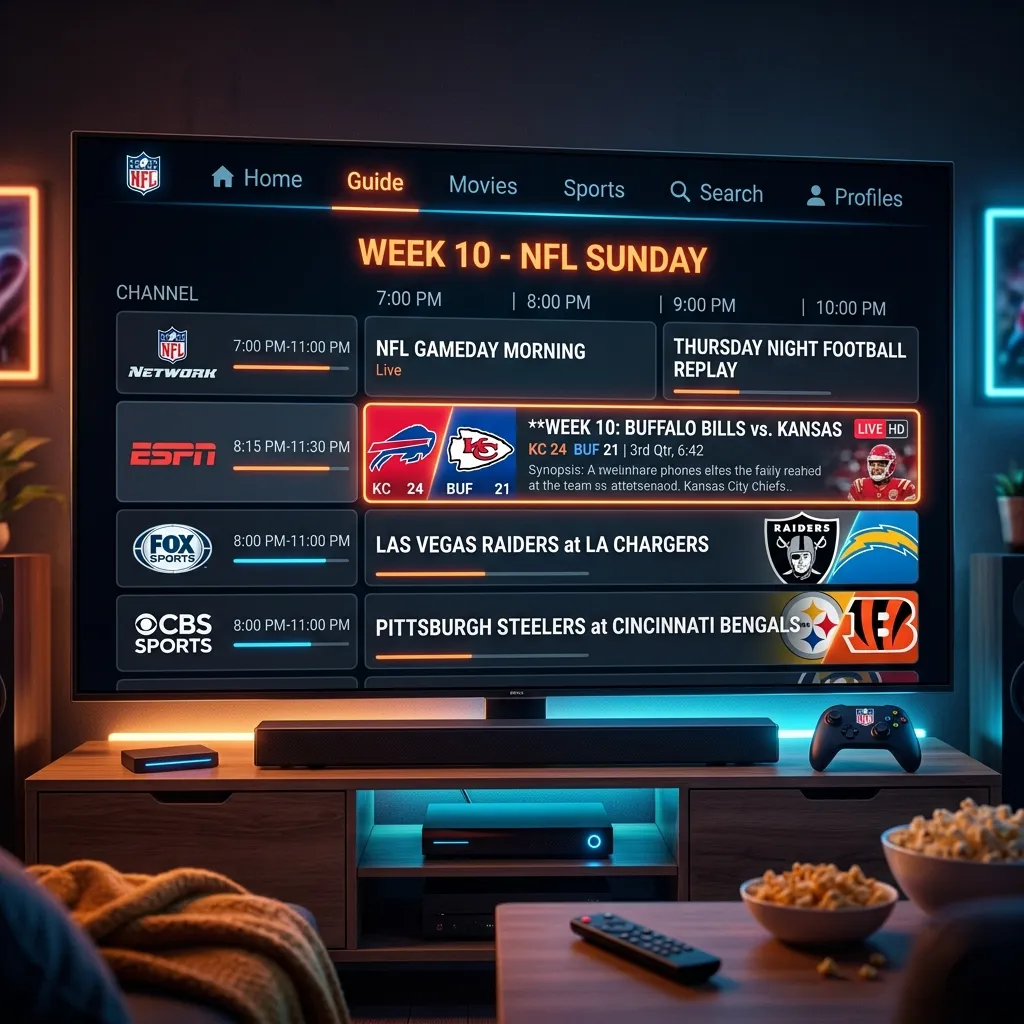
Football season is, without a doubt, the most highly anticipated time of the year for millions of sports fans across the globe. From the bone-crushing tackles and spectacular one-handed catches to the tactical mastery displayed by coaches on the sidelines, the National Football League (NFL) delivers an unparalleled entertainment experience. However, as the popularity of the sport has continued to soar, so too has the complexity and cost of actually watching the games. The days of simply turning on your television on a Sunday afternoon and having access to every matchup are long gone. Today, the broadcasting rights for the NFL are fiercely contested and fragmented across a myriad of networks, cable providers, and premium streaming platforms.
For the average fan, this fragmentation is a nightmare. You might need one subscription for Thursday Night Football, a traditional cable package for Sunday afternoon games, a premium add-on for Sunday Night Football, and yet another separate service for Monday Night Football. Add the notorious local blackout restrictions into the mix, and trying to follow your favorite team can feel like a full-time job.
This is where Internet Protocol Television (IPTV) steps in as the ultimate game-changer. By leveraging the power of high-speed internet, IPTV bypasses the traditional, archaic broadcasting infrastructure, offering fans a centralized, cost-effective, and highly versatile way to stream every single NFL game live, in high definition, without borders or arbitrary blackout rules.
In this exhaustive, step-by-step guide, we will dive deep into everything you need to know about streaming NFL games on IPTV. We’ll explore the mechanics of how it works, compare it directly to traditional cable and mainstream streaming services, outline the necessary hardware and internet requirements, walk you through the setup process, and share insider tips on maximizing your viewing experience. Whether you are a casual viewer tuning in for the Super Bowl or a die-hard fantasy football manager who needs access to every snap, this guide is your playbook for the upcoming season.
1. Understanding the Fragmented Landscape of NFL Broadcasting
To truly appreciate the value that IPTV brings to the table, it is essential to first understand the current state of NFL broadcasting. The league generates billions of dollars annually through its television contracts, and it achieves this by slicing up the schedule and selling different packages to the highest bidders. As of the current season, the distribution of NFL games looks something like this:
The Major Broadcasters
- Thursday Night Football (TNF): Exclusively broadcast on Amazon Prime Video. If you don't have a Prime subscription, you are entirely locked out of the Thursday night matchups.
- Sunday Afternoon Games (AFC & NFC): Split between CBS (primarily AFC games) and FOX (primarily NFC games). Depending on your local market, you will only see the games that the networks deem most relevant to your region, leaving out-of-market games inaccessible without a premium package.
- Sunday Night Football (SNF): Broadcast on NBC and its streaming counterpart, Peacock.
- Monday Night Football (MNF): Broadcast on ESPN, with select games simulcast on ABC or streamed exclusively on ESPN+.
- International Series: Games played in London, Germany, or Brazil are often broadcast on the NFL Network or streamed exclusively on specific digital platforms like ESPN+ or Peacock.
- NFL Sunday Ticket: Historically held by DirecTV, this package—which provides access to all out-of-market Sunday afternoon games—is now hosted by YouTube TV at a premium price point that can easily exceed several hundred dollars per season.
The Problem for the Consumer
If a fan wants comprehensive access to every game, they must maintain a traditional cable or satellite subscription (for CBS, FOX, NBC, ESPN, and the NFL Network), alongside subscriptions to Amazon Prime, Peacock, ESPN+, and YouTube TV's NFL Sunday Ticket.
"The fragmentation of live sports broadcasting has forced consumers to become platform jugglers, paying exorbitant cumulative fees just to watch a single sport."
This disjointed ecosystem not only drains your wallet but also creates a frustrating user experience. Switching between five different apps and interfaces just to keep track of a Sunday slate of games is exhausting. This is the exact pain point that makes an all-in-one IPTV Subscription not just an alternative, but a necessity for modern fans.
2. What is IPTV and Why is it the Best Solution for NFL Fans?
Internet Protocol Television (IPTV) is a technology that delivers television content over Internet Protocol (IP) networks. Instead of receiving TV programs as broadcast signals that enter your home from a rooftop antenna, satellite dish, or fiber-optic cable, you receive them streamed through your internet connection.
How IPTV Differs from Traditional Delivery
Traditional cable and satellite providers broadcast all channels simultaneously. You tune your television or set-top box to a specific frequency to view a channel. This requires massive amounts of bandwidth and infrastructure.
IPTV, on the other hand, operates on a "video-on-demand" and "live streaming" model. It only sends the specific program or channel you request to your device. When you change the channel, a new stream is requested from the provider's server. This two-way communication allows for an incredibly vast array of channels—often numbering in the tens of thousands—because the provider doesn't have to broadcast them all to you at once.
The Core Benefits of IPTV for Football
- Centralization of Content: A premium IPTV service consolidates feeds from CBS, FOX, NBC, ESPN, the NFL Network, Amazon, and even dedicated Sunday Ticket streams into a single, unified interface. You never have to switch apps again.
- Eradicating Blackouts: Local blackout rules dictate that if an NFL game isn't sold out, or to protect local network ratings, it may not be broadcast in your local market. Because IPTV servers are often global and aggregate streams from around the world, you can easily bypass these artificial geographical restrictions.
- Unmatched Cost Efficiency: When you add up the costs of cable, Sunday Ticket, and various streaming apps, you can easily spend upwards of $150 to $200 a month during the NFL season. An IPTV subscription is typically a fraction of that cost, often paid monthly, quarterly, or annually, delivering immense value. Check out our Pricing page to see just how affordable comprehensive coverage can be.
- Global Access: Whether you are an American expat living in Europe, or traveling for business in Asia, IPTV allows you to access your favorite sports content from anywhere in the world, provided you have a stable internet connection.
- Multi-View Capabilities: Many modern IPTV apps support multi-screen viewing, allowing you to watch the NFL RedZone channel on one half of your screen while keeping an eye on your local team on the other half.
3. Traditional Cable vs. IPTV: The Ultimate Showdown
To further illustrate why millions are cutting the cord, let's break down the comparison between traditional cable packages (with NFL add-ons) and IPTV.
| Feature | Traditional Cable + Streaming Apps | Premium IPTV Subscription |
|---|---|---|
| Monthly Cost | $120 - $250+ (Cable, Sunday Ticket, Prime, etc.) | $10 - $20 (on average) |
| Channel Availability | Limited by package tier and region | 10,000+ Global Channels |
| Out-of-Market Games | Requires expensive "Sunday Ticket" add-on | Included as standard via regional streams |
| Blackout Restrictions | Strictly enforced | Bypassed through global feeds |
| Hardware Required | Proprietary set-top box, rental fees | Any smart device (Firestick, Apple TV, PC) |
| Contract | Often 12-24 month lock-in periods | Usually flexible, month-to-month available |
| Portability | Confined to the home (with limited app access) | Watch anywhere in the world |
| User Interface | Clunky, legacy TV guides | Modern, customizable Electronic Program Guides (EPG) |
The table makes it abundantly clear: the traditional model is designed to extract maximum revenue from the consumer through artificial scarcity and bundling. IPTV democratizes access to content, giving control back to the viewer.
4. Crucial Features to Look for in an IPTV Provider for Sports
Not all IPTV providers are created equal. The market is vast, and while some services provide pristine, uninterrupted streams, others are plagued by buffering, low resolution, and poor customer support. When your primary goal is streaming fast-paced live sports like the NFL, certain technical features become non-negotiable.
High Frame Rate (50/60 FPS)
This is perhaps the most critical metric for sports fans. Standard television dramas or news broadcasts look perfectly fine at 24 or 30 frames per second (fps). However, the fast motion of a football being thrown, or a running back sprinting down the sideline, will look blurry and jittery at lower frame rates. You absolutely must choose an IPTV provider that offers sports channels in 50fps or 60fps to ensure a buttery-smooth viewing experience.
Resolution Stability (1080p and 4K)
While 4K broadcasts of NFL games are still relatively rare (mostly limited to select Thursday Night Football or Super Bowl broadcasts), the vast majority of games are produced in high-quality 1080p. Your provider should guarantee stable 1080p streams without heavy compression artifacts. Be wary of providers that promise "Everything in 4K," as they are often just upscaling 720p feeds.
Anti-Freeze Technology and Server Redundancy
There is nothing more agonizing than your stream freezing right as the quarterback releases a Hail Mary pass into the end zone. Premium IPTV services invest heavily in anti-freeze technology and server redundancy. This means if one server gets overloaded due to massive traffic during a highly anticipated playoff game, the system automatically routes your connection to a backup server, ensuring uninterrupted playback.
Comprehensive EPG (Electronic Program Guide)
With thousands of channels at your disposal, finding the specific game you want to watch can be like finding a needle in a haystack. A reliable EPG automatically populates the schedule for every channel, allowing you to browse upcoming games, set reminders, and see exactly what is playing at any given moment.
Catch-Up TV
Did you miss the first quarter because you were stuck in traffic? Catch-Up TV is a feature that records a rolling window (usually 24 to 72 hours) of live TV, allowing you to rewind and watch the game from the beginning, seamlessly skipping over commercials as you catch up to live action.
5. Hardware and Internet Requirements: Preparing for Kickoff
Even the absolute best IPTV service in the world will perform poorly if your home setup is not optimized for live streaming. Let's cover the foundational elements you need to get right before the season starts.
The Need for Speed: Internet Bandwidth
Live video streaming is incredibly data-intensive. For IPTV, stability is just as important as raw speed.
- Standard Definition (SD): Minimum 5-10 Mbps (Not recommended for sports).
- High Definition (1080p): Minimum 15-25 Mbps for a stable, buffer-free stream.
- Ultra High Definition (4K): Minimum 50+ Mbps.
Important Note: These speeds refer to the actual speed your streaming device receives, not just the speed you pay your ISP for. To test this, run a speed test directly on your streaming device, not just your smartphone.
The Golden Rule: Use an Ethernet Connection
Wi-Fi is convenient, but it is susceptible to interference from walls, microwaves, neighboring networks, and physical distance from the router. For live sports, a momentary drop in wireless signal results in buffering. Whenever humanly possible, connect your streaming device directly to your router using a physical Ethernet cable. This guarantees maximum bandwidth and zero wireless interference.
Choosing the Right Streaming Device
Your streaming device is the engine of your IPTV experience. While you can stream on a smartphone or laptop, watching the NFL is best enjoyed on a big screen.
- Amazon Fire TV Stick 4K Max: The undisputed king of IPTV streaming. It is incredibly affordable, powerful enough to handle 60fps streams, and most importantly, it runs on an Android-based operating system that allows for easy "sideloading" of premium IPTV applications. We highly recommend this device. For a deep dive, check out our comprehensive Firestick Setup guide.
- Nvidia Shield TV Pro: The premium choice. It is significantly more expensive than a Firestick but boasts incredible processing power, an ethernet port built-in, and AI upscaling that makes even 720p streams look remarkably crisp.
- Apple TV 4K: A fantastic, smooth device, though the Apple ecosystem is slightly more restrictive regarding IPTV apps compared to Android devices.
- Smart TVs (Samsung/LG): While convenient because no external device is needed, the built-in processors of Smart TVs are often weak, and their proprietary app stores have limited IPTV application choices.
6. Step-by-Step: Setting Up IPTV for NFL on an Amazon Firestick
Because the Amazon Firestick is the preferred device for millions of users, let's walk through the exact process of setting it up for the NFL season. This process involves installing an IPTV player (the software interface) and inputting the credentials provided by your IPTV service.
Step 1: Enable Apps from Unknown Sources
To install the best IPTV players (which are not always available on the official Amazon App Store), you must allow sideloading.
- Navigate to the Firestick Settings (the gear icon on the far right).
- Select My Fire TV.
- Click on Developer Options. (If you don't see Developer Options, click on 'About', then click on your device name 7 times rapidly to unlock it).
- Turn on Apps from Unknown Sources.
Step 2: Install the 'Downloader' App
- Go back to the Firestick Home screen.
- Navigate to the Find icon and click Search.
- Type in "Downloader" and select the orange app icon.
- Click Download and then Open.
Step 3: Download an IPTV Player (e.g., TiviMate or IPTV Smarters Pro)
TiviMate is widely considered the absolute best IPTV player for Android devices due to its modern interface and multi-view capabilities—perfect for NFL Sundays.
- Open the Downloader app.
- Enter the URL or shortcode for the IPTV player of your choice (you can find updated codes easily online or provided by your service).
- Click Go. The file will download and prompt you to install.
Step 4: Enter Your IPTV Credentials
Once you have purchased a subscription (explore our Installation Guide for specific setup parameters), you will receive one of two things: an M3U URL, or Xtream Codes API login details (Username, Password, and Portal URL).
- Open your newly installed IPTV Player.
- Select "Add Playlist" or "Add User".
- Choose the login method (Xtream Codes API is highly recommended over M3U for faster loading).
- Input your credentials exactly as provided.
- Allow the app to download the channels, VOD content, and EPG data.
Congratulations! You are now fully equipped to browse the sports section and find every single NFL game.
7. Security, Privacy, and Throttling: Why You Must Protect Your Connection
When venturing into the world of IPTV, security and privacy should be at the forefront of your mind. Streaming live sports uses an enormous amount of data, and your Internet Service Provider (ISP) is always watching.
The Threat of ISP Throttling
Have you ever noticed that your internet speed is blazing fast during the day, but right at 8:00 PM on a Sunday night—just as the marquee NFL game kicks off—your stream starts buffering incessantly? This is not necessarily a problem with the IPTV provider; it is often your ISP engaging in "bandwidth throttling."
ISPs monitor the type of traffic you are generating. If they detect heavy streaming traffic, particularly from recognizable IPTV servers, they will artificially slow down your connection to ease the load on their network. This ruins the live sports experience.
Protecting Yourself with a VPN
A Virtual Private Network (VPN) is an absolute necessity when using IPTV. A VPN encrypts all of the internet traffic leaving your device and routes it through a secure server.
How a VPN Solves IPTV Problems:
- Stops Throttling: Because your data is encrypted, your ISP cannot see what you are doing. They only see scrambled data. Since they don't know you are streaming video, they cannot specifically throttle your connection, allowing you to maintain maximum speeds.
- Bypasses Geo-Blocks: While a good IPTV service natively bypasses blackouts, a VPN provides an extra layer of access. If a specific server is blocked in your country, simply connect your VPN to a different country, and the stream will unlock immediately.
- Protects Your Privacy: Your viewing habits and digital footprint remain entirely anonymous.
When choosing a VPN, ensure it is optimized for high-speed streaming (like Surfshark, ExpressVPN, or NordVPN). A slow VPN will cause the very buffering you are trying to avoid. For an extensive look into the safety of IPTV, read our dedicated Security Guide.
8. Navigating NFL Sundays: Maximizing the Viewing Experience
You have your fast internet, your Firestick is wired via Ethernet, your premium IPTV subscription is active, and your VPN is protecting your connection. Now, it's Sunday. How do you get the most out of your setup?
The Magic of NFL RedZone
For fantasy football players and general fans alike, NFL RedZone is the holy grail of Sunday viewing. It provides commercial-free "whip-around" coverage, instantly jumping to any game where a team is inside the 20-yard line (the red zone) and poised to score. Any reputable IPTV service will feature RedZone prominently in its sports category.
Multi-Screen Viewing
If your IPTV player supports it (like the premium version of TiviMate), you can utilize multi-view. Imagine this setup:
- Top Left: Your favorite team's local broadcast.
- Top Right: The NFL RedZone channel.
- Bottom Left: A highly competitive divisional rivalry game.
- Bottom Right: Your fantasy football app cast from your phone, or a fourth game.
This replicates the setup of a high-end sports bar right in your living room, ensuring you never miss a pivotal play, a fantasy touchdown, or a controversial flag.
Integrating Home Audio
Don't neglect the sound. The roar of the stadium crowd, the crunch of the pads, and the whistle of the referee are integral to the NFL experience. If you are using an IPTV box, run an optical audio cable or use HDMI eARC to connect your television to a dedicated soundbar or a 5.1 surround sound system. Make sure to check if your IPTV provider offers Dolby Digital audio streams on their premium sports channels to take full advantage of your sound system.
9. Troubleshooting Common Live Streaming Issues
Even with the perfect setup, the internet is not infallible. During massive events like the playoffs or the Super Bowl, server loads can spike dramatically. Here is a troubleshooting checklist to utilize if you run into issues mid-game.
Issue: Constant Buffering or Freezing
- Solution 1 (The Quick Fix): Change the channel and immediately change it back. This forces your IPTV app to request a fresh connection to the server, which can often resolve minor hangups.
- Solution 2 (Check the VPN): If your VPN is off, turn it on (to bypass ISP throttling). If it is already on, try switching to a different server location. Sometimes a specific VPN node gets bogged down.
- Solution 3 (Clear Cache): Go to your Firestick settings, find your IPTV app, and select "Clear Cache." Do not select "Clear Data" as this will wipe your login credentials.
- Solution 4 (Restart Router): The oldest trick in the book, but rebooting your modem and router clears the network cache and establishes a fresh, clean connection to your ISP.
Issue: Audio is Out of Sync with the Video
- Solution: In most premium IPTV players like TiviMate or Smarters, there is an "Audio Offset" or "Audio Sync" setting accessible via the playback menu. You can manually adjust the audio forward or backward by milliseconds until the sound of the ball being kicked matches the visual impact. Alternatively, simply restarting the stream often fixes this.
Issue: EPG (TV Guide) is Blank or Incorrect
- Solution: Manually force an EPG update within your app settings. EPG URLs occasionally change or require a refresh to pull the latest weekly schedule. If it is consistently wrong, verify with your provider that you are using the correct EPG source link.
Issue: "Playback Failed" or "Error Code 404"
- Solution: This usually indicates that the specific stream is offline. Due to the nature of IPTV, providers often supply multiple variations of the same channel. Look for a backup channel (e.g., "CBS NFL Backup 1" or a 720p version instead of the 1080p version). You can almost always find an alternative feed of the same game.
10. The Future of NFL Streaming and IPTV Technology
The way we consume sports is evolving at a breakneck pace. As we look toward the future, the intersection of the NFL and IPTV technology promises even more revolutionary features for the hardcore fan.
Interactive Statistics and Overlays
We are already seeing the beginning of this with platforms like Amazon Prime offering "Next Gen Stats" overlaid on the screen. Future IPTV applications will likely integrate APIs that allow you to toggle real-time player tracking, fantasy points, and live betting odds directly onto the stream, creating a highly customized and interactive dashboard.
4K Standardization and 8K Horizons
While 4K is currently a luxury, it will soon become the standard baseline for all sports broadcasts. As internet infrastructure improves globally (with the rollout of Fiber and 5G/6G networks), IPTV servers will be capable of seamlessly delivering pristine 4K—and eventually 8K—streams at 60 or even 120 frames per second, creating a viewing experience that rivals being inside the stadium.
Augmented and Virtual Reality Integration
Imagine putting on a VR headset and being virtually placed in a luxury suite at the 50-yard line, watching a live 360-degree stream of the Super Bowl delivered via your IPTV provider. As hardware becomes more accessible, immersive sports broadcasting will be the next major frontier, and agile, internet-based delivery systems will be at the forefront of this revolution.
11. Frequently Asked Questions (FAQ) Regarding NFL IPTV Streaming
To ensure absolutely no stone is left unturned, let's address some of the most common questions fans have when transitioning to IPTV for football season.
Q: Can I watch local pre-game and post-game shows? A: Yes. Because comprehensive IPTV services provide thousands of local network affiliates (e.g., FOX 5 New York, CBS 4 Boston), you can tune in hours before kickoff to watch local beat reporters and post-game press conferences, exactly as you would with a local cable package.
Q: Is it illegal to stream NFL games on IPTV? A: The legality of IPTV is a complex topic that varies wildly by jurisdiction. The software itself (IPTV players like TiviMate) is entirely legal. The consumption of unauthorized copyrighted streams sits in a legal gray area in many countries. It is generally the hosts and distributors of unauthorized content that face legal scrutiny, not the end-user. However, we strongly advise using a VPN to protect your privacy and ensure your online activities remain secure and anonymous.
Q: Will the stream be delayed compared to live TV? A: Yes. All internet-based streaming (including official apps like YouTube TV, Hulu Live, and Amazon Prime) suffers from a slight delay compared to traditional terrestrial or satellite broadcasts. This delay is usually between 30 to 60 seconds. If you are actively participating in live betting or checking Twitter constantly during a game, you may see spoilers slightly before they happen on your screen.
Q: Can I share my IPTV subscription with a friend? A: This depends entirely on your provider. Most basic subscriptions allow for 1 or 2 simultaneous connections. If you share your login with a friend and you both try to watch the NFL at the same time, the server will detect the multiple IPs and either block one of you or continuously buffer. If you wish to use it on multiple TVs or share it, inquire about purchasing additional connections.
12. Conclusion: Reclaiming Your NFL Sundays
The modern era of sports broadcasting has placed an unprecedented financial and logistical burden on the fans who fuel the league's success. Between blackouts, spiraling subscription costs, and the sheer frustration of navigating a dozen different apps, simply watching a game of football has become entirely too complicated.
Transitioning to IPTV is the definitive solution to these problems. By setting up a robust streaming device, utilizing a secure VPN, and partnering with a premium provider, you can consolidate the entire NFL landscape into a single, beautifully organized, and incredibly affordable interface.
You regain the freedom to watch any game, at any time, in stunning high definition, completely devoid of geographical restrictions. It is the ultimate cord-cutting victory for sports enthusiasts.
Are you ready to transform your living room into the ultimate stadium experience this season? Don't wait until kickoff to realize your current setup isn't cutting it. Head over to our Homepage to learn more about our services, explore our unbeatable Pricing options, and secure your all-access pass to the gridiron today.
The ball is in your court—or rather, your living room. Happy streaming, and enjoy the season!