Live TV Streaming Tips for Cord-Cutters in 2026: Your Guide
Unlock the future of live TV streaming in 2026 with essential tips for cord-cutters. Optimize your setup, save money, and enhance your viewing experience.
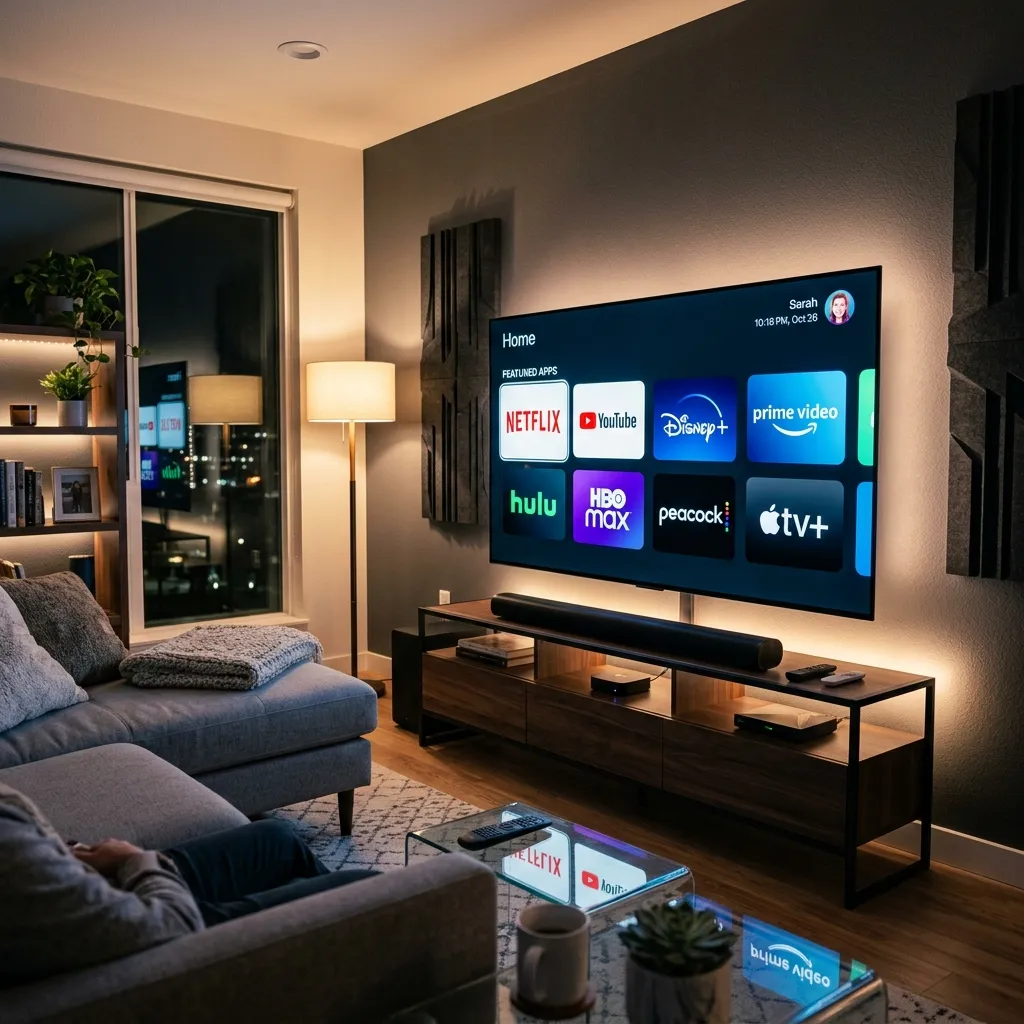
Welcome to the golden age of digital entertainment. As we navigate through 2026, the era of being tethered to an overpriced, underperforming, and severely limited cable box is firmly in the rearview mirror. The cord-cutting revolution, which began as a niche movement for tech-savvy individuals looking to save a few dollars, has evolved into the absolute standard for consuming media worldwide. Whether you are entirely new to the concept of ditching your traditional cable provider or you are a seasoned digital viewer looking to optimize and upgrade your current living room setup, mastering the modern streaming landscape requires a bit of knowledge, strategy, and the right tools.
This comprehensive, ultimate guide is designed to walk you through every single facet of live TV streaming in 2026. We will dive deep into everything from selecting the perfect hardware and understanding complex network requirements to navigating the often-confusing world of subscriptions, IPTV services, and digital security. By the end of this massive resource, you will possess all the knowledge necessary to build a bulletproof, cost-effective, and incredibly high-quality streaming fortress right in your own home. If you want to explore more about what we offer directly, feel free to visit the Smartiflix Homepage.
The Evolution of Cord-Cutting: Where We Stand in 2026
The landscape of television has shifted dramatically over the past decade, but the changes leading up to 2026 have been particularly revolutionary. Understanding this context helps clarify why certain technologies and services are now considered essential.
The Death of Traditional Cable
For decades, the traditional cable model relied on monolithic packages. You paid a premium for hundreds of channels, the vast majority of which you likely never watched. This bloated system was fraught with hidden fees, equipment rental charges, and draconian long-term contracts that made canceling a nightmare. By 2026, this model has largely collapsed. Consumers simply refuse to pay for what they don't consume. The demand for a la carte viewing—paying only for specific channels, genres, or content libraries—has forced the industry to adapt or perish. Traditional telecom companies are now rapidly pivoting to become strictly internet service providers (ISPs), realizing that the pipe delivering the content is more valuable than the outdated cable packages themselves.
The Rise of Unified Streaming Hubs
In the early days of cord-cutting, the primary complaint was fragmentation. Users had to constantly switch between different HDMI inputs or jump across dozens of disjointed apps just to find a simple basketball game or a local news broadcast. Fast forward to 2026, and the industry has largely solved this issue through unified streaming hubs and highly advanced operating systems. Modern Smart TVs and dedicated streaming devices now aggregate content across multiple platforms into a single, cohesive user interface (UI). Artificial Intelligence (AI) algorithms predict what you want to watch based on your viewing history across all your subscribed apps, presenting everything in a centralized dashboard. This seamless integration has removed the final barrier to entry for many older or less tech-savvy viewers.
Assessing Your Viewing Needs Before Taking the Plunge
Before you disconnect your cable service and start buying new equipment, it is absolutely critical to perform a self-audit of your household's viewing habits. The biggest mistake new cord-cutters make is blindly subscribing to services without understanding their actual needs.
Live Sports and Special Events
Live sports used to be the final stronghold keeping people chained to traditional cable. Today, that is entirely untrue, but it does require careful planning. Different sports leagues have fragmented their broadcasting rights across various streaming platforms. If you are a die-hard NFL fan, your needs will differ wildly from someone who exclusively follows European soccer or Formula 1 racing.
"The modern sports fan doesn't need cable; they need a strategy. Knowing exactly which networks hold the rights to your favorite teams is step one of the cord-cutting process." – Industry Analyst
You must determine whether you need regional sports networks (RSNs) or if national broadcasts suffice. Many streaming platforms offer specific sports add-ons, but these can add up quickly if you aren't careful.
Local News and Broadcast Channels
Staying connected to your local community via regional news, weather, and emergency broadcasts is crucial for many households. Fortunately, gaining access to major broadcast networks (ABC, CBS, NBC, FOX, PBS) is easier than ever. One traditional method is using an Over-The-Air (OTA) digital antenna, which provides uncompressed, crystal-clear high-definition signals for free. However, in 2026, many premium streaming packages and localized IPTV services include your exact regional affiliates digitally, meaning you won't even need an antenna if you choose the right provider.
Premium Cinema and On-Demand Libraries
While live TV is the focus of this guide, on-demand content is a massive part of the streaming equation. Assess how much of your viewing is truly "live" versus binge-watching series or movies. If 80% of your time is spent watching on-demand content, your live TV budget should reflect that. You might only need a basic live package paired with a robust on-demand cinema library to satisfy your entertainment cravings.
Essential Hardware: Building Your 2026 Streaming Fortress
The backbone of your cord-cutting experience is the hardware you choose. Skimping on devices or using severely outdated technology will result in sluggish menus, frustrating buffering, and poor image quality.
Smart TVs vs. Dedicated Streaming Devices
Almost every television sold in 2026 is a "Smart TV," meaning it connects to the internet and has built-in streaming apps. However, the internal processors of most TVs—even high-end models—often lag behind the capabilities of dedicated streaming devices. TV manufacturers prioritize the display panel over the internal computing power.
For the absolute best, most responsive experience, we strongly recommend using a dedicated external streaming device. These devices receive far more frequent software updates, have faster processors for snappy menu navigation, and support the latest audio/video codecs much better than standard Smart TV operating systems.
Deep Dive into Firestick and Alternative Dongles
When it comes to dedicated devices, there are several heavy hitters in the market, but Amazon's Fire TV ecosystem remains incredibly popular due to its aggressive pricing and open nature. The latest generation of Firesticks supports Wi-Fi 7, 8K upscaling, and robust app sideloading capabilities.
Sideloading is a massive advantage for cord-cutters because it allows you to install third-party applications that might not be available directly on the official app store. This is particularly useful for certain live TV and utility apps. If you choose this route, you must ensure your device is configured correctly to maximize performance and prevent bloatware from slowing it down. For a complete, highly detailed walkthrough on getting the absolute most out of your Amazon device, check out our comprehensive Firestick Setup guide.
Other excellent alternatives include the Apple TV 4K (best for those deeply entrenched in the Apple ecosystem) and Nvidia Shield TV (the gold standard for power users and gamers who want unparalleled processing power and AI upscaling).
Audio Setups for the Cinematic Experience
Video is only half of the entertainment equation. As streaming bitrates have increased in 2026, so has the quality of the accompanying audio tracks. Gone are the days of highly compressed, tinny sound. Modern streaming services frequently output lossless Dolby Atmos and DTS:X spatial audio.
If you are investing in a 4K or 8K display, relying on built-in TV speakers is a disservice to your setup. At a minimum, consider a high-quality soundbar with a dedicated subwoofer and up-firing speakers to bounce sound off the ceiling, creating a three-dimensional audio environment. For true audiophiles, a dedicated AV receiver with a discrete 5.1.2 or 7.1.4 surround sound speaker layout will completely transform your living room into a private commercial theater.
Demystifying IPTV: The Future of Live Television
If you've been researching cord-cutting for any length of time, you have undoubtedly come across the acronym IPTV. In 2026, IPTV has moved from the fringes of the internet to the absolute forefront of digital media consumption.
What is IPTV and How Does it Work?
IPTV stands for Internet Protocol Television. Simply put, instead of receiving television signals through a traditional satellite dish on your roof or a coaxial fiber-optic cable running from the street, you receive your television programming directly through your internet connection.
While technically services like YouTube TV and Hulu + Live TV are forms of IPTV, the term is most commonly used to describe dedicated, highly specialized subscription services that deliver massive channel lineups from around the global directly to a compatible app on your device. These services use complex content delivery networks (CDNs) to ensure minimal latency and high uptime.
Benefits of IPTV Over Standard Cable
The rise of dedicated IPTV services is driven by several overwhelming advantages:
- Unmatched Variety: Traditional cable locks you into a specific geographical region's programming. Premium IPTV solutions can offer thousands of channels globally, including international sports, regional news from other states or countries, and highly niche entertainment networks.
- Significant Cost Reduction: Because IPTV providers do not have to maintain massive physical infrastructure (like laying thousands of miles of coaxial cable or launching satellites), their overhead is dramatically lower. These savings are passed directly to the consumer.
- No Hardware Rentals: Cable companies love to charge $10 to $20 a month simply to rent their proprietary, clunky set-top boxes. IPTV works on the hardware you already own—your Firestick, Apple TV, or Smart TV.
- Incredible Portability: Your traditional cable box is tethered to your living room wall. Your IPTV subscription travels with you. Whether you are in a hotel room in Tokyo or waiting at an airport terminal in London, as long as you have an internet connection and your device, you have your entire TV lineup.
If you are ready to explore the absolute bleeding edge of high-definition, limitless live television, we highly recommend looking into a premium, curated IPTV Subscription to see exactly how much you can expand your viewing horizons.
Navigating the Pricing Maze: How to Actually Save Money
The initial promise of cord-cutting was saving money. However, if you aren't careful in 2026, you can easily end up paying more than your old cable bill by subscribing to too many individual services simultaneously.
The Hidden Costs of Multiple Subscriptions
Let's do some hypothetical math. If you subscribe to Netflix ($15), Max ($16), Disney+ ($12), a mainstream live TV provider like YouTube TV ($75), and a specialized sports package ($20), you are suddenly looking at over $130 a month. Add in your high-speed internet bill, and the savings have vanished.
The key to financial success in cord-cutting is ruthless auditing. You must treat streaming services like a revolving door, not a permanent fixture.
Subscription Fatigue and How to Avoid It
Subscription fatigue is a real phenomenon in 2026. Consumers are overwhelmed by the sheer number of platforms and the constant nickel-and-diming of price hikes. Here are the best strategies to combat this:
- The Rotation Strategy: You do not need every service every month. Subscribe to a specific platform for one or two months, binge all the exclusive shows you've been waiting for, and then cancel it. Rotate to the next service the following month.
- Annual Discounts: If there is a service you know you watch year-round (like a comprehensive live TV package or a core on-demand library), always look for annual billing options. Providers heavily discount yearly upfront payments, often saving you 15-20% annually compared to month-to-month billing.
- Consolidation: Look for services that bundle multiple needs into one package. Why pay for a separate movie app, a separate sports app, and a separate live TV app when consolidated solutions exist? Finding an all-in-one provider is the holy grail of saving money. To understand exactly how much you should be spending for a premium, all-inclusive experience, review our transparent Pricing structures.
Network Optimization: Banish Buffering Forever
The most powerful streaming device and the most expensive subscription in the world are completely useless if your home network is a bottleneck. In the era of 4K HDR and emerging 8K streams, your internet connection is the lifeblood of your setup.
Wi-Fi 7 vs. Ethernet: The Connection Debate
By 2026, Wi-Fi 7 has become the standard for high-end home networks, offering multi-gigabit wireless speeds and incredibly low latency. If you have a Wi-Fi 7 router and a compatible streaming device, wireless streaming is virtually indistinguishable from a wired connection in most environments.
However, if you live in a dense apartment building with massive wireless interference from neighbors, or if your router is several rooms away behind thick concrete walls, Wi-Fi can still be incredibly frustrating.
The Golden Rule: If your streaming device has an Ethernet port, and it is physically possible to run a cable from your router to the device, do it. A hardwired connection guarantees consistent bandwidth, zero interference, and the absolute lowest latency possible—crucial for live sports where you don't want your neighbor cheering for a touchdown 15 seconds before you see it on your screen.
Understanding Bandwidth Requirements for 2026
To avoid the dreaded spinning buffer wheel, you must ensure your ISP provides adequate speeds. Keep in mind that these numbers represent the speed required per stream. If you have three televisions streaming simultaneously in different rooms, you must multiply these requirements.
| Video Resolution | Minimum Required Speed (Per Stream) | Recommended Speed for Stability |
|---|---|---|
| Standard Definition (480p) | 3 Mbps | 5 Mbps |
| High Definition (720p/1080p) | 10 Mbps | 15 Mbps |
| Ultra HD (4K HDR) | 25 Mbps | 50 Mbps |
| Next-Gen (8K UHD) | 75 Mbps | 100+ Mbps |
[!TIP] Pro-Tip: Don't just trust the speed your ISP advertises ("Up to 1 Gig!"). Use tools like Speedtest.net directly on your streaming device's browser or native app to see the actual speed reaching your television at peak evening hours.
Step-by-Step Installation and Setup Guide
Transitioning your living room into a digital powerhouse shouldn't require a degree in computer science. With a systematic approach, anyone can optimize their setup.
Pre-Installation Checklist
- Inventory Your Gear: Ensure you have your streaming device, power cables, and a high-speed HDMI 2.1 cable (essential for 4K/120Hz and 8K passthrough).
- Locate Network Credentials: Have your Wi-Fi network name (SSID) and password ready. If hardwiring, ensure your Ethernet cable is plugged into a functional port on your router.
- Prepare Passwords: Keep a secure notebook or a digital password manager open on your phone with all your streaming service logins. Nothing kills the excitement of a new setup faster than spending 45 minutes resetting forgotten passwords.
Installing Apps and Configuring Your Devices
When you first boot up your device, it will walk you through standard network connectivity and firmware updates. Allow these updates to complete fully; never unplug the device during a firmware flash.
Once on the main menu, navigate to the app store. Begin downloading your primary services. If you are utilizing advanced IPTV platforms or specialized applications that require sideloading or specific server configurations, you will need to follow dedicated, step-by-step instructions carefully to avoid errors.
Configuring these advanced apps often involves entering portal URLs, MAC addresses, or specific M3U playlist files. While it sounds technical, it is usually just a matter of copy-and-pasting data. For a totally foolproof, step-by-step walkthrough on getting your software running perfectly on the first try, consult our detailed Installation Guide.
After installing, dive into your device's display settings. Ensure the resolution is set to match your TV (e.g., 4K), enable HDR/Dolby Vision if your TV supports it, and set the audio output to "Passthrough" if you are using an external soundbar or receiver to let the dedicated audio gear handle the decoding.
Security, Privacy, and Safe Streaming Practices
As we move our entire entertainment ecosystem online, digital security is no longer an optional afterthought; it is a fundamental requirement. Cord-cutters are frequent targets for data harvesting, ISP throttling, and malicious software.
Why a VPN is Non-Negotiable in 2026
A Virtual Private Network (VPN) encrypts your internet traffic and routes it through an intermediary server. For a cord-cutter, a VPN serves several critical, non-negotiable functions:
- Defeating ISP Throttling: Many Internet Service Providers actively monitor your traffic. If their algorithms detect heavy video streaming data (especially from competitor platforms or high-bandwidth IPTV services), they will intentionally slow down (throttle) your connection, causing buffering. A VPN hides the type of data you are downloading, preventing the ISP from targeting your video streams.
- Bypassing Geo-Restrictions: Blackout restrictions are the bane of the modern sports fan. If you live in New York but want to watch a local Yankees broadcast that is blacked out in your area, a VPN allows you to connect to a server in Chicago or Miami, tricking the streaming service into thinking you are out-of-market and unlocking the game.
- Protecting Personal Data: If you are using public Wi-Fi (like in a hotel) or exploring lesser-known third-party applications, a VPN ensures your passwords, viewing habits, and personal IP address remain completely hidden from malicious actors and data brokers.
Identifying Safe Streaming Platforms
The internet is filled with promises of "free live TV," but these often come bundled with malware, aggressive tracking cookies, or pirated streams that can result in warning letters from your ISP.
Always prioritize verified platforms with secure payment gateways (look for HTTPS and reputable processors). Avoid applications that demand unnecessary permissions on your device (e.g., a simple TV app shouldn't need access to your device's microphone or contact list). To dive deeper into the protocols and safety measures required to protect your home network while streaming, read our comprehensive Security Guide.
Advanced Cord-Cutting Tips for the Power User
Once you have the basics down, it's time to elevate your setup from functional to extraordinary. The true joy of cord-cutting in 2026 lies in customization.
Aggregating Your Content with Smart UIs
If you are tired of bouncing between different apps, look into front-end aggregator applications like Plex, Emby, or specialized hardware-level aggregators built into high-end streaming boxes. These applications can pull metadata, posters, and live channels from various sources and present them in one massive, gorgeous library that mimics the best elements of the Netflix UI but applies it to all your content.
Customizing Your Electronic Program Guide (EPG)
The Electronic Program Guide (EPG) is your TV guide. When utilizing premium IPTV solutions, you often have the ability to heavily customize this guide. You don't have to settle for the default layout.
- Favorite Lists: Spend 30 minutes going through your massive channel list and adding networks to your "Favorites." Most modern apps allow you to launch directly into your favorites tab, hiding the thousands of channels you don't care about.
- Custom Sorting: Use EPG editors to rearrange channels logically. Put your local news at channel 1, your sports at channel 10, and your movies at channel 50. You are the cable company now; build the lineup exactly how you want it.
- Catch-Up Features: Ensure you are utilizing "Catch-Up" TV. Many advanced services record the last 48 to 72 hours of live television on their servers. If you miss a live broadcast, you can navigate backward in time on your EPG and watch the program as if it were a DVR recording.
The Environmental and Social Impact of Cord-Cutting
An often-overlooked aspect of the streaming revolution is its broader impact. The transition away from traditional cable has notable environmental benefits. Millions of highly inefficient, constantly-running cable set-top boxes have been removed from the electrical grid, replaced by low-power streaming dongles that use a fraction of the electricity.
Furthermore, the reduction in physical infrastructure maintenance—fewer service trucks driving around, less plastic and copper wiring being manufactured and eventually thrown into landfills—contributes to a greener entertainment footprint. As data centers powering streaming services continue to shift toward renewable energy sources in 2026, cord-cutting is not just good for your wallet; it is increasingly better for the planet.
The Future Landscape: What to Expect in 2027 and Beyond
As incredible as the streaming landscape is in 2026, technology never stagnates. Several massive shifts are already visible on the horizon:
- Widespread ATSC 3.0 (NextGen TV): The rollout of ATSC 3.0 broadcast signals is bringing 4K HDR, interactive features, and on-demand capabilities to free, Over-The-Air antenna broadcasts, severely undercutting basic tier cable packages even further.
- AI-Generated Real-Time Translation: For fans of international content, AI algorithms are nearing the point where they can provide highly accurate, real-time dubbing and subtitling of live sports and news from any language directly into your native tongue, breaking down global media barriers.
- Interactive and VR Streaming: Live sports are beginning to experiment with volumetric capture and VR streams, allowing viewers with VR headsets to "sit" courtside or toggle between different dynamic camera angles actively during a live game.
- Hyper-Personalization: The platforms of tomorrow will move beyond basic recommendation algorithms. They will generate custom daily "channels" just for you, seamlessly blending a morning news briefing, a recorded sports highlight reel, and the next episode of your favorite sitcom into an uninterrupted, personalized stream.
Frequently Asked Questions (FAQ) for Cord-Cutters
To ensure absolutely no stone is left unturned, we've compiled the most common questions facing viewers in 2026.
Q: Do I need a smart TV to cut the cord? A: No. While most TVs sold today are smart, any television with an HDMI port can become a streaming powerhouse simply by plugging in a dedicated device like an Amazon Firestick or Roku.
Q: Can I still record live TV without a cable DVR? A: Absolutely. Most mainstream live TV streaming services include a Cloud DVR, allowing you to record shows on their remote servers and access them from any device. Additionally, advanced IPTV services offer "Catch-Up" functionality, negating the need to manually hit "record" altogether.
Q: Is it illegal to use a VPN for streaming? A: In the vast majority of democratic countries, using a VPN is entirely legal and considered a fundamental digital privacy tool. However, using a VPN to bypass geographical blackouts may violate the Terms of Service of specific streaming platforms, though it rarely results in account termination. Always use VPNs responsibly.
Q: Why does my stream pause and buffer during big events like the Super Bowl? A: Massive live events put unprecedented strain on Content Delivery Networks. Even if your home internet is blazing fast, the server hosting the stream might be overloaded. To mitigate this, ensure your device is hardwired via Ethernet to eliminate local network issues, and consider having a backup viewing method (like an OTA antenna) for the biggest events of the year.
Q: How many devices can stream at once on a single network? A: This depends entirely on your total internet bandwidth. If you have a 300 Mbps connection and a 4K stream requires ~25 Mbps, your network can theoretically handle over 10 simultaneous 4K streams before hitting a severe bottleneck, assuming no other heavy background downloads are occurring.
Conclusion: Embracing the Freedom of the Stream
Cutting the cord in 2026 is no longer an experiment; it is the definitive way to experience entertainment. By shedding the bloated costs and restrictive contracts of traditional cable, you unlock a world of infinite choice, superior visual and audio quality, and complete control over your viewing experience.
Yes, there is a learning curve. Understanding network optimization, choosing the right hardware, and navigating the vast sea of IPTV and on-demand subscriptions requires an initial investment of time and research. But as outlined in this ultimate guide, the steps are logical and highly rewarding.
Take the time to assess your needs, invest in quality equipment, secure your network, and build a digital ecosystem that works flawlessly for your household. The era of settling for whatever is on TV right now is over; it's time to take control of your screen.
Welcome to the future of television. Enjoy the stream.
For more guides, insights, and premium solutions to elevate your digital entertainment setup, ensure you bookmark and regularly check the Smartiflix Homepage.