Stay Anonymous with IPTV: Essential Privacy Tips & Tools
Discover how to stay anonymous using IPTV with top VPNs, payment methods, and essential privacy practices to safeguard your online identity.
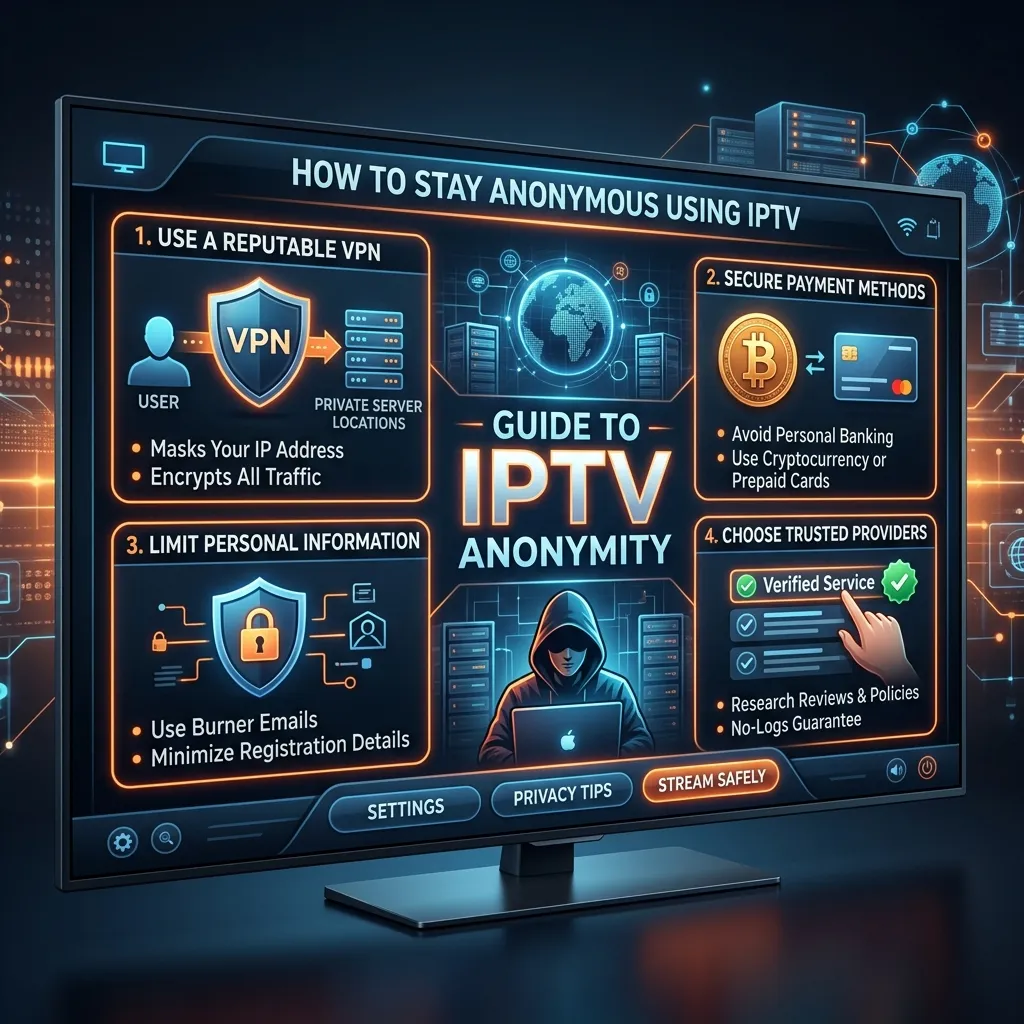
In today's highly connected digital landscape, privacy is no longer a luxury; it is an absolute necessity. Whether you are browsing the web, sending emails, or streaming your favorite shows, your digital footprint is constantly being monitored, tracked, and logged by Internet Service Providers (ISPs), government agencies, and third-party advertisers. When it comes to Internet Protocol Television (IPTV), the need for robust privacy measures becomes even more pronounced. Understanding how to stay anonymous using IPTV is critical for protecting your personal data, avoiding ISP throttling, and ensuring an uninterrupted, secure streaming experience.
This comprehensive, step-by-step guide is designed to transform you from a privacy novice into a digital ninja. We will explore the technical underpinnings of internet tracking, the vital role of Virtual Private Networks (VPNs), advanced payment methods for maximum anonymity, and the specific configurations required to secure your home network and streaming devices.
By the end of this massive guide, you will have all the knowledge necessary to enjoy the vast entertainment options available on the Smartiflix Homepage without leaving a trace. Let's dive deep into the world of IPTV anonymity.
Chapter 1: The Fundamentals of IPTV and Digital Privacy
Before you can effectively protect your identity, you must first understand how you are exposed. IPTV delivers television content over Internet Protocol (IP) networks. Unlike traditional satellite or cable TV formats, IPTV streams media continuously in real-time or on-demand directly through your internet connection.
How Your IP Address Betrays You
Every device connected to the internet is assigned an IP (Internet Protocol) address. Think of your IP address as your digital home address. It reveals your geographic location, your Internet Service Provider, and can easily be linked back to the primary account holder paying the internet bill (you).
When you stream an IPTV Subscription, your device sends a request to the IPTV server to fetch the video data. Without protection, this request travels through your ISP's servers in plain text.
Key Takeaway: Your ISP can see exactly what servers you are connecting to, how much data you are downloading, and when you are doing it.
Deep Packet Inspection (DPI)
Modern ISPs utilize a sophisticated technology known as Deep Packet Inspection (DPI). DPI doesn't just look at where your data is going; it examines the actual contents and characteristics of the data packets. By analyzing the payload, ISPs can definitively identify that you are streaming high-bandwidth video content.
This is often the trigger for bandwidth throttling. If your ISP notices you are using a massive amount of data for streaming, they may artificially slow down your connection to manage network congestion. This results in the dreaded buffering wheel that ruins your viewing experience.
The Data Broker Ecosystem
Beyond your ISP, the devices you use to stream—such as Smart TVs, streaming sticks, and mobile phones—are often equipped with built-in telemetry and tracking software. Companies harvest this data to build complex profiles about your viewing habits, which are then sold to advertisers and data brokers. Staying anonymous means cutting off this data supply at the source.
Chapter 2: Why Anonymity is Essential for IPTV Users
You might be thinking, "I have nothing to hide, so why should I care about anonymity?" The reality is that privacy isn't about hiding bad behavior; it's about protecting your fundamental right to consume content without being monitored, categorized, and monetized.
1. Bypassing ISP Throttling
As mentioned, ISPs are notorious for throttling internet speeds, especially during peak hours. Because IPTV requires a stable, high-speed connection to deliver 4K and HD content seamlessly, any throttling will severely degrade your experience. By anonymizing your traffic, your ISP cannot easily determine what type of data you are consuming, effectively preventing targeted bandwidth throttling.
2. Protecting Against Cyber Threats
When you expose your real IP address, you open yourself up to potential cyberattacks. Malicious actors can use your IP to launch Distributed Denial of Service (DDoS) attacks, attempt to exploit vulnerabilities in your home router, or intercept unencrypted data on public networks. Anonymizing your connection adds a critical layer of cybersecurity.
3. Evading Geo-Restrictions and Censorship
Many IPTV services offer content that is geo-blocked or restricted in certain regions. For instance, a sports broadcast might be blacked out in your local area due to broadcasting rights. Staying anonymous and masking your true location allows you to bypass these arbitrary digital borders, giving you access to the truly global internet.
4. Maintaining Complete Financial Privacy
When you purchase online services using traditional credit cards, your real identity is permanently linked to the transaction. For users who prioritize extreme privacy, this is a major vulnerability. We will cover how to obscure your financial footprint later in this guide.
For more information on why high-quality services prioritize user safety, check out our comprehensive guide on Is Smartiflix Safe?.
Chapter 3: The Ultimate Shield - Utilizing a Premium VPN
The single most important tool in your anonymity arsenal is a Virtual Private Network (VPN). If you are using IPTV without a VPN, you are essentially streaming with your front door wide open.
How a VPN Works
A VPN acts as an encrypted tunnel between your device and the internet. When you connect to a VPN server, your internet traffic is routed through this tunnel.
- Encryption: Your data is scrambled using military-grade encryption (typically AES-256). Even if your ISP intercepts the data via DPI, all they see is incomprehensible gibberish. They know you are connected to a VPN, but they have no idea what you are doing.
- IP Masking: Your real IP address is hidden and replaced with the IP address of the VPN server. To the IPTV provider and anyone else watching, your traffic appears to originate from the VPN server's location, which could be in a completely different country.
Crucial VPN Features for IPTV Anonymity
Not all VPNs are created equal. Free VPNs are notoriously dangerous, often logging your data and selling it to the highest bidder to cover their server costs. When choosing a VPN for IPTV, you must ensure it has the following features:
| Feature | Description | Why It Matters for IPTV |
|---|---|---|
| Strict No-Logs Policy | The VPN provider does not record your browsing history, connection times, or IP addresses. | If a third party requests user data, the VPN has nothing to hand over. |
| AES-256 Encryption | Advanced Encryption Standard with a 256-bit key. | Unbreakable encryption ensures your ISP cannot read your traffic. |
| Network Kill Switch | Automatically severs your internet connection if the VPN drops unexpectedly. | Prevents your real IP address from leaking if the VPN connection falters. |
| WireGuard / Lightway Protocols | Modern, lightweight VPN protocols optimized for speed and security. | Ensures blazing-fast speeds necessary for buffer-free 4K streaming. |
| Obfuscated Servers | Specialized servers that hide the fact that you are using a VPN at all. | Useful if your ISP or government actively blocks known VPN traffic. |
| Split Tunneling | Allows you to route only specific apps (like your IPTV app) through the VPN. | Lets you access local network devices while keeping your stream anonymous. |
Top VPN Recommendations for IPTV
While we do not endorse any single VPN exclusively, industry leaders that consistently rank high for privacy and streaming performance include:
- NordVPN: Known for its custom NordLynx protocol and massive server network.
- ExpressVPN: Renowned for extreme speeds and a strictly audited no-logs policy.
- Surfshark: Offers unlimited simultaneous connections and excellent obfuscation features.
- ProtonVPN: Based in Switzerland with incredibly strong privacy laws and a focus on transparency.
Chapter 4: Hardware and Operating System Anonymity
Your choice of streaming device plays a massive role in your overall anonymity. Some devices are built from the ground up to harvest your data, while others give you fine-grained control over your privacy settings.
The Problem with Smart TVs
Modern Smart TVs (Samsung, LG, Vizio) are essentially massive data collection machines. Their operating systems (Tizen, WebOS) use technologies like Automatic Content Recognition (ACR) to analyze the pixels on your screen, identifying what you are watching in real-time, regardless of the source.
Actionable Advice: Disconnect your Smart TV from the internet entirely. Treat it purely as a "dumb" monitor. Instead, use a dedicated streaming device connected via HDMI.
Dedicated Streaming Devices: Firestick and Android TV
Amazon Firesticks and Android TV boxes are the most popular devices for IPTV due to their flexibility and ability to sideload third-party applications.
If you choose to use an Amazon Firestick, you must optimize it for privacy. Out of the box, Amazon tracks app usage, voice searches, and device telemetry.
To learn how to properly set up your device, refer to our detailed Firestick Setup Guide.
Quick Firestick Privacy Tweaks:
- Go to Settings > Preferences > Privacy Settings.
- Turn OFF "Device Usage Data".
- Turn OFF "Collect App Usage Data".
- Turn OFF "Interest-Based Ads".
Securing the Router: The Nuclear Option
If you want absolute, unbreakable anonymity for every device in your home without having to install a VPN app on each one, you should configure a VPN at the router level.
By installing a VPN directly on a compatible router (such as those flashed with DD-WRT, OpenWRT, or AsusWRT-Merlin), all traffic originating from your home network is automatically encrypted.
Pros of Router-Level VPNs:
- Protects devices that do not natively support VPN apps (like Apple TV or older gaming consoles).
- You never have to remember to turn the VPN on; it's always active.
- Counts as only one connection against your VPN provider's device limit.
Cons of Router-Level VPNs:
- Requires a relatively powerful router to handle the encryption overhead without slowing down your base internet speed.
- Can be technically challenging to set up for beginners.
For more information on setting up various devices securely, consult our comprehensive Installation Guide.
Chapter 5: Advanced Anonymity: Obscuring Your Payments
If you use your primary bank account or a credit card linked to your home address to purchase an IPTV subscription or a VPN, you leave a highly visible paper trail. True anonymity requires disconnecting your financial identity from your digital activities.
Here are the best methods for anonymous payments, which you can utilize when reviewing our Pricing Options.
1. Cryptocurrency: The Gold Standard of Financial Privacy
Cryptocurrencies are decentralized digital assets that allow for peer-to-peer transactions without a central banking authority.
- Bitcoin (BTC): While highly popular, Bitcoin is actually pseudonymous, not strictly anonymous. Every transaction is permanently recorded on a public ledger (the blockchain). However, if you purchase Bitcoin without KYC (Know Your Customer) requirements or mix your coins, it provides a very strong layer of privacy.
- Monero (XMR): This is the ultimate privacy coin. Monero uses advanced cryptographic techniques like ring signatures and stealth addresses to completely obfuscate the sender, the receiver, and the transaction amount. If an IPTV provider or VPN accepts Monero, it is by far the most secure payment method available.
- Tether (USDT) / USD Coin (USDC) via Tron or Polygon networks: Stablecoins offer the convenience of crypto without the massive price volatility. Using low-fee networks makes transactions fast and cheap.
How to Buy Crypto Anonymously: Avoid major exchanges like Coinbase or Binance, which require strict ID verification. Instead, use peer-to-peer (P2P) platforms like Bisq or Hodl Hodl, or purchase crypto from physical Bitcoin ATMs using cash.
2. Virtual Credit Cards (VCCs)
If crypto is too complex, Virtual Credit Cards are an excellent middle-ground. Services like Privacy.com allow you to generate unique, single-use, or merchant-specific card numbers linked to a funding source.
Benefits of VCCs:
- You can use a fake name and billing address when signing up for services.
- If the IPTV provider's database is breached, your real credit card number remains safe.
- You can set strict spending limits to prevent overcharging.
3. Pre-paid Gift Cards
Some VPNs and services allow you to pay using retail gift cards (e.g., Target, Walmart, Starbucks). You can buy these gift cards in person using physical cash while wearing a mask and hat (if you want to be extremely paranoid), and then redeem them online. This severs the link between your identity and the purchase entirely.
Chapter 6: Operational Security (OpSec) Best Practices
Technology alone cannot keep you anonymous; human error is almost always the weakest link in any privacy setup. Operational Security (OpSec) refers to the real-world habits and procedures you must follow to maintain your cover.
1. Burner Email Addresses
Never use your personal email address (like your primary Gmail or Outlook account) to sign up for an IPTV service, a VPN, or a crypto exchange.
Instead, create dedicated "burner" email accounts.
- ProtonMail or Tuta: These providers offer free, end-to-end encrypted email services that do not require a phone number for verification.
- SimpleLogin or DuckDuckGo Email Protection: Use email aliasing services to generate unique email addresses for every single service you sign up for. If one alias starts receiving spam, you can simply delete it without affecting your main inbox.
2. Compartmentalization
Keep your identities separate. The persona you use to watch IPTV should not be linked in any way to your real-life identity, your work, or your social media accounts.
- Use a dedicated browser (like Brave or hardened Firefox) strictly for managing your IPTV and VPN accounts.
- Do not log into personal accounts (Facebook, Google) while connected to the specific VPN server you use for streaming.
3. DNS Leaks and WebRTC
Even with a VPN active, your system might accidentally leak your real IP address through DNS requests or WebRTC protocols.
- DNS Leaks: Your computer needs to translate domain names (like smartiflix.com) into IP addresses using a Domain Name System (DNS). If your VPN isn't configured correctly, these requests might bypass the encrypted tunnel and go straight to your ISP's DNS servers. Always use your VPN's custom DNS servers or secure public alternatives like Cloudflare (1.1.1.1) or Quad9 (9.9.9.9).
- WebRTC Leaks: Web Real-Time Communication is a browser feature that can expose your real IP address even behind a VPN. Disable WebRTC in your browser settings or use a browser extension to block it.
You can verify your connection is leak-free by visiting sites like dnsleaktest.com or ipleak.net while your VPN is active.
4. Clearing Cache and Cookies
Streaming apps and web browsers store temporary data known as cache and cookies. Over time, these small files build a recognizable profile of your activities. Regularly clear the cache on your Firestick, Android box, and web browser to destroy these digital breadcrumbs.
Chapter 7: Troubleshooting Common Anonymity and Streaming Issues
Maintaining high security can sometimes introduce friction into your streaming setup. Here are common issues users face when locking down their privacy, and how to resolve them.
Issue: The IPTV Service Blocks My VPN
Some IPTV providers actively block known VPN server IP addresses to prevent account sharing or abuse. The Fix:
- Switch to a different server location within your VPN app.
- Try using a dedicated IP address (offered by many premium VPNs) rather than a shared IP. Since only you use the dedicated IP, it is less likely to be flagged and blacklisted.
- Use obfuscated servers or stealth protocols (like OpenVPN over SSL/SSH) to disguise the VPN traffic.
Issue: Massive Speed Reductions
Encryption takes processing power, and routing data halfway across the world takes time. It is normal to lose 10-20% of your base internet speed when using a VPN. If the drop is severe (e.g., losing 80% speed), your streaming will buffer. The Fix:
- Switch to the WireGuard protocol in your VPN settings. It is significantly faster and more efficient than older protocols like OpenVPN or IKEv2.
- Connect to a VPN server that is geographically closer to your physical location. The shorter the distance the data has to travel, the faster the speed.
- Ensure your streaming device is connected via an Ethernet cable rather than Wi-Fi to eliminate local network latency.
Issue: The VPN App Keeps Disconnecting
A dropping VPN is a massive security risk, as your real IP address will instantly leak. The Fix:
- Enable the "Kill Switch" feature in your VPN app immediately. This will cut all internet access to the device if the VPN drops, preventing leaks.
- Check your device's battery optimization settings. Android and Fire OS sometimes aggressively kill background apps (like your VPN) to save memory. White-list your VPN app to ensure it runs continuously.
Chapter 8: The Legal Landscape of IPTV and Anonymity
It is vital to briefly touch upon the legal realities of IPTV. The technology of IPTV itself is entirely legal—it is simply a method of data delivery. Many major telecom companies use IPTV infrastructure for their native cable services.
However, the legality of specific content streams can be a grey area depending on your local jurisdiction and copyright laws. By maintaining strict anonymity, you protect yourself from overzealous ISPs, automated copyright trolls, and data harvesting corporations regardless of the specific content you are viewing.
Remember, privacy is a proactive measure. You do not wait until your house is robbed to buy a lock; similarly, you should not wait until your data is compromised to start using a VPN and anonymous payment methods. For peace of mind regarding the safety of premium services, review our Is Smartiflix Safe? documentation.
Chapter 9: Step-by-Step Action Plan to Absolute Anonymity
To summarize this massive guide, here is your definitive checklist to achieving 100% anonymity while streaming.
Phase 1: Preparation
- Purchase a Premium VPN: Avoid free services. Look for AES-256, WireGuard, and a strict no-logs policy.
- Create a Burner Email: Sign up for ProtonMail. Do not link it to your real phone number.
- Set Up Anonymous Payments: Purchase cryptocurrency (preferably Monero or Litecoin for low fees) or generate a Virtual Credit Card via Privacy.com.
Phase 2: Execution
- Acquire the Service: Use your burner email and anonymous payment method to purchase your IPTV Subscription.
- Secure the Hardware: Use an Android box or Firestick. Disable all telemetry and ad-tracking in the device settings.
- Install the VPN: Download the VPN app directly onto your streaming device, or set it up on your router.
- Configure the Failsafes: Turn on the VPN Kill Switch. Set the protocol to WireGuard. Connect to a server.
Phase 3: Maintenance
- Always Connect First: Never open your IPTV application before verifying the VPN is connected.
- Test for Leaks: Periodically check
ipleak.netusing your device's web browser to ensure your DNS and IP are secure. - Clear Cache Regularly: Wipe the cache on your streaming apps monthly.
Frequently Asked Questions (FAQs)
To ensure we leave no stone unturned, here are the most frequently asked questions regarding IPTV and anonymity.
Q: Do I really need a VPN if my IPTV provider claims they don't log data? A: Yes. Even if the IPTV provider is completely trustworthy and keeps zero logs, your ISP is still monitoring the connection between your house and the provider's server. A VPN protects you from your ISP.
Q: Can a VPN make my IPTV stream faster? A: In specific scenarios, yes. If your ISP is actively throttling your connection because they detect high-bandwidth video streaming, encrypting your traffic with a VPN hides the activity, bypassing the throttle and restoring your original speeds.
Q: Is it safe to use a free VPN for IPTV? A: Absolutely not. Free VPNs have small server networks, leading to severe congestion and constant buffering. More importantly, they often log your data, inject advertisements into your browser, and sometimes even contain malware. They offer zero genuine privacy.
Q: How do I know if my VPN is working on my Firestick?
A: Download a simple web browser app on your Firestick (like Amazon Silk). Connect your VPN, open the browser, and go to whatismyip.com. If the location and IP address shown match the VPN server you selected (and not your real hometown), the VPN is working correctly.
Q: What is a Kill Switch, and why is it mandatory? A: A kill switch monitors your connection to the VPN server. If the connection drops—even for a split second—the kill switch immediately disables your internet access entirely. This ensures that no data packets are ever accidentally transmitted unencrypted over your real IP address.
Q: Should I use a dedicated IP address for streaming? A: Dedicated IPs are great because you are the only one using them, meaning they are rarely blacklisted by streaming services. However, from a pure anonymity standpoint, shared IPs are better because your traffic is mixed with hundreds of other users, making it impossible to single you out.
Q: Can my ISP see that I am using a VPN? A: Yes, standard VPN traffic is recognizable. Your ISP can see that you are connected to a VPN server, but they cannot see what you are doing inside that encrypted tunnel. If you want to hide the fact that you are using a VPN, use a provider that offers "Obfuscated" or "Stealth" servers.
Q: Is Bitcoin completely anonymous for buying IPTV? A: No, Bitcoin is pseudonymous. The blockchain is a public ledger. If you want true financial anonymity, use privacy coins like Monero (XMR), or ensure you are tumbling/mixing your Bitcoin before sending it.
Q: What happens if I forget to turn my VPN on? A: If you stream without the VPN, your real IP address and traffic data are immediately visible to your ISP and the IPTV server. To prevent this human error, configure your VPN app to "auto-connect on startup" in the settings.
Q: Can I share my VPN account with my family? A: Yes, most premium VPNs allow between 5 to unlimited simultaneous connections on a single account. You can protect your phone, laptop, and living room Firestick all at the same time.
Conclusion
Mastering the art of staying anonymous using IPTV is a powerful step toward reclaiming your digital sovereignty. In an era where data is the new oil, protecting your privacy is paramount. By understanding the threats posed by ISPs and data brokers, implementing a high-quality VPN, utilizing secure streaming hardware, and adopting anonymous payment methods, you create an impenetrable fortress around your digital life.
Remember, privacy is not a one-time setup; it is an ongoing practice. Stay vigilant, keep your software updated, and adhere to the strict OpSec rules outlined in this guide.
Ready to experience unparalleled entertainment securely? Return to the Smartiflix Homepage to explore our offerings, or dive straight into selecting the perfect IPTV Subscription to pair with your newly secured, fully anonymous setup. Stay safe, stay hidden, and happy streaming!
Disclaimer: This guide is intended for educational and privacy-enhancing purposes. We advocate for the protection of personal data and digital rights. Users are expected to comply with the terms of service of their respective providers and local regulations.