Understanding IPTV: Explore the Technical Architecture Today
Unlock the secrets of how IPTV works with our in-depth guide to its technical architecture, protocols, and streaming methods for a seamless viewing experience.
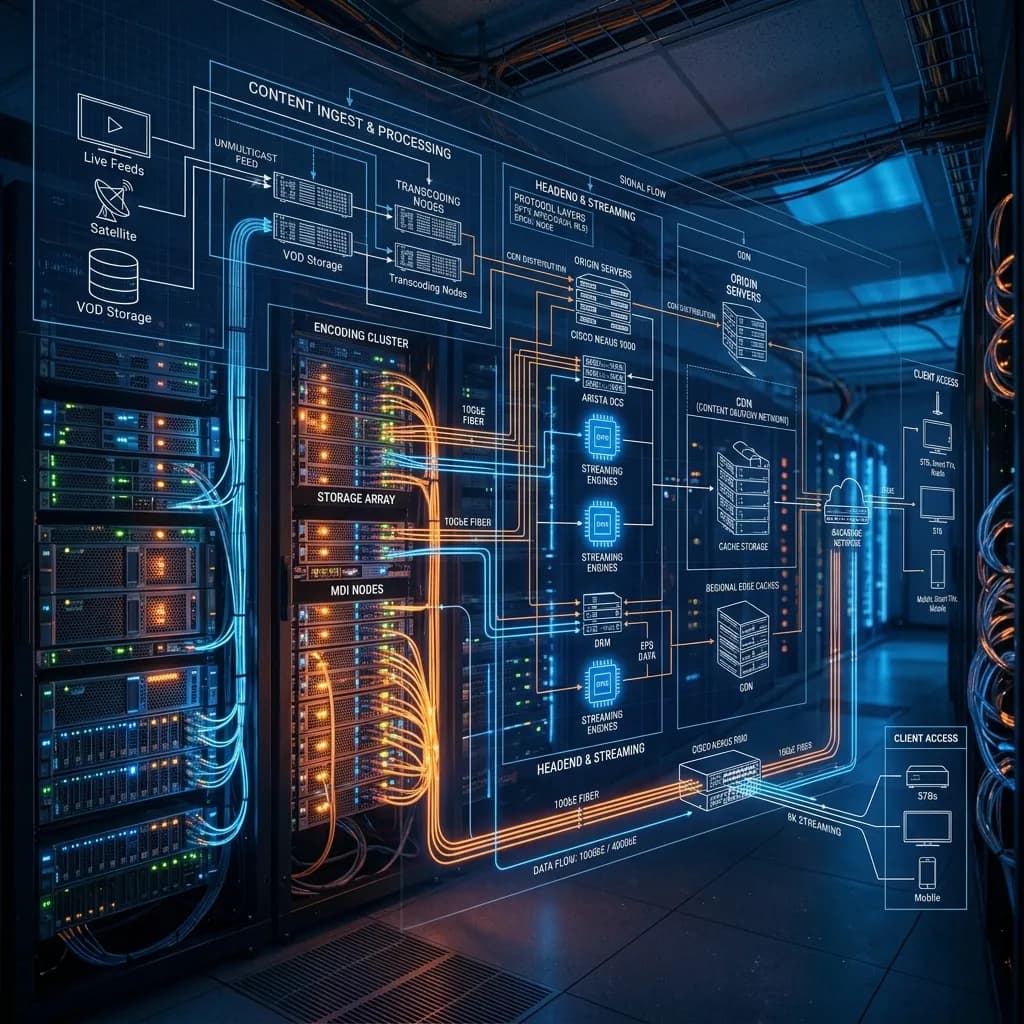
In an era where cord-cutting has become the norm rather than the exception, Internet Protocol Television (IPTV) has emerged as the definitive successor to traditional terrestrial, satellite, and cable broadcasting. While the average user simply turns on their smart device, opens an app, and begins watching thousands of live channels and video-on-demand (VOD) titles, the underlying mechanics making this seamless experience possible are astoundingly complex.
Understanding how IPTV works requires looking beyond the user interface. It requires a deep dive into network topologies, video compression algorithms, transport protocols, content delivery networks, and sophisticated middleware.
In this comprehensive, 3000+ word guide, the experts at Smartiflix break down the complete technical architecture of IPTV systems. Whether you are an IT professional, a streaming enthusiast, or simply someone looking to understand the technology powering your IPTV Subscription, this article will serve as your ultimate technical resource.
1. The Evolution of Broadcasting: RF to IP
To truly appreciate the architecture of IPTV, we must first understand what it replaced.
Historically, television broadcasting relied on Radio Frequency (RF) signals. Terrestrial TV (DVB-T/ATSC), Satellite TV (DVB-S), and Cable TV (DVB-C) all function on a "broadcast" model. In this model, every single channel is transmitted simultaneously as an analog or digital RF signal to the user's antenna or set-top box. The tuner in the user's device simply locks onto a specific frequency to decode a specific channel.
The Problem with Traditional Broadcasting
- Bandwidth Limitations: Because all channels are sent simultaneously, the total number of channels is strictly limited by the available frequency spectrum.
- One-Way Communication: Traditional broadcasting is a one-way street (simplex). The broadcaster pushes the signal; the receiver has no way to communicate back to the server. This makes true interactive features and VOD nearly impossible without separate systems.
- Hardware Dependency: It requires specialized, expensive hardware (coaxial cables, satellite dishes, proprietary decoders).
The IP Revolution
IPTV completely flips this paradigm. Instead of sending all channels at once via RF, IPTV leverages the TCP/IP (Transmission Control Protocol/Internet Protocol) suite—the exact same technology that powers the World Wide Web, email, and online gaming.
With IPTV, you only receive the data for the specific channel you are currently watching. When you change the channel, your device sends a request to the server to stop sending the old channel's data and start sending the new channel's data. This creates a two-way (duplex) communication channel, opening the door for endless channels, VOD libraries, and interactive applications.
Definition: IPTV (Internet Protocol Television) is defined as the secure and reliable delivery of entertainment video and related services across an IP-based data network. Unlike general web streaming, true IPTV typically involves a managed network provisioned by an ISP to ensure Quality of Service (QoS).
2. Core Architectural Pillars of IPTV
A functional IPTV system is not a single server sitting in a data center. It is a massive, highly distributed ecosystem composed of several distinct architectural layers. To deliver a seamless viewing experience without buffering, these layers must work in perfect harmony.
The architecture can generally be divided into five core components:
- The Super Head-End (Signal Acquisition)
- The Video Head-End (Processing & Encoding)
- The Core/Transport Network (Distribution)
- The Access Network (Local ISP delivery)
- The Customer Premises Equipment (CPE / End-User Devices)
Let's break down each of these components in exhaustive detail.
3. Signal Acquisition: The Super Head-End
Before an IPTV provider can stream a channel to your living room, they must first acquire the original feed. This happens at a facility known as the Super Head-End.
The Super Head-End is essentially an interception point where content from various global broadcasters is captured.
Methods of Acquisition
Depending on the channel and the provider, signals are acquired through several methods:
- Satellite Downlinks: Massive arrays of parabolic antennas (satellite dishes) capture raw DVB-S2 feeds directly from broadcasting satellites orbiting the earth. These raw feeds are incredibly high bandwidth, often completely uncompressed or lightly compressed (MPEG-2).
- Fiber Optic Backhauls: Premium broadcasters (like major sports networks) provide direct fiber-optic links to IPTV providers. This ensures the lowest possible latency and the highest possible quality, bypassing satellite transmission entirely.
- Terrestrial Antenna Arrays: For local broadcast networks, providers may capture local RF signals using high-gain digital antennas and convert them into IP streams.
- IP Playouts: Modern digital-first networks simply provide an RTMP (Real-Time Messaging Protocol) or SRT (Secure Reliable Transport) stream directly to the IPTV provider's ingest servers.
Integrated Receiver Decoders (IRDs)
Once the signal is captured via satellite or fiber, it enters an Integrated Receiver Decoder (IRD). The IRD's job is to decrypt the broadcasted signal (if it is locked via a traditional Conditional Access System like Irdeto or NDS) and output it as a raw, baseband digital video signal, usually over an interface like HD-SDI (High-Definition Serial Digital Interface).
At this stage, a single uncompressed 1080p video feed can consume nearly 1.5 Gbps (Gigabits per second) of bandwidth. It is entirely impossible to send this over the public internet to a user's home. It must be compressed.
4. The Heart of the System: Encoding and Transcoding
Once the uncompressed video is acquired, it moves to the Video Head-End for processing. This is arguably the most critical step in determining the final picture quality and stability of an IPTV service. The hardware here consists of massive racks of dedicated encoding servers (often utilizing hardware acceleration via NVIDIA GPUs or dedicated ASIC chips).
Encoding
Encoding is the process of compressing the raw video feed into a manageable size using a specific mathematical algorithm (a codec).
Common Video Codecs in IPTV:
- H.264 (Advanced Video Coding / AVC): The undisputed workhorse of the IPTV industry. H.264 provides excellent compression while maintaining high quality. A 1080p H.264 stream typically requires 4 to 8 Mbps of bandwidth.
- H.265 (High-Efficiency Video Coding / HEVC): The successor to H.264. H.265 offers 50% better data compression at the same level of video quality. This is crucial for 4K UHD streaming. A 4K H.265 stream can be delivered efficiently over a 15-20 Mbps connection.
- AV1: An emerging, royalty-free codec developed by the Alliance for Open Media (Google, Netflix, Amazon). While incredibly efficient, it requires immense computational power to encode live streams, so its adoption in live IPTV is currently slower compared to VOD.
Transcoding and Adaptive Bitrate (ABR)
A user watching on a massive 4K Smart TV on a 1 Gbps fiber connection requires a different video feed than a user watching on an older smartphone over a weak 4G connection. This is where Transcoding comes into play.
Transcoding takes the master encoded stream and creates multiple alternative versions at different resolutions and bitrates. For example, a single source feed might be transcoded into:
- 1080p at 6 Mbps (High Quality)
- 720p at 3 Mbps (Medium Quality)
- 480p at 1.5 Mbps (Mobile Quality)
- 360p at 800 Kbps (Low Bandwidth)
Using Adaptive Bitrate Streaming (ABR), the user's IPTV player continuously monitors the available internet speed and dynamically switches between these streams on the fly to prevent buffering.
Multiplexing and Container Formats
Video and audio are compressed separately (audio usually via AAC or AC3). They must be merged back together with metadata, subtitles, and synchronization markers. This process is called multiplexing (muxing). The resulting stream is placed into a "container" format. In IPTV, the most common container for live transport is the MPEG-TS (Transport Stream).
5. Streaming Protocols: How Data Moves Over IP
Once the video is compressed and packaged, it must be transmitted across the network. The choice of streaming protocol dictates how the packets are assembled, routed, and unpacked by the receiver.
1. IGMP (Internet Group Management Protocol)
In closed, ISP-managed IPTV networks, IGMP is the king. It is the protocol used to manage Multicast traffic (more on this in the next section). When you change a channel, your Set-Top Box sends an IGMP Join request to the network router, asking to subscribe to a specific multicast stream.
2. HLS (HTTP Live Streaming)
Developed by Apple, HLS is the absolute standard for Over-The-Top (OTT) IPTV services delivered over the public internet. How HLS Works:
- The video stream is chopped into tiny chunks (usually 2 to 10 seconds long), saved as
.ts(Transport Stream) files. - A manifest file (an
.m3u8playlist) is created. This text file contains the URLs of all the video chunks and the available quality levels. - The client device downloads the
.m3u8file via standard HTTP web traffic, reads the URLs, and starts downloading and playing the chunks in sequence. Because HLS uses standard HTTP (Port 80/443), it easily passes through standard consumer firewalls and routers, making it highly reliable.
3. MPEG-DASH (Dynamic Adaptive Streaming over HTTP)
Similar to HLS, but an open international standard rather than an Apple proprietary protocol. It operates on the same chunked-playlist principle and is widely used for VOD and live streaming on Android and Web platforms.
4. UDP vs. TCP Transport
At the transport layer of the OSI model, IPTV relies on either TCP or UDP.
- UDP (User Datagram Protocol): Used in managed multicast networks. UDP fires packets at the receiver constantly without waiting for an acknowledgment that they were received. It is blazing fast and has almost zero latency. However, if a packet is lost in transit, it is lost forever, resulting in a momentary pixelation or visual artifact on screen.
- TCP (Transmission Control Protocol): Used by HLS and DASH. TCP requires the receiver to acknowledge every packet. If a packet is lost, it is re-sent. This guarantees perfect picture quality without artifacts, but introduces latency (delay). This is why standard web-based IPTV might be 15-30 seconds behind a live broadcast.
| Feature | UDP (Multicast) | TCP (HLS/DASH) |
|---|---|---|
| Speed/Latency | Ultra-low (Sub 1 second) | High (10-30 seconds) |
| Reliability | Drops lost packets (glitches) | Retransmits lost packets (buffering) |
| Network Type | Closed ISP Networks | Public Internet (OTT) |
| Firewall Issues | Frequently blocked | Easily passes through (HTTP) |
6. The Network Layer: Multicast vs. Unicast Delivery
Understanding the difference between Multicast and Unicast is essential to understanding the economics and architecture of modern IPTV.
Unicast Routing
In a Unicast network, there is a strict 1-to-1 connection between the server and the user. If 100,000 users are watching the Super Bowl on Smartiflix, the server must send 100,000 separate video streams out of its data center. If the stream is 5 Mbps, the server requires 500 Gbps of total bandwidth capacity.
- Pros: Highly personalized. Required for VOD (since everyone starts the movie at a different time). Essential for OTT streaming over the public internet.
- Cons: Massively expensive to scale. Server load increases linearly with every new user.
Multicast Routing
Multicast solves the scaling problem for live TV. In a Multicast network, there is a 1-to-Many connection. The IPTV server sends out only one stream of the Super Bowl, regardless of how many people are watching.
How is this possible? The heavy lifting is delegated to the network routers. The single stream travels into the core network. When a router detects that multiple users connected to it want to watch the stream, the router duplicates the packets and sends them down the individual lines.
- Pros: Infinitely scalable for live TV. Bandwidth usage at the source server remains exactly the same whether there is 1 viewer or 1 million viewers.
- Cons: Extremely complex to configure. It requires specialized routing hardware and end-to-end control of the network infrastructure, which is why it is usually only utilized by massive telecom ISPs (like AT&T or BT) within their own fiber networks.
Most public IPTV services, including those supporting third-party IPTV Subscriptions, rely on highly optimized Unicast delivery backed by Content Delivery Networks (CDNs) to simulate the efficiency of multicast.
7. Content Delivery Networks (CDNs) and Edge Computing
Because most modern IPTV is delivered via Unicast over the public internet, providers face a massive challenge: how do you deliver video data from a server in Europe to a user in the United States without intense buffering and latency?
The answer is the Content Delivery Network (CDN).
A CDN is a geographically distributed network of proxy servers and data centers. The architecture consists of:
- The Origin Server: The main data center where the live stream is generated and encoded.
- Edge Servers: Hundreds or thousands of smaller servers placed in strategically located Internet Exchange Points (IXPs) around the globe, as close to the end-user as possible.
How CDNs handle IPTV
When a user in New York requests to watch a stream from a UK-based provider, they do not connect to the UK server. Instead, they connect to a CDN Edge Server located right in New York.
The New York edge server checks if it already has the live video chunks. If it does, it serves them locally (traveling only a few miles). If it doesn't, the edge server pulls the single stream from the UK Origin Server, caches it, and then distributes it to all users in New York.
This architecture drastically reduces latency, prevents the origin server from crashing due to traffic spikes, and ensures smooth playback. Building and maintaining this global CDN infrastructure is a primary reason why premium services have varying Pricing structures. High-quality infrastructure is expensive.
8. The Role of Middleware and the Electronic Program Guide (EPG)
If the video servers are the "muscle" of an IPTV system, the Middleware is the "brain."
Middleware is the software layer that sits between the IP network, the video servers, and the end-user's device. It is responsible for tying the raw video streams into a cohesive, user-friendly interface. Without middleware, IPTV would just be a list of raw IP addresses and messy command-line scripts.
Key Functions of Middleware:
- User Authentication: When you log into your IPTV app, the middleware checks your username, password, or MAC address against a subscriber database. It determines if your account is active and what package you have paid for.
- Content Management System (CMS): It organizes thousands of live channels into logical categories (Sports, News, Entertainment) and manages the metadata (posters, descriptions, cast) for VOD movies and TV series.
- Billing and Analytics: Tracks usage statistics, manages renewals, and enforces connection limits (e.g., stopping a user from streaming on 5 devices simultaneously if they only paid for 2).
- Electronic Program Guide (EPG): This is the interactive TV guide. Middleware systems ingest XMLTV data feeds—massive text files containing the schedule of every TV show on every channel—and synchronize this data with the live streams so users can see what is currently playing and what is up next.
Popular Middleware Platforms
The industry utilizes several robust middleware solutions:
- Xtream Codes / Xtream UI: The most famous (and historically dominant) software suite for managing IPTV panels. It introduced the standard API structure (username, password, server URL) used by almost all modern player apps.
- Ministra (formerly Stalker Portal): Developed by Infomir (the creators of MAG set-top boxes). It relies heavily on MAC address authentication and delivers a complete, controlled web-based portal to the user's TV.
9. Client-Side Architecture: Decoders and Players
The final stop for the IPTV data packet is your living room. The Customer Premises Equipment (CPE) must receive the encrypted, compressed IP packets, reassemble them, decode the video, and display it on your screen.
Set-Top Boxes (STBs)
Dedicated hardware like MAG boxes, Formuler devices, or ISP-provided receivers act as specialized microcomputers. They contain a System on Chip (SoC)—usually manufactured by companies like Amlogic or Broadcom—that features a dedicated hardware video decoder. This hardware decoder is built into the silicon to process H.264 and H.265 streams with maximum efficiency, ensuring smooth frame rates and deep color reproduction without overheating the device.
Smart TVs and Android Devices
Modern Smart TVs (Samsung Tizen, LG WebOS) and streaming sticks like the Amazon Fire TV Stick have become incredibly powerful, eliminating the strict need for dedicated STBs. They handle the decoding via internal processors.
- Need help setting up your device? Check out our complete Firestick Setup guide.
IPTV Player Applications
Because the delivery mechanism is largely standardized (HLS playlists, M3U files, Xtream APIs), independent developers have created sophisticated software players. Apps like IPTV Smarters Pro, TiviMate, and XCIPTV act as local client-side middleware.
When you input your subscription details into these apps, they:
- Connect to the provider's server API.
- Download the massive channel list and VOD catalog (often an M3U or JSON file).
- Download the XMLTV EPG data.
- Render a beautiful, navigable interface over the underlying video player (often utilizing standard engines like ExoPlayer or VLC).
For step-by-step guidance on setting up these apps across various devices, visit our comprehensive Installation Guide.
10. Content Security: DRM and Conditional Access
A massive concern for content creators, broadcasters, and legitimate IPTV providers is piracy and unauthorized stream interception. Protecting the digital signal from theft requires complex cryptographic systems known as Digital Rights Management (DRM) and Conditional Access Systems (CAS).
How IPTV Encryption Works
In a secured IPTV ecosystem, the video stream is encrypted at the head-end before it is ever sent over the network. The most common standard is AES-128 (Advanced Encryption Standard).
Even if a malicious actor uses packet-sniffing software (like Wireshark) to intercept the data stream traveling from the server to your house, they will only see randomized gibberish. The video cannot be played without the correct decryption key.
Key Exchange and DRM Platforms
To unlock the stream, the user's device must securely acquire the decryption key. This is managed by DRM platforms like Google Widevine, Apple FairPlay, or Microsoft PlayReady.
- The user presses "Play" on a movie.
- The player downloads the encrypted video stream.
- The player recognizes it is locked and requests a key from a separate DRM License Server.
- The DRM server verifies the user's session token and subscription status.
- If authorized, the server sends the decryption key to a highly secure, isolated hardware zone within the user's device processor (the Trusted Execution Environment - TEE).
- The video is decrypted and displayed on screen, never exposing the raw video file to the user's accessible storage.
Token-Based Authentication
For many commercial OTT IPTV systems, URLs are dynamically secured using short-lived tokens. When you request a channel, the server generates a unique link containing a cryptographic hash that expires in a few hours. If someone tries to copy and paste that link to steal the stream, it will simply fail to load once the token expires.
Security and privacy are paramount when navigating digital broadcasting. To understand how to protect your personal data and network while streaming, read our detailed Security Guide: Is Smartiflix Safe?.
11. Quality of Service (QoS) vs. Quality of Experience (QoE)
In the technical architecture of IPTV, engineers constantly monitor two distinct but related metrics: QoS and QoE.
Quality of Service (QoS)
QoS is purely objective and network-focused. It measures the physical performance of the network hardware.
- Packet Loss: The percentage of data packets that fail to reach their destination. (Even 1% packet loss can cause visual stuttering).
- Jitter: The variation in the delay of received packets. High jitter causes the video buffer to empty unpredictably.
- Latency: The total round-trip time for a packet to travel from the server to the client. ISPs manage QoS by prioritizing video packets over regular web browsing traffic using deep packet inspection and network tagging (DSCP tags).
Quality of Experience (QoE)
QoE is subjective and user-focused. It measures what the user actually sees and feels.
- Zapping Time: How many seconds does it take for the video to appear after the user presses the channel up/down button? A technical goal for IPTV is to keep zapping time under 2 seconds.
- Startup Delay: How long does the VOD movie buffer before playing?
- Visual Artifacts: Are there macro-blocks (pixelation), screen tearing, or audio desync?
IPTV engineers use complex feedback loops within player apps to send QoE telemetry back to the server, allowing the network to dynamically adjust routing and CDNs if users in a specific region begin experiencing buffering.
12. The Future of IPTV Architecture
The technological framework of IPTV is continuously evolving. As consumer hardware improves and internet infrastructure expands, the backend architecture is rapidly adapting to support next-generation features.
1. 8K Resolution and Spatial Audio
While 4K is becoming standard, 8K video requires roughly four times the data. Sending 8K over IP will rely heavily on the widespread adoption of the AV1 codec and the upcoming VVC (Versatile Video Coding / H.266) standard. These codecs utilize machine learning algorithms to predict movement between frames, vastly reducing the required bitrate.
2. 5G and Edge Computing
The rollout of 5G cellular networks is transforming IPTV for mobile and remote users. By combining 5G with Multi-access Edge Computing (MEC), providers can place mini-CDN servers directly at the base of cell towers. This essentially eliminates the transport network layer for mobile users, resulting in near-zero latency live streaming, which is critical for live sports betting and interactive broadcasting.
3. Server-Side Ad Insertion (SSAI)
Traditionally, commercials were baked directly into the video feed. Modern IPTV architectures utilize SSAI, also known as Dynamic Ad Insertion. The server detects an upcoming commercial break in the live stream, seamlessly cuts the feed, splices in a targeted, personalized high-definition advertisement based on the user's demographic profile, and then stitches the live broadcast back in—all without the user's player ever buffering or glitching.
Conclusion
The journey of an IPTV signal—from a satellite hovering 22,000 miles above the earth, down to a super head-end, through massive encoding servers, across trans-oceanic fiber optic cables, duplicated by edge CDNs, and finally decoded by the silicon chip inside your Smart TV—is a marvel of modern networking and software engineering.
It represents the culmination of decades of advancements in video compression, cryptographic security, and distributed computing. As broadband speeds increase and routing algorithms become more sophisticated, IPTV will continue to cement itself as the final, ultimate form of television broadcasting.
Ready to experience the power of a perfectly architected network? Explore our premium plans and secure your reliable IPTV Subscription today, or return to our Homepage to learn more about the Smartiflix ecosystem.
Disclaimer: This article is for educational and informational purposes, detailing the standard technical infrastructure of IP-based television delivery networks globally.