Formuler Z11 Pro Max Review: Top IPTV Streaming Box Insights
Explore the Formuler Z11 Pro Max in our detailed IPTV review. Uncover MYTVOnline 3 features, specs, setup tips, and performance analysis.
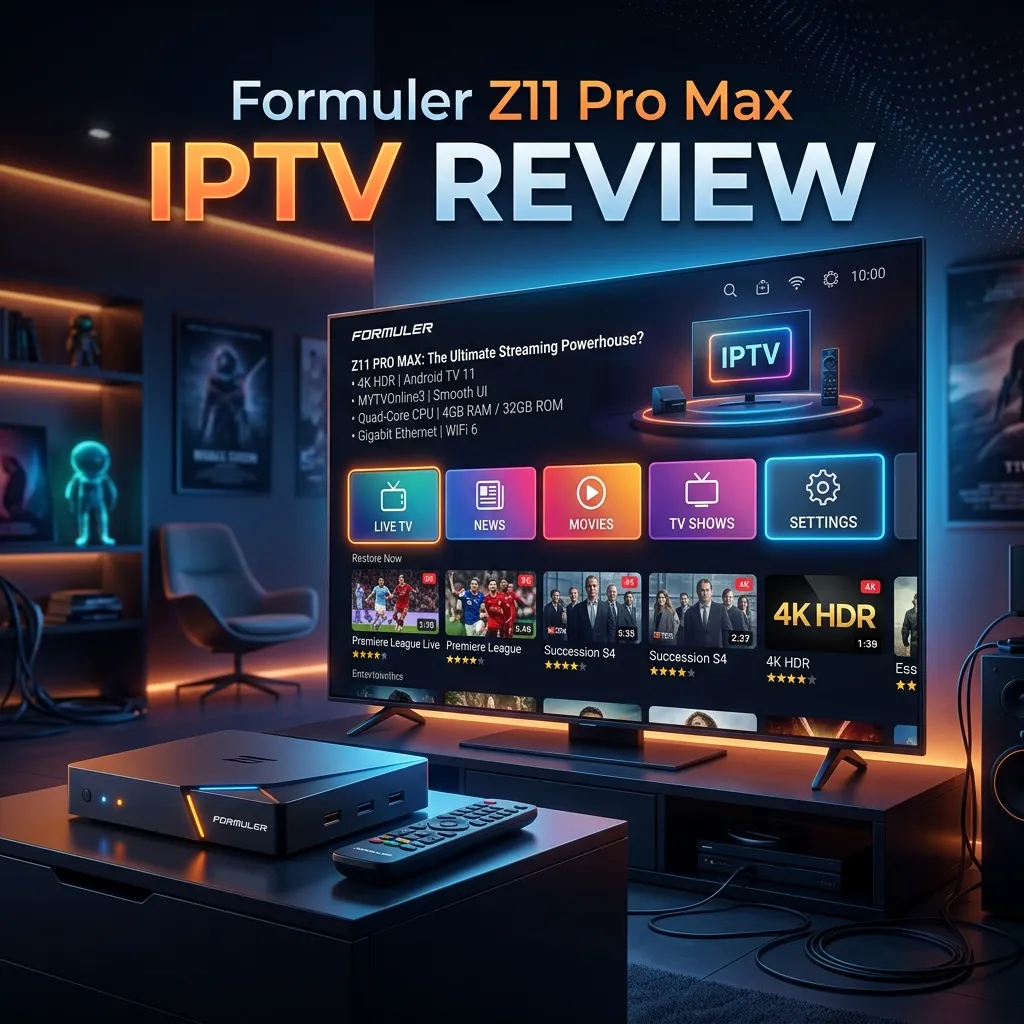
When it comes to dedicated IPTV set-top boxes, few names carry as much weight, prestige, and universal acclaim as Formuler. Over the years, Formuler has consistently pushed the boundaries of what is possible in the realm of streaming media devices, blending high-end hardware with intuitive, user-friendly software that transforms the way we consume digital entertainment. In a market flooded with generic, mass-produced Android boxes that offer mediocre performance and frustrating interfaces, Formuler stands as a beacon of premium quality.
The Formuler Z11 Pro Max represents the absolute pinnacle of the company's engineering and software development. It is not just another streaming box; it is a meticulously crafted media center designed specifically for IPTV enthusiasts who demand the highest possible fidelity, the fastest zapping times, and the most comprehensive feature set available.
In this exhaustive, highly detailed review, we are going to dissect every single aspect of the Formuler Z11 Pro Max. We will explore its design aesthetics, dive deep into its internal hardware components, analyze its network connectivity capabilities, and spend a significant amount of time exploring its crown jewel: the MYTVOnline 3 (MOL3) application. Whether you are a seasoned IPTV veteran looking for an upgrade or a newcomer trying to find the best device for your IPTV Subscription, this guide will provide you with all the information you need.
Unboxing the Beast: What’s Inside the Box?
The premium experience of the Formuler Z11 Pro Max begins the moment you receive the package. Formuler has always paid close attention to packaging and presentation, and the Z11 Pro Max is no exception. The box is sleek, modern, and features high-quality graphics that immediately hint at the powerful technology contained within.
The Sleek Form Factor
Upon opening the box, the first thing you will notice is the Z11 Pro Max unit itself. Formuler has opted for a minimalist, stealthy design that looks incredibly elegant on any TV stand or entertainment center. The device is compact but feels dense and substantial in the hand, indicating the use of high-quality internal components and a robust thermal management system.
Unlike cheaper Android boxes that often overheat under load, the Z11 Pro Max is designed with optimal airflow and heat dissipation in mind. The matte black finish is resistant to fingerprints, and the subtle, geometric angles give it a futuristic aesthetic. An LED indicator on the front panel provides essential status information without being overly bright or distracting in a dark room.
The Package Contents
Alongside the main unit, the box contains everything you need to get started immediately:
- The Formuler Z11 Pro Max Unit
- GTV-BT1 Advanced Bluetooth Voice Remote Control
- Two AA Batteries (for the remote)
- High-Quality Premium HDMI Cable
- Power Adapter (Region Specific)
- Quick Setup Guide and Documentation
- IR Extender Cable (Optional, included in some bundles)
The GTV-BT1 Bluetooth Voice Remote
A streaming device is only as good as its remote, and Formuler has truly outdone itself with the GTV-BT1. This is not a cheap, infrared, clicky remote that comes as an afterthought. It is a premium, ergonomic Bluetooth remote designed for heavy, daily use.
Because it utilizes Bluetooth technology, you do not need line-of-sight to control the Z11 Pro Max. You can tuck the box behind your TV or inside a closed media cabinet, and the remote will still function flawlessly. The layout is incredibly intuitive, with dedicated buttons for Live TV, VOD, Series, and Catch-up, making navigation through MYTVOnline 3 a breeze.
The buttons have a satisfying tactile response, and the remote features programmable hotkeys that you can customize to launch your favorite applications instantly. Furthermore, the GTV-BT1 includes a built-in microphone for Google Assistant voice search, allowing you to search for content, check the weather, or control smart home devices using your voice.
Hardware Specifications: A Technical Deep Dive
To understand why the Formuler Z11 Pro Max commands a premium price tag, we have to look under the hood. This device is an absolute powerhouse, equipped with the latest and greatest components to ensure flawless performance, even when decoding the most demanding video formats.
Specifications at a Glance
| Feature | Specification |
|---|---|
| Processor (CPU) | Realtek RTD1319C (Quad-Core Cortex A55) |
| Graphics (GPU) | ARM Mali-G57 MC1 |
| RAM | 4GB DDR4 @ 2400MHz |
| Storage (ROM) | 32GB eMMC |
| Operating System | Android 11 |
| Networking | Wi-Fi 6 (802.11ax) Dual-Band 2x2 |
| Ethernet | Gigabit (1000 Mbps) LAN |
| Bluetooth | Bluetooth 5.0 |
| Video Decoding | AV1, 4K@60fps, H.265(HEVC), AVS, H.264, HDR10+ |
| DRM Support | Widevine L1, L3 |
| Ports | 1x HDMI 2.1, 1x USB 3.0, 1x USB 2.0, 1x MicroSD |
Processor and GPU: Realtek RTD1319C
At the heart of the Z11 Pro Max lies the brand new Realtek RTD1319C chipset. This is a significant upgrade from the processors used in previous generations. The quad-core ARM Cortex A55 architecture provides a perfect balance between raw processing power and energy efficiency.
Paired with the ARM Mali-G57 graphics processing unit, the device breezes through complex UI animations, multi-tasking, and heavy video decoding. Whether you are scrolling through a live TV guide with 10,000 channels, rendering 4K UI elements, or playing a demanding Android game, the Z11 Pro Max handles it without breaking a sweat. There is absolutely zero lag, stutter, or hesitation.
Memory and Storage: 4GB DDR4 & 32GB eMMC
In the world of Android streaming boxes, RAM is king. While budget devices struggle with 1GB or 2GB of RAM, leading to app crashes and background processes being aggressively killed, the Z11 Pro Max boasts a massive 4GB of high-speed DDR4 RAM. This allows you to keep multiple apps open simultaneously, use the Picture-in-Picture (PiP) feature smoothly, and maintain rapid zapping times when switching channels.
The 32GB of internal eMMC storage provides ample room for installing applications from the Google Play Store, caching video data, and even recording live TV directly to the device. If 32GB isn't enough, you can easily expand the storage via the MicroSD card slot or by connecting an external hard drive to the blazing-fast USB 3.0 port.
Connectivity: Built for the Streaming Era
A powerful processor is useless if the device cannot maintain a fast, stable connection to the internet. Formuler recognizes this and has equipped the Z11 Pro Max with top-tier networking hardware.
Next-Generation Wi-Fi 6
The most notable networking upgrade is the inclusion of Wi-Fi 6 (802.11ax) technology. Wi-Fi 6 offers several massive advantages over older Wi-Fi 5 standards:
- Higher Throughput: It supports much faster peak data rates, essential for streaming high-bitrate 4K content without buffering.
- Better Range and Wall Penetration: The dual-band 2x2 antenna configuration ensures a strong signal even if your router is in another room.
- Reduced Congestion: In environments with multiple smart devices (phones, tablets, smart home tech), Wi-Fi 6 handles network congestion much more efficiently, ensuring your streaming box always gets the bandwidth it needs.
Gigabit Ethernet LAN
While Wi-Fi 6 is fantastic, hardwired connections will always be the gold standard for IPTV stability. The Z11 Pro Max features a true Gigabit Ethernet port capable of speeds up to 1000 Mbps. If you are experiencing buffering issues, we highly recommend connecting via Ethernet. For more tips on optimizing your connection, check out our comprehensive Installation Guide.
Software Experience: Android 11 OS
The Formuler Z11 Pro Max runs on a highly optimized, heavily customized version of Android 11. Unlike standard "Android TV" operating systems which are completely locked down by Google and heavily push Google's own paid content, Formuler's implementation is clean, flexible, and entirely focused on the user experience.
The home screen is free from intrusive advertisements and sponsored recommendations. Instead, it offers a clean, widget-based interface that you can customize exactly to your liking. You can pin your favorite live TV channels, quick-launch your most-used applications, and customize the background.
Because it is an Android-based device, you have full access to third-party applications. You can easily install Netflix, Amazon Prime Video, Disney+, YouTube, Spotify, and a host of other streaming services, making the Z11 Pro Max the only media center you will ever need connected to your television.
Furthermore, the device holds Widevine L1 certification. This is a critical DRM (Digital Rights Management) standard required by premium streaming apps like Netflix and Disney+ to allow playback in Full HD and 4K resolutions. Devices without Widevine L1 are permanently capped at 480p standard definition for these apps.
The Crown Jewel: MYTVOnline 3 (MOL3)
While the hardware is exceptional, the true reason to buy a Formuler device is the software, specifically their proprietary IPTV application: MYTVOnline. The Z11 Pro Max introduces the third iteration of this software, MYTVOnline 3 (MOL3), and it is nothing short of revolutionary.
MOL3 is widely considered the best IPTV client in the world, far surpassing popular third-party apps like TiviMate, IPTV Smarters, or XCIPTV. Let's break down exactly what makes it so special.
Redesigned, Modern User Interface
MOL3 has been completely rebuilt from the ground up with a stunning, modern, and highly intuitive user interface. Everything from the channel guide (EPG) to the VOD menus looks sleek, professional, and incredibly polished. The dark mode theme is easy on the eyes, and the typography and iconography are crisp and modern.
Universal Search Functionality
One of the biggest pain points in IPTV is finding what you want to watch across massive playlists containing tens of thousands of channels and movies. MOL3 introduces a powerful Universal Search feature. From the home screen, you can search for a keyword, and MOL3 will simultaneously scan your Live TV channels, Video on Demand (VOD) library, TV Series, and even Catch-up TV to find relevant results. It is lightning fast and completely changes how you interact with your content.
Picture-in-Picture (PiP) Capabilities
Ever wanted to watch two sports games at the same time? With the massive 4GB of RAM on the Z11 Pro Max, MOL3 handles Picture-in-Picture flawlessly. You can watch one channel in full screen while keeping an eye on a second channel in a small floating window in the corner of your TV. You can quickly swap audio between the two channels or seamlessly switch which one is in full-screen mode.
Advanced PVR, Recording, and Timeshift
The PVR (Personal Video Recorder) functionalities in MOL3 are robust and highly reliable.
- Scheduled Recording: You can browse the EPG, select a future program, and set the device to record it to an external USB drive or MicroSD card.
- Background Recording: Because of the powerful hardware, you can record one channel in the background while actively watching another channel.
- Timeshift: If you need to step away from the TV, simply press pause on the remote. The Z11 Pro Max will buffer the live TV stream, allowing you to resume, rewind, and fast-forward when you return.
VOD and TV Series Management
IPTV isn't just about live television; the VOD and Series sections are equally important. MOL3 organizes your movies and TV shows beautifully, pulling in high-quality poster art, cast information, IMDB ratings, and detailed synopses. The resume playback feature works flawlessly, remembering exactly where you left off in a movie or a TV series episode.
Multiple Portals and Playlists
For power users, MOL3 allows you to seamlessly manage multiple IPTV subscriptions. You can add several XC API portals or M3U playlists and switch between them effortlessly, or even merge them into a single, unified interface.
[!TIP] To get the absolute best experience out of MYTVOnline 3, pair it with a premium, reliable service provider. Explore our top-tier packages at our Pricing page to unlock buffer-free 4K streaming.
Audio and Video Performance
The visual and auditory experience provided by the Formuler Z11 Pro Max is breathtaking, placing it in the upper echelon of modern media players.
4K HDR10+ and AV1 Decoding
The device natively supports stunning 4K Ultra High Definition video at a buttery smooth 60 frames per second. But resolution is only half the battle; color depth and dynamic range are equally critical. The Z11 Pro Max supports HDR10+, which provides vastly superior contrast, brighter highlights, and incredibly deep, inky blacks when connected to a compatible television.
Furthermore, the Realtek processor natively decodes AV1. AV1 is the next-generation video codec adopted by tech giants like Google, Netflix, and Amazon. It is highly efficient, meaning it can deliver higher quality video at significantly lower bitrates, which translates to far less buffering on slower internet connections. Having hardware-level AV1 decoding future-proofs your investment for years to come.
Audio Passthrough
For audiophiles and home theater enthusiasts, the Z11 Pro Max does not disappoint. It supports high-definition audio passthrough via HDMI. Whether you have a simple soundbar or a complex 7.1 Dolby Atmos or DTS surround sound system, the Formuler will pass the raw audio signal directly to your receiver for decoding, ensuring the most immersive, cinematic audio experience possible.
Step-by-Step Installation and Setup
One of the great things about the Formuler ecosystem is how easy it is to set up, even for complete beginners.
Initial Device Setup
- Connect to TV: Plug the Z11 Pro Max into your TV using the provided HDMI cable.
- Power Up: Connect the power adapter to the device and plug it into a wall outlet.
- Pair the Remote: Follow the on-screen instructions to pair your GTV-BT1 remote via Bluetooth.
- Connect to Network: Select your Wi-Fi network and enter the password, or simply plug in an Ethernet cable for an instant wired connection.
- System Updates: Upon first boot, the device will likely prompt you to download the latest firmware and MOL3 updates. Always install these to ensure optimal performance and security.
Connecting Your Smartiflix IPTV Subscription
Setting up your service on MYTVOnline 3 takes less than two minutes:
- Open the MYTVOnline 3 application from the home screen.
- Navigate to Connections > Add Portal (or Add Playlist if using an M3U URL).
- Give your portal a name (e.g., "Smartiflix Premium").
- Enter the Portal URL, Username, and Password provided to you after purchasing your IPTV Subscription.
- Click Connect. MOL3 will securely connect to the servers, download the channel list, EPG data, and VOD library.
- You are now ready to stream!
Formuler Z11 Pro Max vs. the Competition
How does the Z11 Pro Max stack up against other popular streaming devices on the market? Let's take a look.
Formuler Z11 Pro Max vs. Amazon Firestick 4K Max
The Amazon Firestick is incredibly popular due to its low price point and accessibility. However, it is fundamentally a budget device designed to sell Amazon Prime content.
- Storage and RAM: The Firestick has severely limited storage (usually 8GB) and much less RAM, leading to UI lag and the inability to run intensive apps simultaneously.
- Software: The Fire OS is bloated with unremovable ads.
- IPTV Experience: You are forced to use third-party apps like TiviMate, which, while good, cannot compare to the hardware-integrated experience of MOL3.
- Verdict: If you are serious about IPTV, the Formuler is a massive upgrade. However, if you are looking for a secondary device for a guest bedroom, the Firestick is adequate. Learn how to set it up on our Firestick Setup guide.
Formuler Z11 Pro Max vs. NVIDIA Shield TV Pro
The NVIDIA Shield Pro has long been considered the king of Android TV boxes. It is an incredible device, especially for gaming and Plex media servers.
- Processor: The Shield's Tegra X1+ is incredibly powerful for gaming, but it is an older chip and lacks AV1 hardware decoding.
- IPTV Software: The Shield lacks a dedicated, integrated IPTV client like MOL3.
- Verdict: If your primary goal is retro gaming emulation and running a Plex server, the Shield Pro is excellent. But if your primary use case is watching live TV, sports, and VOD via an IPTV subscription, the Formuler Z11 Pro Max is the clear winner due to the unmatched MYTVOnline 3 software.
Security, Privacy, and VPNs
When utilizing streaming devices, digital privacy should always be a priority. Because the Formuler Z11 Pro Max runs on a fully unlocked Android 11 operating system, securing your device is incredibly straightforward.
We highly recommend using a Virtual Private Network (VPN) when streaming. A VPN encrypts all of your internet traffic and routes it through a secure server. This prevents your Internet Service Provider (ISP) from throttling your bandwidth, monitoring your viewing habits, or blocking IPTV connections.
Because the Z11 Pro Max has access to the standard Google Play Store, you can simply search for and download premium VPN applications like ExpressVPN, NordVPN, or Surfshark directly to the device. The powerful Realtek CPU ensures that the VPN encryption process does not slow down your internet speed or cause buffering.
For a much deeper dive into streaming safety, legalities, and data protection, please read our comprehensive Security Guide.
Pricing and Value Proposition
The Formuler Z11 Pro Max is undoubtedly a premium device, and it carries a premium price tag (typically ranging between $150 and $180 USD, depending on the retailer and bundled accessories).
Is it expensive? Compared to a $40 generic Android stick, yes. However, you are paying for:
- Top-tier, reliable hardware that won't overheat or degrade.
- The GTV-BT1 Bluetooth remote, which alone is worth $30-$40.
- Unparalleled networking hardware (Wi-Fi 6, Gigabit LAN).
- Constant, reliable over-the-air (OTA) software updates from Formuler's development team.
- MYTVOnline 3: The greatest IPTV software client ever developed, which is completely free with the device (no ongoing app subscription fees required).
When you factor in the longevity of the device and the frustration-free daily experience it provides, the value proposition is incredibly strong. It is an investment in your daily entertainment.
Pros and Cons
To summarize our extensive testing, here is a breakdown of the advantages and disadvantages of the Formuler Z11 Pro Max:
The Pros
- MYTVOnline 3: The absolute best, most feature-rich IPTV application available today.
- Exceptional Hardware: Powerful CPU, 4GB RAM, and 32GB storage ensure blazing-fast performance.
- Future-Proof Video Decoding: Native support for 4K 60fps, HDR10+, and the highly efficient AV1 codec.
- Premium Remote: The GTV-BT1 Bluetooth voice remote is ergonomic, responsive, and highly customizable.
- Flawless Connectivity: Wi-Fi 6 and Gigabit Ethernet guarantee stable, buffer-free streams.
- Clean OS: A customized, bloatware-free Android 11 interface without intrusive advertisements.
- Widevine L1: Full support for high-definition streaming on official apps like Netflix and Prime Video.
The Cons
- Premium Price: The initial upfront cost is higher than standard streaming sticks.
- Learning Curve: While intuitive, MOL3 has so many advanced features (PiP, timeshift, multiple portals) that it may take beginners a few days to master completely.
- No Native Netflix App Certification: While Widevine L1 is present, Netflix often requires specific device certification. You may need to use a modified version of the Netflix app for 4K playback.
Final Verdict: Is the Formuler Z11 Pro Max Worth It?
In a word: Absolutely.
The Formuler Z11 Pro Max is a masterpiece of specialized consumer electronics. It was designed from the ground up with one specific goal in mind: to be the absolute greatest IPTV viewing device in the world. And it succeeds brilliantly.
The combination of the lightning-fast Realtek processor, massive 4GB of RAM, cutting-edge Wi-Fi 6 connectivity, and the utterly magnificent MYTVOnline 3 software creates an ecosystem that simply cannot be matched by Firesticks, Apple TVs, or generic Android boxes. The user interface is gorgeous, the channel zapping is instantaneous, and the advanced features like Universal Search and Picture-in-Picture fundamentally elevate the viewing experience.
If you are currently paying for a premium service and viewing it on a slow, lagging device, you are doing yourself a massive disservice. The Formuler Z11 Pro Max is the ultimate upgrade for any serious cord-cutter or sports fanatic.
Ready to experience television the way it was meant to be seen? Pair your new Formuler device with the best streaming service on the market. Return to our Homepage to learn more about our unparalleled infrastructure, or head straight to our Pricing page to choose your perfect package today. Welcome to the future of television.