Best IPTV Setup for Sports Bars and Pubs: Revolutionize Viewing
Discover the best IPTV setup for sports bars and pubs. Maximize ROI with our guide on hardware, networks, and multi-screen configurations for sports fans.
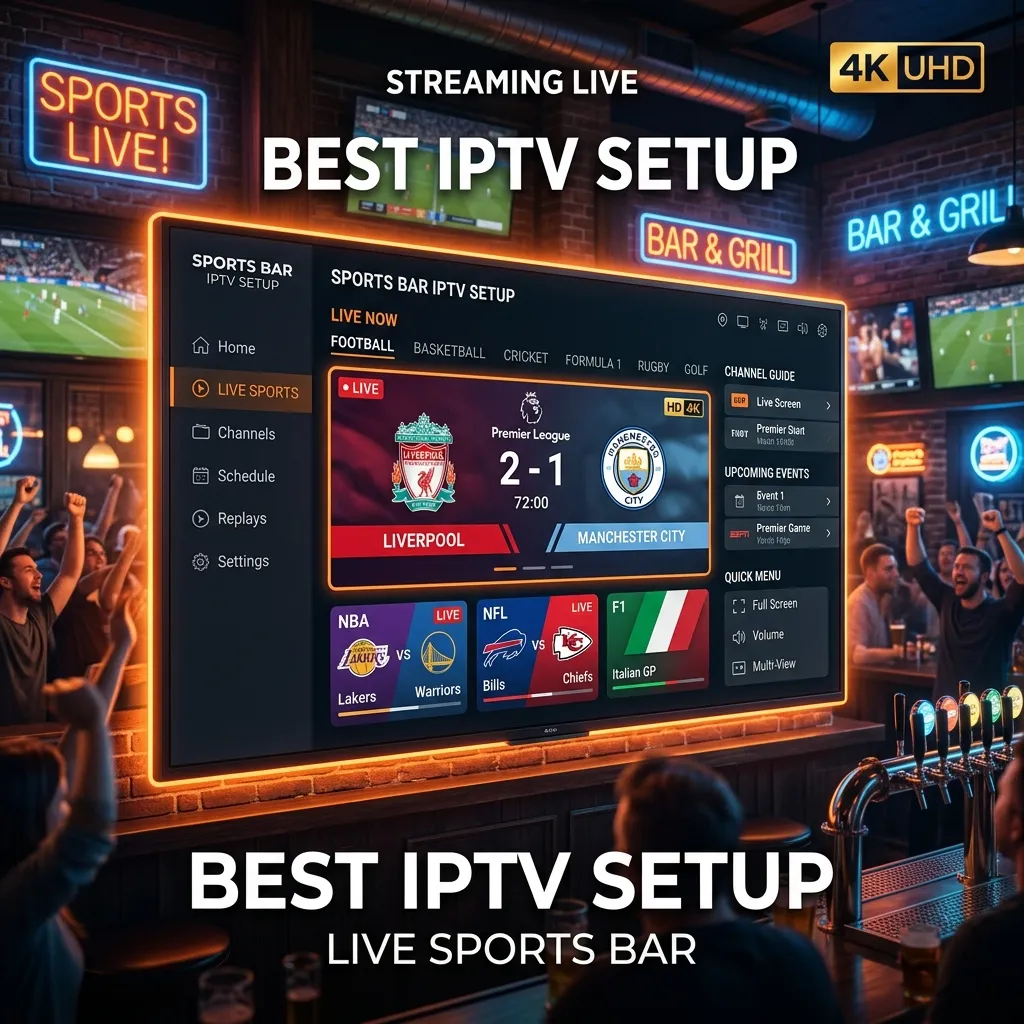
Running a successful sports bar or pub hinges on one critical element above all else: delivering an unforgettable, uninterrupted viewing experience for sports fans. In the past, achieving this meant relying on exorbitant commercial cable or satellite TV contracts. These traditional methods were not only incredibly expensive but also severely limited in their channel offerings, especially for niche, out-of-market, or international sports.
Enter Internet Protocol Television (IPTV). The best IPTV setup for sports bars and pubs completely revolutionizes how live sports are broadcasted to your patrons. By transmitting television content over internet protocols rather than traditional satellite signals or terrestrial cable formats, IPTV offers unparalleled flexibility, immense cost savings, and access to a massive global roster of sporting events.
In this exhaustive 3,000+ word guide, we will walk you through every single detail required to design, implement, and optimize the ultimate commercial IPTV system. Whether you are opening a brand-new sports-centric venue or upgrading an outdated, costly satellite setup, this guide covers everything from hardware and networking to software management and legal compliance. By the time you finish reading, you will possess the precise blueprint for creating a world-class sports viewing destination that keeps patrons in their seats and ordering more rounds.
1. The Evolution of Sports Bar Entertainment: Why Traditional Cable is Obsolete
For decades, the undisputed standard for any sports bar was a towering, heat-generating stack of satellite receivers and a convoluted web of coaxial cables running through the ceiling. Venue owners were locked into restrictive, multi-year contracts with local telecommunications providers. If a patron wanted to watch an out-of-market NFL game, a European soccer match, or a niche combat sports event, the bar owner often had to purchase separate, wildly expensive premium packages just to show a single game.
The Downfall of Satellite and Cable in Commercial Settings
- Exorbitant, Capacity-Based Costs: Commercial cable packages are largely priced based on the venue's maximum occupancy (Fire Code Capacity), not simply the number of screens in the building. A moderately sized bar with a capacity of 200 people could end up paying thousands of dollars every single month for a basic sports package.
- Weather Dependency: Satellite dishes are notoriously vulnerable to heavy rain, snow, and strong winds. Losing the satellite signal during the Super Bowl, a major Pay-Per-View fight, or a World Cup final is a complete catastrophe for any sports pub.
- Hardware Clutter and Heat: Each screen or distinct channel usually required its own dedicated, bulky receiver box, leading to overheated AV racks, massive electricity draws, and a nightmare of cable management.
- Geographic Restrictions and Blackouts: Cable providers aggressively limit broadcasts based on regional blackout rules, preventing bars from showing certain local or national games to protect ticket sales.
The IPTV Revolution
IPTV solves all of these legacy issues by delivering high-quality content directly via your internet connection. With the correct commercial setup, a single high-speed internet line can feed dozens of screens with crystal-clear high-definition (HD) and 4K content simultaneously. The transition from legacy systems to a robust IPTV infrastructure is arguably the most significant operational upgrade a modern sports bar can undertake today.
2. Understanding IPTV: A Primer for Pub Owners
Before diving headfirst into the hardware and networking requirements, it is essential to understand exactly what IPTV is and how the signal flows from the stadium to your screens. IPTV stands for Internet Protocol Television. Instead of receiving television programs as broadcast signals that enter your venue from a roof antenna, a satellite dish, or a physical fiber-optic cable from a local provider, you receive them streamed dynamically through your internet connection.
How Does the IPTV Data Flow Work in a Sports Bar?
- The Source (The Provider): The IPTV provider hosts live television feeds on their massive global servers.
- The Delivery (The Internet): The video and audio content is compressed (usually via H.264 or H.265 codecs) and delivered over the internet directly to your venue's commercial router.
- The Receiver (The Hardware): Devices such as dedicated IPTV set-top boxes, smart TVs, or streaming sticks (like Firesticks) receive this data packet and decode the internet data back into high-quality video and audio.
- The Display (The Screens): The decoded video is then sent via an HDMI cable or an AV-over-IP network to your televisions, projectors, or video walls.
By leveraging an IPTV Subscription, bar owners bypass traditional gatekeepers, unlocking thousands of channels from across the globe, ensuring that no matter what sport a customer requests, the bar can confidently provide it.
3. Top 7 Benefits of an IPTV Setup for Sports Bars
Making the switch from traditional cable requires an initial investment in time, networking, and technology, but the return on investment (ROI) is staggering. Here is an in-depth look at the primary advantages.
3.1 Dramatic Cost Reduction and Improved Margins
As mentioned, commercial cable rates are astronomical and eat directly into a pub's profit margins. IPTV subscriptions, even commercial-grade, multi-connection ones, are significantly more affordable. You can often cut your monthly television broadcasting costs by 50% to 80%. These savings can be immediately reinvested into better food quality, improved marketing, staff bonuses, or facility upgrades. Check out our Pricing page to understand exactly how affordable these commercial solutions can be.
3.2 Unmatched Variety of Global Sports
Traditional providers offer packages based on localized licensing. An IPTV setup shatters these borders, giving you access to a global library of sports.
- Soccer/Football: English Premier League, La Liga, Serie A, UEFA Champions League, and South American leagues.
- American Sports: NFL (including RedZone and out-of-market games), NBA, MLB, NHL.
- Combat Sports: UFC, Boxing PPVs, WWE, and international wrestling.
- Niche Sports: Rugby, Cricket, Darts, Snooker, and Motorsports (F1, MotoGP). With IPTV, when a group of international tourists or ex-pats comes in asking for an obscure match from their home country, you can confidently say, "Yes, we have it."
3.3 Effortless Scalability for Multiple Screens
Whether you are starting with 5 TVs or managing a massive 50-screen sports emporium, IPTV scales effortlessly. You don't necessarily need a dedicated cable box for every single TV if you utilize advanced network distribution methods (like HDMI matrix switches or IP over Ethernet). This makes it incredibly easy and cost-effective to expand your screen count as your business grows.
3.4 High Definition and 4K Streaming Capabilities
Modern sports fans are accustomed to pristine picture quality in their own living rooms; they expect no less when they go out to a bar. The best IPTV services stream at a buttery-smooth 60 frames per second (fps) in full 1080p HD, and increasingly in stunning 4K UHD. Fast-paced sports like hockey and basketball require high frame rates to prevent motion blur, and a premium IPTV setup delivers exactly that.
3.5 Reliability and Redundancy
Unlike satellite dishes that catastrophically fail during a thunderstorm, a hardwired commercial internet connection is incredibly stable. Furthermore, many modern IPTV setups allow for backup internet lines (failover connections) and backup IPTV subscriptions, ensuring your screens never go black during a crucial moment.
3.6 Space Saving and Rack Organization
Say goodbye to the monolithic rack of 20 satellite boxes generating the heat of a small furnace. IPTV setups require significantly less physical hardware. Streaming sticks disappear behind the TVs, and dedicated set-top boxes are a fraction of the size of traditional receivers.
3.7 Customization and Branding Opportunities
Advanced IPTV middleware allows you to customize the user interface. You can display your bar's logo on the screen during intermissions, run custom digital signage, or promote drink specials on a split-screen alongside the game.
4. Legalities and Compliance: Navigating the Commercial Landscape
[!WARNING] Disclaimer: The information provided in this section is for educational purposes only and does not constitute formal legal advice. Always consult with a legal professional specializing in broadcast licensing in your specific jurisdiction.
One of the most critical, yet frequently misunderstood, aspects of setting up IPTV in a commercial space like a sports bar is navigating the complex legal landscape.
Commercial vs. Residential Licensing
You absolutely cannot legally use a standard residential IPTV or cable subscription to broadcast content to a public audience. Broadcasting live sports in a bar, restaurant, or pub is legally considered a "public performance." To do this legally, you generally need commercial broadcasting licenses from the appropriate rights holders (e.g., the NFL, the Premier League, or the local broadcasting authority).
Choosing Legal IPTV Services
When selecting your IPTV provider, you must ensure they offer commercial licensing or that your venue holds the necessary blanket public viewing licenses for the channels you choose to display.
Many sports bars employ a "hybrid" approach to manage costs while remaining compliant:
- They acquire formal commercial licenses for major domestic sports (like the NFL in the US, or the Premier League in the UK) through official commercial partners.
- They utilize IPTV for hard-to-find international content, niche sports, or PPV events where local commercial licensing isn't available, isn't strictly enforced, or is incredibly vague.
Is Your Setup Secure? Protecting Your Network
Beyond broadcast rights, you must rigorously protect your internal network. Using unverified, heavily pirated, or sketchily sourced IPTV streams can expose your bar's internet network to malware, botnets, or data sniffing. If an infected device is on the same network as your Point of Sale (POS) systems, you risk massive credit card data breaches.
For an extensive, deep-dive breakdown on how to protect your network and ensure your devices are clean, read our comprehensive security guide: Is Smartiflix Safe?.
[!TIP] Pro Tip: Always logically separate your IPTV network from your venue's POS systems and guest Wi-Fi networks using Virtual Local Area Networks (VLANs). This ensures maximum security, prevents cross-talk, and allows you to prioritize bandwidth precisely where it is needed.
5. Designing the Ultimate Visual Experience: Displays and Layouts
The physical layout, sizing, and orientation of your screens dictate the entire atmosphere of your sports bar. An optimal IPTV setup requires strategic architectural thinking about where and how content is displayed to maximize visibility and minimize neck strain for your patrons.
Screen Size vs. Viewing Distance
Bigger isn't necessarily better if the TV is mounted too close to the patron, but generally speaking, in a commercial sports bar, you want the largest screens your budget can comfortably accommodate.
- Main Bar Area: 55-inch to 75-inch screens placed high enough to be easily seen over the heads of standing patrons at the bar.
- Dining/Booth Areas: 40-inch to 50-inch screens dedicated to individual booths, allowing guests to choose their own localized programming.
- Feature Walls: 85-inch screens or larger dedicated exclusively to the "Game of the Week."
The Power of Video Walls
A video wall consists of multiple commercial-grade displays with ultra-thin bezels tiled together to form one massive, cohesive screen. Thanks to IPTV and digital matrix controllers, a standard 2x2 video wall (four screens) can be used to show one massive 4K football game during the Super Bowl, or it can be split instantly to show four different games simultaneously during an NFL Sunday or Champions League group stage. This flexibility is an absolute game-changer.
High-Lumen Projectors for Main Events
For the ultimate main event (like a heavyweight boxing match, a UFC title fight, or the World Cup Final), high-lumen commercial projectors offer the best wow-factor.
- Pair a 4K projector with an ultra-short-throw (UST) setup or mount it securely from a high ceiling to prevent shadows when patrons inevitably walk to the bar or the restroom.
- Ensure you invest in an Ambient Light Rejecting (ALR) projector screen if your bar has significant daytime sunlight or bright overhead lighting.
Table: Recommended Display Specifications for Commercial Sports Bars
| Feature | Minimum Acceptable Requirement | Recommended Premium Standard |
|---|---|---|
| Resolution | 1080p (Full HD) | 4K (Ultra HD) |
| Refresh Rate | 60Hz | 120Hz (Crucial for fast-moving sports) |
| Brightness | 350 Nits | 500+ Nits (Essential for bright, daytime viewing) |
| Panel Technology | Standard LED | OLED or QLED (Offers superior off-axis viewing angles) |
| Bezel Size | Standard (1/2 inch) | Ultra-thin or Bezel-less (Strictly required for video walls) |
| Operating Hours | 12/7 Rated | 24/7 Commercial Rated Panel |
6. Hardware Requirements: Building an Unbreakable Infrastructure
The hardware you select forms the absolute foundation of your IPTV system. Do not cut corners here; consumer-grade equipment designed for a living room will not survive the grueling 14-hour days, intense heat, and continuous data throughput of a commercial sports bar environment.
6.1 Commercial Grade Routers and Switches
Your internet router is the central traffic cop for your IPTV streams. A standard ISP-provided home router will buckle and crash under the immense pressure of routing 15 to 30 HD video streams simultaneously.
- The Router: Invest in an enterprise-grade router from reputable brands like Ubiquiti (UniFi series), Cisco Meraki, or MikroTik. These devices possess the processing power to handle massive data throughput and enforce advanced Quality of Service (QoS) rules.
- The Switches: You will need managed Gigabit PoE (Power over Ethernet) switches. "Managed" is the keyword here. Managed switches allow your IT installer to allocate specific bandwidth lanes and prioritize IPTV multicast traffic (often using a protocol called IGMP Snooping), ensuring streams never buffer, even if 150 patrons suddenly connect to your guest Wi-Fi.
6.2 Streaming Devices: Set-Top Boxes vs. Streaming Sticks
Every television in the building requires a device to receive and decode the IPTV signal.
- Dedicated IPTV Set-Top Boxes (STBs): Devices like MAG boxes (e.g., MAG524) or Formuler receivers (e.g., Formuler Z11 Pro Max) are engineered specifically for IPTV. They offer built-in hardwired ethernet ports, robust, beer-resistant remote controls, and lightning-fast channel zapping speeds that flawlessly mimic the feel of traditional cable. They are highly recommended for the primary screens.
- Streaming Sticks: Devices like the Amazon Fire TV Stick 4K Max or Google Chromecast are incredibly popular due to their low cost and versatility. They run Android operating systems, making it trivial to install IPTV player apps. If you choose this highly cost-effective route, we strongly recommend reading our dedicated guide on Smartiflix Firestick Setup to ensure you do it correctly.
- Premium Media Players (Apple TV & Nvidia Shield): These are premium, high-cost devices offering the absolute fastest processors and the best AI picture quality upscaling on the market. They are more expensive but provide the most fluid, lag-free user experience available.
6.3 HDMI Matrix Switches and Video over IP (AV-over-IP)
If you operate a large venue with 20 to 50 TVs, you don't necessarily want or need 50 individual streaming boxes. Instead, you utilize an HDMI Matrix Switch or a modern AV-over-IP system.
- How it works: You place 4 to 8 high-end IPTV boxes in a central, climate-controlled server rack. These boxes act as your source feeds and plug directly into the Matrix Switch. The switch then uses Cat6 ethernet cables (utilizing HDBaseT technology or direct IP routing) to send the video signal to small receiver baluns mounted behind any TV in the bar.
- The Operational Benefit: The bartender or manager can use a single iPad to change what is showing on any TV in the building instantly. If a customer at Table 12 wants to watch golf, the bartender taps a button on the iPad, and the golf stream from central IPTV Box #3 is instantly routed to TV #12. No pointing remotes, no lag.
6.4 Audio Distribution Systems
People come to sports bars to hear the game, not just see it. The roar of the crowd and the announcer's commentary are critical to the atmosphere. Your IPTV setup must integrate seamlessly with a commercial audio system.
- Audio Extraction: Use audio extractors from your main IPTV boxes (or utilize the audio-out from your matrix switch) to feed the signal into a multi-zone commercial amplifier (e.g., Crown or Yamaha commercial amps).
- Audio Zoning: Divide your bar into distinct acoustic zones. The main bar area can play the booming audio for the primary UFC fight, while the patio or pool table area plays ambient background music.
- Wireless Table Audio Solutions: Some advanced, tech-forward bars use systems like Tunity or localized Wi-Fi audio transmitters (like Listen Everywhere). This allows patrons to download an app and listen to the specific TV they are watching through their own smartphone headphones or through a small wireless speaker provided to their table.
7. The Backbone: Network and Internet Connectivity
Let's make this abundantly clear: Even the most expensive 4K OLED TVs and $5,000 matrix switches are entirely useless if your internet connection is poor. IPTV is 100% reliant on your network infrastructure.
Why Commercial Grade Internet is a Strict Requirement
Do not attempt to run a sports bar IPTV system on a basic residential, shared-node internet plan. You need a dedicated commercial fiber-optic connection.
- Download Speeds: A minimum of 500 Mbps is required, but a 1 Gigabit (1000 Mbps) connection is highly recommended for modern bars.
- Upload Speeds: While downloading is far more important for pulling IPTV streams, symmetrical fiber (where upload speeds equal download speeds) ensures a highly stable, low-latency connection with minimal packet loss.
- No Data Caps: Commercial plans generally have no data limits. Streaming dozens of HD videos 14 hours a day will consume Terabytes (TB) of data every month; a standard consumer plan will inevitably throttle your speeds to a crawl or hit you with massive financial overages.
Minimum Bandwidth Requirements per Screen
To calculate your precise internet needs, you must understand how much bandwidth a single video stream consumes:
- Standard Definition (SD): ~3 to 5 Mbps per stream (Not recommended for any commercial venue).
- High Definition (1080p): ~8 to 15 Mbps per stream.
- Ultra High Definition (4K): ~25 to 35 Mbps per stream.
A Real-World Calculation Example: If your bar has 15 TVs, and you want to stream 15 different 1080p HD games simultaneously:
- 15 streams x 15 Mbps = 225 Mbps of dedicated, continuous bandwidth strictly required just for the video feeds. You must leave substantial overhead for your POS systems, staff operational usage, and the patron guest Wi-Fi. Therefore, a 500 Mbps connection leaves you with a comfortable safety margin, but a Gigabit line guarantees perfection.
Hardwiring (Ethernet) vs. Wireless Connections (Wi-Fi)
[!IMPORTANT] Rule Number One of Commercial IPTV: NEVER use Wi-Fi for your primary displays.
Wi-Fi is inherently susceptible to massive interference from cell phones, microwaves, Bluetooth devices, and physical obstructions like concrete walls, steel beams, or metal beer kegs. In a packed sports bar with 200 people carrying smartphones searching for signals, the Wi-Fi spectrum becomes incredibly congested and unreliable.
- Ethernet is King: Every single IPTV set-top box, Firestick (using a micro-USB to Ethernet adapter), or Smart TV must be hardwired directly to your network switch using high-quality solid copper Cat6 or Cat6a cabling. This guarantees a dedicated, interference-free pipeline for the continuous video data, effectively eliminating 99% of buffering, stuttering, and freezing issues.
Load Balancing and ISP Failover
Imagine the internet going down during the final two minutes of the fourth quarter of the Super Bowl. You would face a literal riot, thousands of dollars in refunded tabs, and permanent reputation damage. To prevent this nightmare scenario, employ a Dual-WAN Router. This allows you to contract two separate internet service providers (e.g., a primary Fiber connection from AT&T and a backup Coaxial Cable connection from Comcast, or even a 5G cellular backup). If the primary line fails or drops, the router automatically and instantaneously switches all traffic to the backup line. The patrons won't even notice a blip on the screen.
8. Software and Management Tools: Controlling the Chaos
Managing a massive, multi-screen IPTV system requires the right software ecosystem. You need applications that make it incredibly easy for busy bar staff to change channels quickly and reliably without needing an IT degree.
IPTV Player Applications
If you are utilizing Android boxes, Nvidia Shields, or Firesticks, you will need a robust IPTV player app. The best applications offer features like multi-screen viewing, highly customized electronic program guides (EPG), and rapid channel zapping.
- TiviMate: Widely considered the absolute best IPTV player on the market. It features an incredibly intuitive, traditional cable-like interface, multi-view (watch up to 4 streams on one single screen), and robust EPG support. It is highly recommended for bars.
- IPTV Smarters Pro: Excellent for cross-platform compatibility and easy multi-user management. It features an easy-to-navigate grid layout.
- Formuler MYTVOnline: Proprietary software found only on Formuler hardware; it provides the most traditional, seamless "cable box" feel on the market, directly integrating the remote control with the software perfectly.
Middleware and Playlists: Xtream Codes vs M3U
When you subscribe to an IPTV provider, they will usually provide you access via an M3U playlist link or an Xtream Codes API.
- Xtream Codes API is vastly superior for a commercial setup. It allows the player app to pull the channel categories, VOD (Video on Demand), and EPG data cleanly and update it dynamically without bogging down the device's memory.
Centralized Control Systems for Large Venues
For larger venues, handing a busy bartender 15 different remote controls is a recipe for disaster. Integrating your central IPTV boxes with an enterprise control system like Control4, Crestron, or Savant allows your staff to control every TV's power state, the audio volume of every zone, and the channel selection from a single, wall-mounted touch-screen interface behind the bar. While expensive to install, the operational efficiency it provides is unparalleled.
9. Choosing the Right IPTV Provider
The best hardware in the world is completely useless if the source feed is garbage. Choosing a reputable, high-performance IPTV provider is what ultimately dictates the quality of the broadcast. Not all services are created equal, especially when subjected to the rigorous demands of a commercial environment.
Key Features to Look For in a Commercial-Grade Provider
- Server Stability and Uptime: The provider must utilize high-capacity, load-balanced servers with an uptime guarantee of 99.9%. They should also have servers located geographically close to your bar's location to reduce ping and latency.
- Comprehensive Sports Packages: Ensure they carry all premium sports networks, including international channels for global events (e.g., Sky Sports UK, BT Sport, Bein Sports, ESPN+, DAZN, SuperSport).
- Anti-Freeze Technology: The best providers use dynamic load-balancing technology on their end to prevent buffering during massively high-demand events (like a Conor McGregor UFC fight).
- Catch-up TV (DVR functionality): This feature records live TV on the server side for several days. If you operate in a different time zone than a major event (e.g., an Australian Rugby match played at 3 AM EST), you can easily play the high-quality recorded "Catch-up" stream during your bar's regular daytime business hours.
- Responsive Support: If a crucial channel goes down an hour before kickoff, you cannot wait 48 hours for an email reply. You need a provider that responds to support tickets or Telegram messages immediately.
To explore premium options that meet these rigorous commercial standards, browse our comprehensive Smartiflix IPTV Subscription packages.
10. Installation Guide: Setting Up Your Sports Bar IPTV System
Ready to pull the trigger? Here is a high-level, multi-phase guide to executing the installation. For a deeper, highly technical walkthrough, please refer to our full Installation Guide.
Phase 1: Pre-Installation Planning and Blueprinting
- Site Survey: Map out exactly where every TV will go. Ensure optimal viewing angles from every seat, booth, and standing area in the house. Ensure screens are not obscured by structural columns.
- Network Blueprint: Plan the routing of your Cat6 cables. Every single TV location needs at least two ethernet drops (one for active data, one as a failover spare or for future AV-over-IP expansion).
- Power: Ensure there are sufficient, surge-protected power outlets located directly behind every TV mount to avoid ugly, visible power cables running down the walls.
Phase 2: Physical Setup and Cabling
- Run the Cables: Hire a professional low-voltage IT electrician to run solid copper (not CCA - Copper Clad Aluminum) Cat6 cabling from your central AV server rack to every TV location. Terminate them neatly into wall plates or keystones.
- Mount the TVs: Use commercial-grade, heavy-duty articulating wall mounts. Tilt the TVs slightly downward to reduce glare from ambient bar lighting and windows.
- Set Up the Rack: Install your router, PoE switches, audio amplifiers, and central IPTV receivers into a well-ventilated server rack. Heat is the ultimate enemy of electronics; ensure active cooling fans are installed and functional.
Phase 3: Device Configuration and Provisioning
- Connect all IPTV set-top boxes to the PoE switch via ethernet.
- Power on the devices and connect them to the displays via high-speed (18Gbps or higher) HDMI cables.
- Configure the network settings on each device. Assign Static IP Addresses to every single IPTV box. This ensures your router always knows exactly where they are on the network, preventing IP conflicts.
- Install your chosen IPTV Player application (e.g., TiviMate).
- Input your Xtream Codes API login details provided by your IPTV subscription.
Phase 4: Network Optimization (Quality of Service - QoS)
Log into your commercial router's administrative dashboard and configure QoS settings. You must explicitly tell the router that network traffic flowing to the static IP addresses of your IPTV boxes has absolute, unquestioned priority over everything else on the network. If a patron tries to download a massive file on the guest Wi-Fi, the router will aggressively throttle their speed to ensure the live sports streams never drop a single frame.
Phase 5: Deep Testing and Calibration
Do not wait until a packed Friday night to test your new system.
- Turn on every TV and load a different HD or 4K channel on each simultaneously.
- Let them run constantly for 12 to 24 hours.
- Monitor your router's dashboard to check for packet loss, CPU bottlenecking, or bandwidth saturation.
- Walk around the bar to ensure the audio is synced perfectly with the video on the main screens.
11. Troubleshooting Common IPTV Issues in a Commercial Setting
Even with the absolute best IPTV setup for sports bars, occasional technical hiccups can and will occur. Here is a rapid troubleshooting cheat sheet for your management staff.
Problem: Persistent Buffering or Freezing on One Specific TV
- Check the Physical Connection: Ensure the ethernet cable is securely plugged in at both ends. A loose cable will force the device to failover to a weak Wi-Fi signal, causing instant buffering.
- Reboot the Device: A simple, hard power cycle of the specific IPTV box often clears the device's RAM cache and resolves memory leaks.
- Change the Server Port or Use a VPN: Sometimes, ISPs throttle specific routing paths to IPTV servers during major sporting events. Configuring a VPN on the router or the individual device can bypass this artificial throttling.
Problem: Audio and Video are Noticeably Out of Sync (Lip Sync Issue)
- Check the TV's Image Settings: Modern TVs have heavy image processing features (like motion smoothing, noise reduction, or clear-action). Turn all of these gimmicks OFF and set the TV to "Game Mode" or "PC Mode." This heavily reduces input lag and often fixes sync issues.
- Player App Settings: In advanced apps like TiviMate, you can adjust the "Audio Offset" in the playback settings by milliseconds to manually, perfectly sync the sound to the video.
Problem: Missing Channels, Black Screens, or EPG Not Loading
- Update the Playlist: IPTV providers constantly update their channel routing lists and Electronic Program Guides. Have staff manually force an "Update Playlist/EPG" command within the app settings.
- Clear App Cache: Go to the Android OS settings of the device, locate the IPTV app, and select "Clear Cache" (Do NOT hit Clear Data, as this will wipe your login credentials).
12. Case Study: Transforming "The Penalty Box" Sports Pub
To illustrate the real-world impact of this technology, let’s look at a recent upgrade we oversaw for a mid-sized venue, "The Penalty Box."
The Before: The pub was spending an agonizing $3,500 every single month on 5 commercial satellite receivers and localized cable packages. They constantly lost signal during heavy storms, and they simply couldn't afford to show major boxing PPVs without charging patrons an exorbitant entry cover fee, which drove away regulars.
The Transition: Management pulled the plug on satellite. They invested in a dedicated 1 Gigabit fiber internet line, installed a Ubiquiti UniFi network infrastructure, and deployed 15 hardwired Formuler Z11 Pro Max IPTV boxes connected to a mix of 65-inch LG OLEDs and a central 4x4 Video Wall.
The Aftermath: Their monthly broadcasting costs were reduced to roughly $400 for premium commercial IPTV subscriptions and the fiber internet line combined. The initial hardware investment paid for itself in less than 4 months via cable savings alone. More importantly, they increased their weekend foot traffic by 40% simply by aggressively advertising that they now carried niche international sports (like Australian Rules Football, obscure European soccer matches, and out-of-market NHL games) that no other bar in a 50-mile radius could broadcast.
13. Enhancing the Customer Experience Beyond the Screen
Having a flawless IPTV setup is the structural foundation, but how you creatively utilize it dictates your bar's ultimate vibe and profitability.
Multi-Sport Zoning
Use your matrix switch or dedicated boxes to create highly specific acoustic and visual zones. Have a loud "NFL Zone" with audio playing the main game, a "Soccer Corner" for Premier League fans who want to hear the chants, and a quiet "Golf and Racing Lounge." This allows radically different demographics of sports fans to coexist happily in your venue without competing for audio dominance.
Aggressive Social Media Promotion
Leverage your vast, newly acquired IPTV content library for targeted marketing. Post weekly viewing schedules on Instagram and Facebook highlighting the rare, international events you are uniquely equipped to broadcast. Example: "Can't find the Tyson Fury undercard anywhere? We've got it live in stunning 4K on the main video wall this Saturday at 2 PM. Book your VIP tables now before we sell out!"
Interactive Second Screen Experiences
With a robust, enterprise-grade internet infrastructure already in place to support your IPTV, you can easily offer interactive experiences. Host live trivia via patron smartphones during halftimes, or run digital leaderboards for local fantasy sports leagues directly on designated screens using customized URLs on your Android boxes.
14. Future-Proofing Your Sports Bar Entertainment System
Technology moves incredibly fast. An IPTV setup installed today needs to remain viable and competitive five years from now.
- Invest in 4K Hardware Now: Even if your specific IPTV provider only offers 1080p for most channels currently, 4K is rapidly becoming the absolute standard. Buy 4K TVs and 4K-capable streaming devices now to avoid having to replace obsolete hardware in two years.
- Overbuild Your Network Infrastructure: If your math says you need a 24-port switch, buy a 48-port switch. If you think you need 500 Mbps, pay the extra $50 a month for Gigabit fiber. The demand for data, higher resolutions, and guest Wi-Fi usage will only increase.
- Embrace AV over IP: Traditional, physical HDMI matrix switches are slowly becoming obsolete. Transitioning to AV-over-IP solutions allows you to send 4K video signals over standard network switches, making the system infinitely scalable simply by plugging in another ethernet cable when you decide to add a TV to the patio.
15. Frequently Asked Questions (FAQs)
Q: Can I use an Amazon Firestick for my bar's IPTV setup? A: Yes, the newer 4K Firesticks are very capable and cost-effective devices. However, you must use an Amazon Ethernet Adapter to hardwire them to your switch. Do absolutely not rely on Wi-Fi for commercial use. Read our detailed guide on optimal Firestick setups.
Q: How much does a commercial IPTV system cost to install initially? A: It varies wildly based on scale. A simple 5-TV setup using Firesticks and basic ethernet runs might cost under $1,000 in hardware. A massive 30-TV system with an AV-over-IP matrix, Control4 integration, professional audio zoning, and professional installation can range from $10,000 to $40,000. However, the immense operational savings over traditional cable mean the system almost always pays for itself within the very first year.
Q: What internet speed do I realistically need for 20 TVs? A: Assuming all 20 TVs are streaming high-action 1080p HD content simultaneously (at ~15 Mbps each), you need a minimum of 300 Mbps of dedicated, uninterrupted bandwidth just for video. We strongly recommend a 1 Gigabit connection to provide ample headroom for spikes, POS systems, and guests.
Q: Is it legal to show IPTV in my pub? A: You must ensure you hold the correct commercial public performance licenses for the content you choose to display. Using cheap residential subscriptions in a commercial setting violates provider terms of service and local copyright laws. Always ensure strict compliance with local broadcasting regulations to protect your business license.
Q: How do I handle audio for multiple games at once? A: The most common setup is to route the audio of the "Main Event" through the bar's primary overhead speakers. For secondary games, utilize localized audio solutions like Wi-Fi audio apps (e.g., Tunity) or provide small, localized wireless speakers on the tables directly in front of the specific TVs.
16. Conclusion
Upgrading to the best IPTV setup for sports bars and pubs is not merely a technological upgrade; it is a transformative, highly profitable business decision. It permanently eliminates the exorbitant, capacity-based costs of traditional satellite packages, eradicates the nightmare of physical hardware clutter and heat, and most importantly, provides your patrons with an infinite universe of high-definition, buffer-free global sports content.
By investing heavily in robust, commercial-grade network infrastructure, utilizing strict hardwired connections, and choosing premium IPTV management software, you can create a reliable, scalable entertainment ecosystem. Your bar will no longer be limited by local broadcasting blackouts or regional package restrictions; you will become the definitive, unbeatable destination for every single sports fan in your city.
Ready to completely revolutionize your venue's entertainment experience and bottom line? Return to our Homepage to explore our complete suite of tools, tutorials, and premium commercial subscriptions designed explicitly to elevate your sports bar to the absolute next level.