Top 10 IPTV Players for Firestick & Smart TVs in 2026
Explore the top IPTV players for Firestick and Smart TVs in 2026. Learn features, installation tips, and elevate your 4K streaming experience!
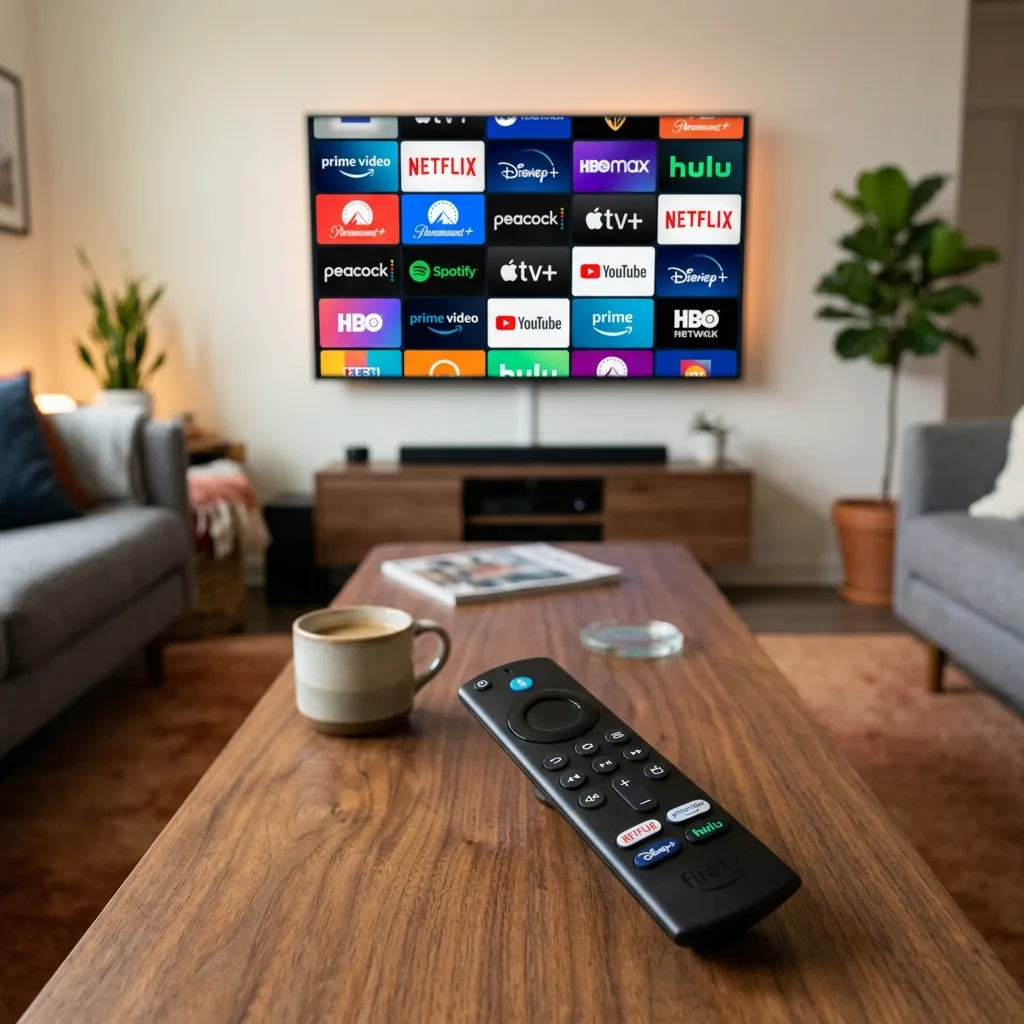
Introduction: Decoding the IPTV Landscape
The transition from traditional cable television to modern, internet-based broadcasting is no longer a slow crawl—it is an absolute stampede. With millions of households around the globe choosing to "cut the cord," the demand for high-quality, reliable streaming solutions has skyrocketed. At the center of this revolution lies Internet Protocol Television (IPTV). However, while finding a premium content provider like Smartiflix is crucial, there is a second, equally important half to the equation that many beginners overlook: the IPTV Player.
If you want to truly unleash the power of your streaming subscription and watch live sports, premium movies, and international channels in pristine 4K resolution without the dreaded buffering circle, you need the right software. Your IPTV player is the interface—the digital living room—where you will interact with your content daily. It dictates how fast channels change, how intuitive your electronic program guide (EPG) looks, and whether you can record live TV.
In this comprehensive 2026 guide, we are going to break down the 10 Best IPTV Players for Firestick, Android TV, and Smart TVs. We will explore their unique features, compare their user interfaces, and help you determine exactly which application will perfectly complement your premium IPTV subscription. By the end of this deep dive, you will have a complete understanding of the IPTV ecosystem and the technical knowledge required to build an elite home entertainment setup.
IPTV Provider vs. IPTV Player: Understanding the Difference
Before we dive into the rankings, we must clarify a fundamental misconception that plagues many new cord-cutters: the difference between an IPTV provider and an IPTV player.
What is an IPTV Provider?
An IPTV provider (like Smartiflix) is the entity that owns, manages, and distributes the actual video content. We manage the high-capacity, Tier-1 streaming servers. We aggregate the 34,000+ live channels and meticulously organize the 150,000+ VOD (Video on Demand) titles. When you purchase an IPTV Subscription, you are paying for access to this proprietary delivery network. We supply you with the login credentials—typically an Xtream Codes API or an M3U playlist link.
What is an IPTV Player?
An IPTV player, on the other hand, is merely an empty shell. It is a media playback software application that you install on your hardware (like an Amazon Firestick or a Samsung Smart TV). Out of the box, an IPTV player contains absolutely zero content. It does not provide live TV, movies, or sports. Its sole purpose is to act as the "decoder" and user interface. You take the credentials provided by your IPTV provider and input them into the IPTV player. The player then connects to our servers, pulls down the video stream, and displays it beautifully on your television screen.
Think of it like a DVD player and a DVD. The IPTV player is the DVD player sitting under your TV. The IPTV provider is the DVD disc containing the movie. One is useless without the other.
Important Note: Because IPTV players do not host or provide any content, they are completely legal to download and install from official app stores like the Amazon Appstore, Google Play Store, or Samsung Smart Hub.
Why Amazon Firestick is the King of IPTV Devices
While you can run an IPTV player on almost any modern digital device—including smartphones, tablets, Windows PCs, and MacBooks—the living room experience is almost universally powered by the Amazon Fire TV Stick.
If you visit our dedicated Firestick installation guide, you will see that we highly recommend this device. But why does the Firestick dominate the IPTV market?
- Open Source Flexibility: The Fire OS is built on an Android architecture. This means that unlike the highly restricted Apple TV ecosystem or Roku OS, you can easily "sideload" third-party applications. Sideloading allows you to install elite IPTV players that might not be available in the default app store.
- Cost-to-Performance Ratio: For under $50, the Firestick 4K Max delivers raw processing power capable of decoding high-bitrate Ultra HD streams. It supports Dolby Vision, HDR10+, and advanced audio codecs. It rivals hardware that costs four times as much.
- Portability: The Firestick fits in your pocket. You can take your entire Smartiflix subscription with you on vacation, to a hotel, or to a friend's house. As long as you have a Wi-Fi connection, you have your TV.
- Hardware Decoding: Modern Firesticks contain dedicated hardware decoders that process heavy H.265 (HEVC) video streams efficiently, drastically reducing the chances of hardware-induced buffering.
Now that we understand the hardware and the difference between the service and the software, let us explore the top 10 applications that will transform your Firestick or Smart TV into a premium entertainment hub.
1. TiviMate (Premium) – The Undisputed Heavyweight Champion
When you ask any veteran cord-cutter what the best IPTV player on the market is, the answer is almost always TiviMate. Built exclusively for Android TV and Fire OS devices, TiviMate offers a user experience that doesn't just rival traditional cable—it completely obliterates it.
Core Features:
- Modern Cable-Like Interface: TiviMate features the most beautiful and intuitive Electronic Program Guide (EPG) in the industry. It feels exactly like navigating a premium satellite box.
- Multi-View Functionality: Want to watch four live sports games simultaneously? TiviMate's multi-view feature allows you to tile multiple streams on a single screen without dropping frames.
- Advanced Recording: You can schedule recordings for your favorite shows. TiviMate allows you to record directly to a connected USB drive or network-attached storage (NAS).
- Catch-Up Support: If your provider supports "Catch-Up" TV (the ability to watch broadcasts from the past 48-72 hours), TiviMate handles it seamlessly with a simple timeline rewind interface.
- Deep Customization: You can customize font sizes, channel highlight colors, buffer sizes, and remote control button mapping.
The Verdict:
TiviMate offers a free version, but it is heavily restricted. The Premium version (which costs around $25 for a lifetime license covering up to 5 devices) is worth every single penny. It is the definitive way to experience Smartiflix IPTV on an Android-based system.
2. IPTV Smarters Pro – The Cross-Platform Standard
If TiviMate is the king of Android, IPTV Smarters Pro is the universal ambassador of the IPTV world. It is arguably the most recognizable and widely used IPTV player globally because of its immense versatility and broad platform compatibility.
Core Features:
- Universal Compatibility: You can install IPTV Smarters Pro on Firestick, Android TV, iOS (iPhone/iPad), Apple TV, Windows, Mac, and directly natively on Samsung (Tizen) and LG (WebOS) Smart TVs.
- Xtream Codes API Integration: It is designed to work flawlessly with the Xtream Codes API. All you need is your username, password, and portal URL. There is no messing around with massive, clunky M3U playlist files.
- Clean Category Separation: The home screen automatically divides your subscription into three distinct, easily navigable tiles: Live TV, Movies, and Series.
- Master Search: A powerful global search function allows you to type in an actor's name or a movie title and instantly find it across thousands of VOD titles.
- Parental Controls: A robust PIN-protected parental control system allows you to lock down specific adult categories or violent channels.
The Verdict:
For users looking for a free, highly stable, and incredibly straightforward application that works on literally every device in their house, IPTV Smarters Pro is the go-to recommendation in our general installation setup guide.
3. IBO Player – The Rising Star for Smart TVs
Over the past few years, many classic Smart TV applications (like Smart IPTV) have become outdated or were removed from the Samsung and LG app stores. IBO Player emerged to fill that massive void and quickly became one of the most reliable and highly rated players for native television operating systems.
Core Features:
- Native Smart TV App: IBO Player is available directly in the official Samsung Smart Hub and the LG Content Store. You do not need to buy an external Firestick to use it.
- High-Speed Zapping: The application is highly optimized. Switching between live 4K channels is remarkably fast, with almost zero input delay.
- Multiple Playlist Support: If you manage subscriptions for different family members or utilize backup playlists, IBO Player allows you to load and switch between multiple MAC addresses seamlessly.
- Device MAC Activation: Rather than typing your credentials with a TV remote, you simply navigate to the IBO Player website on your computer, enter your TV's unique MAC address, and upload your Smartiflix playlist remotely.
The Verdict:
IBO Player is a premium app. After a free 7-day trial, it requires a small one-time activation fee (usually around €8). If you absolutely refuse to buy a Firestick and want a clean, fast experience natively on your Samsung or LG TV, IBO Player is worth the investment.
4. GSE Smart IPTV – The Power User’s Swiss Army Knife
While the interface might feel slightly dated compared to the sleekness of TiviMate, GSE Smart IPTV remains a powerhouse due to its sheer technical flexibility and massive array of supported streaming protocols. It is heavily favored by Apple users.
Core Features:
- Extensive Codec Support: GSE Smart IPTV utilizes a powerful built-in media player that can decode almost any video format or audio codec you throw at it, reducing the need for external players like VLC.
- Dynamic Language Support: The application supports over 30 languages, making it incredibly popular for international audiences.
- Chromecast Integration: You can easily cast live streams or VOD content from your mobile device directly to a Chromecast-enabled television.
- Complex File Support: Beyond standard Xtream Codes and M3U links, GSE supports JSON formats, XMLTV EPG data, and local playlist files.
The Verdict:
GSE Smart IPTV is incredibly powerful but comes with a steeper learning curve. It is an excellent choice for users on iOS or Apple TV who want deep, granular control over their streaming protocols.
5. SmartOne IPTV – The Elegant Multi-Screen Solution
SmartOne IPTV is another native Smart TV application that has gained massive traction due to its stability and elegant, modern user interface. It focuses heavily on aesthetics and user-friendly navigation.
Core Features:
- Multi-Platform Availability: While it shines on Samsung Tizen and LG WebOS, it is also fully functional on Android TV and Fire OS.
- VOD Information Scraping: SmartOne beautifully scrapes IMDb data. When you click on a movie in your Smartiflix VOD library, the app displays high-resolution posters, cast information, user ratings, and plot summaries.
- Customizable Interface: You can change themes, adjust the layout density, and modify how the EPG presents timeline data.
The Verdict:
Like IBO Player, SmartOne requires a small lifetime activation fee after a trial period. Its VOD presentation is top-tier, making it a fantastic choice for users who spend as much time watching movies as they do live TV.
6. Flix IPTV – The Minimalist Approach
Sometimes, less is more. Flix IPTV strips away complex menus and convoluted settings to deliver a highly streamlined, minimalist interface that anyone—regardless of technical skill—can navigate.
Core Features:
- Theme Continuity: The application's dark mode and sleek typography feel very similar to mainstream platforms like Netflix or Amazon Prime Video, creating an instantly familiar environment.
- Subtitles and Audio Tracks: It offers robust support for switching audio tracks and downloading external subtitles via OpenSubtitles integration.
- Device Sync: You can manage your playlists remotely via their web portal, syncing updates across all devices instantly.
The Verdict:
If you are setting up an IPTV system for an elderly family member or someone who is not tech-savvy, Flix IPTV provides a frustration-free, highly visual browsing experience.
7. Perfect Player IPTV – The Set-Top Box Simulator
Perfect Player is an older application that still commands a massive, loyal user base. It was built with one specific goal in mind: to perfectly emulate the interface of a traditional, physical set-top cable box.
Core Features:
- OSD (On-Screen Display): The on-screen display scales perfectly across any resolution, meaning it looks just as crisp on an old 1080p monitor as it does on a modern 4K OLED TV.
- Hardware Decoding Options: It allows you to manually toggle between HW, HW+, and SW (Software) decoding. If you are experiencing strange visual artifacting or buffering, tweaking these settings in Perfect Player often acts as an immediate fix.
- USB EPG Loading: For advanced users who generate their own custom XMLTV guides, Perfect Player handles local USB file routing exceptionally well.
The Verdict:
Perfect Player lacks the modern "Netflix-style" VOD presentation, but if you treat your IPTV subscription strictly as a live television replacement and want a fast, utilitarian channel surfer, it remains a highly viable, free option.
8. XCIPTV Player – The Stable Workhorse
XCIPTV Player is highly regarded in the commercial space because of its rock-solid stability. It is the underlying architecture that many custom-branded IPTV applications are built upon.
Core Features:
- Built-in ExoPlayer: It comes pre-packaged with ExoPlayer and VLC media engines. This dual-engine approach means it handles large, high-bitrate 4K streams with far less stuttering than default Android media players.
- VPN Integration: A unique feature of XCIPTV is its ability to integrate directly with certain VPN configurations via the app interface, adding a layer of convenience.
- VOD Picture-in-Picture: It supports PiP, allowing you to browse the electronic program guide while continuing to watch a live broadcast in a small corner window.
The Verdict:
XCIPTV is completely free, incredibly stable, and rarely crashes. It is a fantastic alternative if IPTV Smarters Pro happens to be temporarily unavailable on your device's app store.
9. Net IPTV – Lightweight and Efficient
Net IPTV focuses on one thing: speed. The developers designed the app to consume as little RAM and CPU power as possible, making it perfect for older, underpowered televisions.
Core Features:
- Low Resource Footprint: It strips out heavy background scraping and complex animations, allowing it to run smoothly on legacy Samsung and LG televisions that typically struggle with modern apps.
- Remote Management: All playlist configuration is handled via the Net IPTV web portal via MAC address routing.
The Verdict:
If your Smart TV is more than 5 years old and newer apps are constantly crashing or freezing, switching to the lightweight Net IPTV application will likely solve your hardware bottleneck issues.
10. SS IPTV – The Classic Free Solution
SS IPTV (Simple Smart IPTV) is one of the original Smart TV applications. While it doesn't boast the flashy modern interfaces of its newer competitors, it remains incredibly popular because it is 100% free forever.
Core Features:
- No Activation Fees: There are no trials, no hidden costs, and no premium tiers. It is a community-driven application.
- Cloud Playlists: It allows users to store their playlists in the cloud and share them across various devices using a unique connection code.
The Verdict:
The interface is dated, and it requires M3U links rather than the simpler Xtream Codes API, making setup slightly more tedious. However, you cannot argue with the price. It is the best completely free option natively available on Smart TV app stores.
Crucial Setup Step: Securing Your Stream with a VPN
Regardless of which of these 10 players you choose to install, there is one critical step you must take before you start streaming: You must secure your connection.
Internet Service Providers (ISPs) actively monitor your web traffic. If they detect a high-bandwidth, sustained connection (like streaming a 3-hour live 4K boxing match), they will often "throttle" or artificially slow down your internet speed. This is the primary cause of buffering.
Furthermore, protecting your digital privacy is paramount. When you utilize our Smartiflix Premium Subscription, we highly recommend utilizing the built-in obfuscation tools.
If you are unsure about the legality, privacy protocols, and technical safety of streaming, we strongly encourage you to read our comprehensive Is SMARTIFLIX Safe? Security & Privacy Guide. Utilizing an encrypted connection ensures that your ISP cannot see what you are streaming, preventing them from throttling your speeds and ensuring your 4K stream remains crystal clear and buffer-free.
How to Install These Players on Firestick
Because the Amazon Firestick runs a modified version of Android, many of the best players (like TiviMate or XCIPTV) are not available directly on the Amazon Appstore. To get them, you must "sideload" them using an application called Downloader.
Here is a rapid overview of the process:
- Navigate to your Firestick Settings > My Fire TV > Developer Options.
- Turn ON "Apps from Unknown Sources".
- Search for and install the Downloader app from the official Amazon store.
- Open Downloader and enter the specific APK URL or Downloader Code for your chosen IPTV player.
- Click Install.
For a highly detailed, step-by-step walkthrough, including screenshot tutorials and the exact deployment codes used by the Smartiflix technical team, please visit our dedicated Firestick Installation Protocol.
Final Thoughts: Building the Ultimate Setup
Choosing the best IPTV player ultimately comes down to your hardware and your personal preferences.
- If you have an Amazon Firestick or Android TV: Buy the premium version of TiviMate. It is an unparalleled experience that will make you forget traditional cable ever existed.
- If you want a free, universal app: Install IPTV Smarters Pro. It works on everything and is incredibly user-friendly.
- If you are using a native Samsung or LG Smart TV: Invest the few dollars to activate IBO Player or SmartOne IPTV for the fastest zapping speeds and best VOD presentation.
Once you have selected and installed your ideal player, you are ready to unleash its true potential. A premium player requires a premium engine. You can head over to our Smartiflix Subscription page to secure your Tier-1 access, plug your new credentials into your chosen application, and begin experiencing the future of true 4K entertainment today.