Top IPTV Devices for Elderly Users: Simple Streaming Solutions
Explore the top IPTV devices designed for elderly users. Discover user-friendly interfaces, voice remotes, and accessible streaming options.
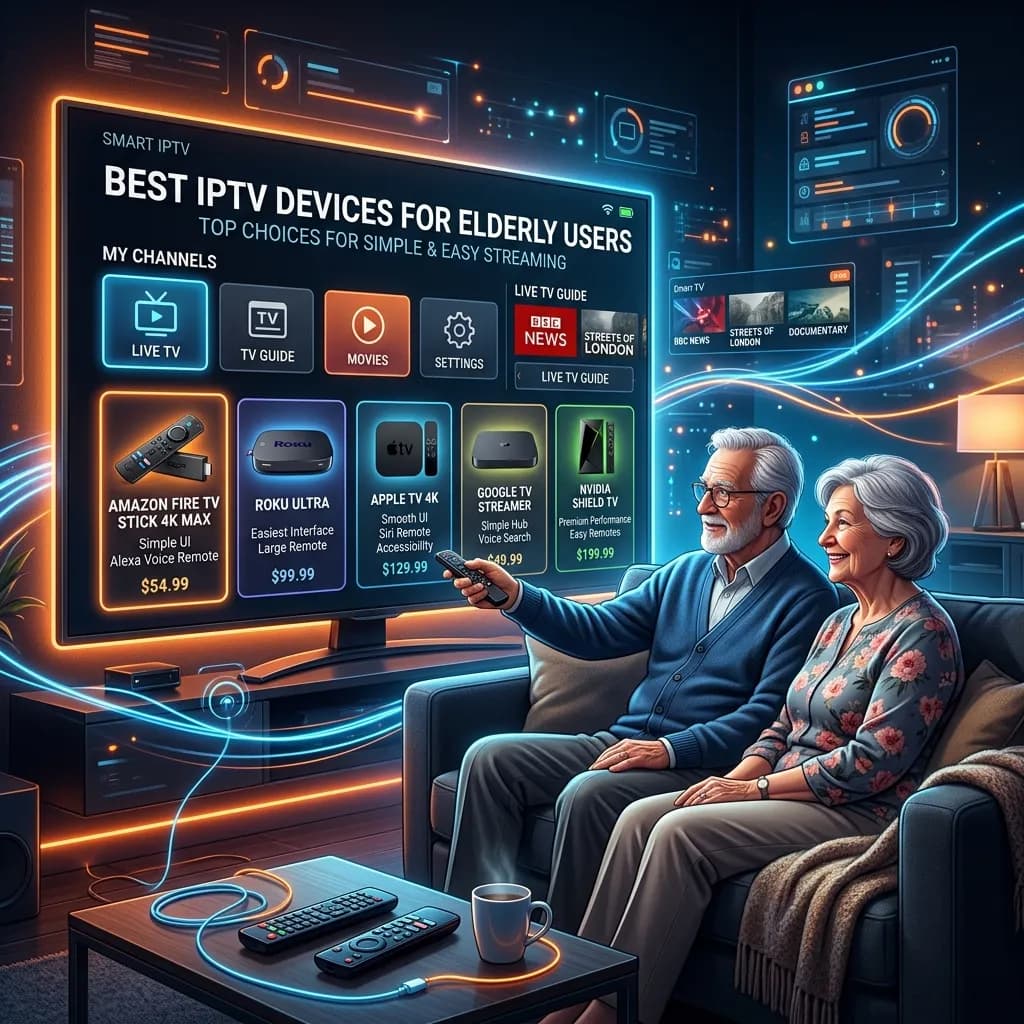
Television has always been more than just a box in the corner of the living room. For many elderly individuals, it serves as a vital lifeline to the outside world, offering daily news, engaging entertainment, educational documentaries, and a comforting sense of routine and connection. However, the rapidly shifting landscape of home entertainment has turned what was once a simple activity into a frustrating technological hurdle. The migration from traditional cable television to Internet Protocol Television (IPTV) and app-based streaming services has introduced an entirely new paradigm of remotes, user interfaces, inputs, and account management systems.
While younger generations have grown up adapting to these rapid technological shifts, seamlessly swiping through menus and juggling multiple subscriptions, the elderly often find these complex modern interfaces to be deeply overwhelming. A TV remote with fifty tiny, unlabelled buttons, or a smart TV interface littered with aggressive advertisements and confusing menus, can create significant barriers to access. When the simple act of trying to watch the evening news becomes an exercise in frustration, it is a clear sign that the technology is failing the user.
Welcome to the Smartiflix Homepage, your trusted resource for all things IPTV. Our mission is to demystify streaming technology and make it accessible to everyone, regardless of their technical proficiency. In this exhaustive, definitive guide, we will delve deeply into the world of IPTV devices with a specific focus on the elderly demographic. We will explore the fundamental challenges seniors face when navigating modern television, the specific features that make a device truly "senior-friendly," and provide an extensively detailed breakdown of the best IPTV devices currently on the market for elderly users.
Whether you are an older adult looking to transition away from the exorbitant costs of traditional cable, or a loving family member attempting to set up a seamless, frustration-free viewing experience for your parents or grandparents, this guide is built for you. We will help you find the perfect hardware to pair with a premium IPTV Subscription, ensuring that entertainment remains exactly what it should be: relaxing, accessible, and enjoyable.
The Paradigm Shift: From Traditional Cable to IPTV
To understand why finding the right IPTV device for elderly users is so critical, it is important to first understand why the shift away from traditional cable is happening in the first place, and why IPTV represents a far superior, albeit sometimes confusing, alternative.
The Decline of Traditional Cable Television
For decades, the cable television model was the undisputed king of home entertainment. Its primary advantage was absolute simplicity. You turned the television on, picked up a single remote control, typed in a familiar channel number, and began watching. There were no apps to download, no operating systems to update, and no Wi-Fi networks to configure.
However, the modern cable industry is fraught with severe disadvantages that are particularly punitive to elderly consumers living on fixed incomes:
- Exorbitant Pricing: Cable bills have skyrocketed, often exceeding $100 to $200 per month for basic packages bloated with hundreds of channels the user never watches.
- Hidden Fees and Contracts: Seniors are frequently targeted with complex contracts, hidden broadcast fees, equipment rental charges, and promotional rates that secretly expire and double in price after the first year.
- Outdated Hardware: Many cable providers still rely on bulky, slow-to-respond set-top boxes that consume significant electricity and require frequent rebooting by technical support.
The Rise and Promise of IPTV
Internet Protocol Television (IPTV) revolutionizes the delivery of content. Instead of transmitting television signals through physical coaxial cables or satellite dishes mounted on the roof, IPTV streams live TV channels and video-on-demand content directly through your internet connection.
This modern approach offers massive advantages, which is why millions are "cutting the cord":
- Unbeatable Value: IPTV services cost a fraction of traditional cable. You can explore our competitive Smartiflix Pricing to see how much money can be saved annually.
- Massive Content Libraries: IPTV provides access to thousands of live channels globally, along with massive on-demand libraries of movies and classic TV series.
- Hardware Flexibility: Unlike cable, which forces you to rent their proprietary box, IPTV allows you to choose your own streaming device—which means you can deliberately choose a device tailored for ease of use.
The challenge, therefore, is not the IPTV service itself, but the delivery mechanism—the streaming device and its interface. If we can solve the hardware puzzle, seniors can enjoy the massive benefits of IPTV without the technological headache.
Understanding the Challenges Faced by Elderly Users
Before we can identify the best IPTV devices, we must deeply analyze the specific physical and cognitive challenges that elderly individuals often face when interacting with modern technology. Designing or selecting technology for seniors requires a profound sense of empathy.
1. Visual Impairments
As we age, visual acuity naturally declines. Conditions such as macular degeneration, cataracts, and general presbyopia are incredibly common. Modern smart TVs and streaming devices frequently use tiny, thin fonts, low-contrast color schemes (like dark grey text on a black background), and cluttered menus densely packed with thumbnail images. Furthermore, remote controls often feature small, black buttons with tiny white text that is impossible to read in a dimly lit living room.
2. Motor Skill Limitations
Arthritis, tremors, and a general decrease in fine motor skills can make handling a standard modern remote control a painful or frustrating experience. Many remotes are designed to be sleek and thin, making them difficult to grip. Buttons are often positioned very close together, leading to frequent accidental presses (the dreaded "fat-finger" phenomenon) which can suddenly exit an app or change an input, leaving the senior completely lost on a black screen.
3. Cognitive Overload and Memory
The concept of "apps," "inputs," "home screens," and "system updates" is not intuitive to someone who spent seventy years simply turning a dial to channel 4. Modern interfaces often suffer from feature bloat. When an elderly person turns on their TV, they don't want to be greeted by a grid of 50 different applications, promotional banners for new movies, and notifications asking them to update their firmware. They want to watch TV. Navigating a multi-layered menu system to find a specific IPTV app requires a level of working memory and technological familiarity that can cause severe cognitive overload and anxiety.
4. Hearing Loss
While not strictly related to navigating a menu, hearing loss necessitates that the chosen IPTV device must flawlessly support external audio systems (like soundbars or Bluetooth hearing aids) and offer easily accessible, highly legible Closed Captioning options.
Core Features of a Senior-Friendly IPTV Device
Based on the challenges outlined above, we have established a strict set of criteria for what constitutes a genuinely "senior-friendly" IPTV device. When evaluating the market, these are the non-negotiable features you should prioritize.
The Remote Control is Everything
The remote control is the physical bridge between the user and the content. It is the most critical point of failure.
- Simplicity: The remote should have as few buttons as possible. A directional pad, OK/Select, Back, Home, Volume up/down, and Power are often all that is truly needed.
- Ergonomics: It should be thick enough to grip comfortably, not a tiny, slippery piece of plastic that easily falls between couch cushions.
- Tactile Feedback: Buttons should have a distinct, clicky feel so the user knows they have successfully pressed them.
- High Contrast: Buttons should clearly contrast with the body of the remote, and any text or icons should be large and bold.
Voice Command Capabilities
Voice control is perhaps the greatest accessibility advancement of the last decade. Instead of navigating five layers of menus to find a show or an app, the user can simply hold a button and say, "Open Smartiflix," or "Watch the news." A high-quality voice remote can entirely bypass the need for complex menu navigation.
Intuitive, Customizable User Interface (UI)
The home screen of the device must be clean. Devices that allow you to uninstall bloatware and pin exactly one or two large app icons to the very center of the home screen are vastly superior. The less visual clutter there is, the less chance there is for confusion.
Stability and Reliability
Elderly users cannot be expected to force-close frozen apps, clear system caches, or reboot their routers constantly. The IPTV device must feature a powerful enough processor to run smoothly without lagging or crashing. A frozen screen causes panic; reliable hardware provides peace of mind.
The Top 7 Best IPTV Devices for Elderly Users
After rigorous testing and evaluation of the current market landscape, taking all accessibility factors into account, we have compiled the definitive list of the best IPTV devices for elderly users.
1. Roku Streaming Stick 4K / Roku Ultra
The Champion of Simplicity
When it comes to unadulterated simplicity, Roku remains the undisputed champion of the streaming world. For years, Roku has resisted the urge to clutter its interface with aggressive content recommendations and complex menus, sticking instead to a straightforward, grid-based layout of simple app icons.
Why it's great for seniors:
- The Interface: The Roku home screen is just a grid of apps. You can arrange them however you like, placing the primary IPTV app right at the top left corner. There are no sub-menus to get lost in. It operates almost exactly like a smartphone home screen.
- The Remote: The Roku remote is iconic. It is chunky, easy to hold, and features distinctive, colorful buttons that are heavily separated from one another. The tactile feedback is excellent.
- Private Listening (Roku Ultra): The higher-end Roku Ultra remote includes a standard headphone jack. For seniors with hearing difficulties, they can plug headphones directly into the remote to hear the TV perfectly without blasting the volume for the rest of the house.
- Find My Remote Feature: The Roku Ultra features a button on the base station that, when pressed, makes the remote beep loudly. This is an absolute lifesaver for anyone prone to misplacing things.
Considerations: Roku's operating system is quite locked down. While it is incredibly stable, installing third-party IPTV applications that are not officially listed in the Roku channel store can be slightly more complex than on Android-based devices.
2. Amazon Fire TV Stick 4K Max
The Power of Voice Integration
The Amazon Fire TV Stick is one of the most popular streaming devices in the world, and for good reason. It offers tremendous power at a very affordable price point. While its default interface can be slightly more cluttered than Roku's, its integration with Alexa makes it a powerhouse for accessibility.
Why it's great for seniors:
- Alexa Voice Remote: The Firestick remote features a prominent, blue microphone button. Seniors can hold this button and command the TV using natural language. They can ask Alexa to "Launch my IPTV app," "Turn the volume up," or even ask about the weather.
- App Sideloading: Fire OS is based on Android, making it incredibly easy to install a vast array of excellent IPTV applications. We have a dedicated, easy-to-follow Firestick Setup guide specifically for this device.
- Equipment Control: The Fire TV remote can be programmed to turn the television on/off and control the volume of external soundbars. This means the senior only needs one single remote control for their entire setup.
Considerations: The Amazon home screen is notoriously heavily laden with advertisements for Amazon Prime content. It requires some initial configuration by a family member to pin the necessary IPTV apps to the very front of the navigation bar to prevent the senior from getting lost in Amazon's ecosystem.
3. Apple TV 4K
The Premium Accessibility Powerhouse
The Apple TV 4K is significantly more expensive than standard streaming sticks, but you get exactly what you pay for: premium build quality, zero advertisements, unmatched processor speed, and the most robust suite of accessibility features available on any television device today.
Why it's great for seniors:
- Zero Clutter, Zero Ads: Apple's tvOS is pristine. It features a simple grid of gorgeous, high-resolution app icons with absolutely no banner ads or sponsored content to confuse the user.
- Unmatched Accessibility Settings: Apple leads the industry in accessibility. The Apple TV includes VoiceOver (a screen reader that speaks what is on the screen), Zoom capabilities to magnify text, Bold Text options, Reduce Motion to stop dizzying animations, and spectacular Closed Captioning customization.
- The Siri Remote: The redesigned Siri remote is made of solid aluminum, feeling substantial and premium in the hand. The buttons are distinct, and the Siri integration is flawless.
- Integration with Hearing Aids: Apple TV integrates natively with "Made for iPhone" hearing aids, allowing audio to stream directly from the television into the senior's ears with crystal clarity.
Considerations: The high price point is the main barrier. Additionally, the Apple ecosystem can be restrictive regarding certain third-party IPTV apps, though high-quality players like Smarters Pro and GSE Smart IPTV are readily available on the App Store.
4. Chromecast with Google TV (4K)
Smart Recommendations and Seamless Android Integration
Google completely revamped its Chromecast lineup, moving away from a device that required a smartphone to operate, to a standalone streaming dongle with an excellent remote control and a brand-new interface called Google TV.
Why it's great for seniors:
- The Remote: The remote is small, pill-shaped, and features a very minimalist button layout. The buttons have a satisfying click, and the layout is highly intuitive.
- Google Assistant: The dedicated Google Assistant button provides world-class voice recognition. It is incredibly accurate at parsing thick accents or softly spoken commands.
- Live TV Tab: Google TV has a dedicated "Live" tab on the home screen. While it defaults to YouTube TV or Pluto TV, some modern IPTV applications are beginning to integrate directly into this interface, simulating a traditional cable guide experience perfectly.
Considerations: The Google TV interface is very content-forward. Rather than just showing apps, it recommends individual movies and shows from across various services. This can be great for discovery but might be confusing for an elderly user who strictly just wants to open their one IPTV app.
5. Formuler Z11 Pro Max
The Ultimate "Cable-Like" Experience
While Roku and Apple TV are fantastic general-purpose streamers, devices like the Formuler Z11 Pro Max are purpose-built from the ground up specifically for IPTV. If your primary goal is to replicate the traditional cable box experience as closely as humanly possible, this is the device to get.
Why it's great for seniors:
- MYTVOnline 3: Formuler devices come with an exclusive, proprietary IPTV application called MYTVOnline. It is widely considered the absolute best IPTV interface in the world. It looks, feels, and operates exactly like a high-end digital cable guide.
- The Remote Control: Unlike the minimalist remotes of Apple and Roku, the Formuler remote looks like a traditional TV remote. It has a full number pad, dedicated Channel Up/Down buttons, and a button specifically to open the TV Guide (EPG). For a senior used to cable, this remote requires zero learning curve.
- Performance: With enormous amounts of RAM and a powerful processor, changing channels is instantaneous, with none of the buffering or lag sometimes seen on cheaper Firesticks.
Considerations: It is an enthusiast-level device with a high price tag. However, the familiarity of the remote and the traditional cable-like interface makes it worth its weight in gold for older users resistant to change.
6. Nvidia Shield TV Pro
Unstoppable Power and AI Upscaling
The Nvidia Shield TV Pro is the most powerful Android TV box on the market. While typically marketed towards gamers and home theater enthusiasts, its sheer power and specific features offer unique benefits for elderly viewers.
Why it's great for seniors:
- AI Upscaling: Many IPTV channels, particularly older broadcasts or international channels, are broadcast in lower resolutions (720p or even 480p). The Shield uses artificial intelligence to upscale this blurry footage to crisp 4K. For seniors with failing eyesight, making the picture significantly sharper and clearer is a massive benefit.
- Illuminated Remote: The unique, triangular Nvidia remote features motion-activated backlit buttons. The moment the senior picks up the remote in a dark room, all the buttons light up brightly.
- Total Customization: Because it runs on standard Android TV, a tech-savvy family member can completely customize the home screen using third-party launchers, stripping away all complexity and leaving only a massive, unavoidable icon for their IPTV app.
Considerations: It is expensive and arguably overpowered for someone who just wants to watch live TV. The initial setup requires technical knowledge to optimize it for a senior user.
7. Onn. Google TV 4K Streaming Box (Walmart)
The Unbeatable Budget Option
Available primarily at Walmart, the Onn. 4K streaming box has taken the streaming world by storm by offering incredible performance for under $20.
Why it's great for seniors:
- Price: At under $20, you can buy one for every TV in the house without breaking the bank.
- Reference Google Remote: It uses a reference design Google TV remote, which is actually slightly larger and easier to hold than Google's own official Chromecast remote. It features a prominent live TV button and clear channel navigation.
- Android TV Flexibility: Like the Chromecast, it can run any IPTV application smoothly.
Considerations: Build quality is entirely plastic and feels cheaper than an Apple TV or Nvidia Shield. It lacks advanced features like AI upscaling, but for pure value and basic streaming, it cannot be beaten.
Device Comparison Summary Table
| Device | Best Feature for Seniors | Interface Complexity | Remote Style | Price Range |
|---|---|---|---|---|
| Roku Ultra | Ultimate Simplicity, Headphone Jack | Very Low | Chunky, Colorful | Medium ($99) |
| Fire TV Stick 4K Max | Alexa Voice Control, Smart Home | Medium | Minimalist, Voice | Low ($49) |
| Apple TV 4K | Pristine Interface, Vision Accessibility | Very Low | Premium Aluminum | High ($129+) |
| Chromecast w/ Google TV | Google Assistant Accuracy | Medium | Small, Pill-shaped | Low ($49) |
| Formuler Z11 Pro Max | Traditional Cable Feel, Number Pad | Low (Once in app) | Traditional TV Style | Premium ($150+) |
| Nvidia Shield TV Pro | AI Picture Upscaling, Backlit Remote | Medium to High | Triangular, Backlit | Premium ($199) |
| Onn. 4K Box | Incredible Value, Good Remote | Medium | Standard Minimalist | Ultra-Low ($20) |
Step-by-Step Guide: Setting Up an IPTV Device for a Senior
Purchasing the hardware is only the first step. The true secret to success lies in how you configure the device before handing the remote to the elderly user. A properly configured device can mean the difference between a joyful experience and daily frustrated phone calls.
For general setup instructions, please refer to our comprehensive Installation Guide. Below are the specific steps you should take to optimize the device for a senior.
Step 1: The Initial Technical Setup
Do not unbox the device at the senior's house and attempt to set it up in front of them. Do this at your own home.
- Connect the device to your TV and Wi-Fi.
- Create all necessary accounts (Amazon, Google, Roku, Apple) using a dedicated email address that you control. Do not force the senior to remember complex new passwords.
- Run all system updates. Firmware updates can take up to 30 minutes and require multiple reboots. Get this out of the way.
Step 2: Install and Configure the IPTV App
- Download the preferred IPTV application (e.g., TiviMate, Smarters Pro, or MYTVOnline).
- Enter the login credentials provided by your Smartiflix IPTV Subscription.
- Wait for the live channels, movies, and TV series to fully download and populate the Electronic Program Guide (EPG).
Step 3: Curating the Content (The Most Important Step)
An IPTV subscription often provides access to 10,000+ channels from around the world. Handing an elderly person a guide with 10,000 channels will cause instant paralysis.
- Hide VOD if Unnecessary: If they only watch live news and sports, hide the Video-On-Demand sections entirely.
- Create a Favorites List: Sit down and write out the 20-30 channels they actually watch (e.g., Local News, CNN, Fox News, Discovery, History, Hallmark). Add only these channels to the "Favorites" category.
- Set the App to Boot to Favorites: Dive into the IPTV app settings and configure the app to launch directly into the Favorites category, bypassing the massive "All Channels" list entirely.
- Hide Adult Content: Ensure any adult or mature channel groups are completely hidden or locked behind a PIN code.
Step 4: Simplifying the Home Screen
Use the device's operating system settings to clean up the user interface.
- Uninstall or hide every single application except the IPTV app and perhaps YouTube or Netflix if they use them.
- Move the IPTV app to the very first position on the home screen.
- On Android/Fire devices, explore settings to turn off auto-playing video previews and disable targeted advertising banners.
Step 5: The "One Remote" Rule
Configure the IPTV device's remote control via HDMI-CEC (Consumer Electronics Control) or Infrared (IR) to control the television's power and volume. The senior should only ever need to touch the streaming remote. Take their old TV remote, remove the batteries, and hide it in a drawer so they do not accidentally press the "Input/Source" button.
Step 6: Education and the "Cheat Sheet"
When you finally present the system to them, be patient. Demonstrate how to turn it on, how to open the app, and how to change the channel. Crucial Tip: Create a physical, laminated "Cheat Sheet." Print a clear, large-font document that says:
- "To turn on TV: Press the RED power button."
- "To watch TV: Use the circle to click on the Blue Smartiflix icon."
- "To change volume: Press the + and - buttons on the side."
- "If the screen goes black: Press the HOME button (the little house) and start over."
Enhancing Security and Avoiding Scams
As we guide our elderly loved ones into the world of internet-connected television, we must also be vigilant about their digital security. Seniors are disproportionately targeted by digital scams.
- Beware of Fake Updates: Warn the user that if a strange pop-up ever appears on their screen demanding payment to "update their software" or claiming they have a virus, they should turn the TV off and call you immediately. Legitimate IPTV devices update silently in the background.
- Use Reputable Providers: The IPTV market is filled with shady operators. By choosing a transparent, premium service, you ensure a safer environment. Read our comprehensive Security Guide to understand how we protect our users and why relying on verified services is critical.
- Account Protection: As mentioned in the setup guide, you should manage the administrative accounts (the Google or Amazon account tied to the device). This prevents the senior from accidentally authorizing in-app purchases or subscribing to expensive third-party services with a mistaken click of the remote.
Troubleshooting Common Issues for Elderly Users
No matter how perfectly you set the system up, issues will occasionally arise. Here are the most common problems seniors face with IPTV and how to solve them pre-emptively.
"The screen is just black / It says No Signal"
The Cause: They accidentally pressed the "Input" or "Source" button on the TV remote, switching away from the HDMI port the IPTV device is plugged into. The Solution: Hide the original TV remote. Ensure the streaming remote is the only one available. If it happens, you just need to cycle the TV inputs back to HDMI 1 or HDMI 2.
"The picture keeps freezing or spinning in circles"
The Cause: Buffering is almost always caused by a weak Wi-Fi signal, not the device itself. The Solution: If the router is far from the TV, the connection will drop. Purchase a Wi-Fi extender, or better yet, buy a device with an Ethernet port (like the Roku Ultra or Nvidia Shield) and plug it directly into the router with a hardwire cable for a flawless, unbreakable connection.
"I'm lost in a menu and don't know how to get back"
The Cause: Accidental button presses leading them deep into an settings menu. The Solution: Teach the "Emergency Escape Hatch" maneuver. Instruct them that whenever they are confused, simply press the "Home" button (usually shaped like a house) on the remote. This instantly resets everything back to the familiar main menu.
Frequently Asked Questions (FAQ)
Q: Do I still need to pay for internet if I get IPTV? A: Yes. IPTV stands for Internet Protocol Television. It requires an active, relatively fast internet connection (at least 25 Mbps recommended) to stream the video content to your television.
Q: Is it illegal to use an IPTV device? A: The hardware devices themselves (Roku, Firestick, Apple TV) are perfectly legal pieces of consumer electronics manufactured by multi-billion dollar companies. The legality pertains to the service you subscribe to. Always use reputable, high-quality providers.
Q: My parents live in a rural area with slow internet, will this work? A: IPTV requires stable internet. If their connection is prone to dropping or is incredibly slow (under 10 Mbps), they will experience frustrating buffering and freezing. In those specific scenarios, traditional satellite TV might still be the most reliable option until high-speed broadband reaches their area.
Q: Can I set this up remotely for my parents who live in another state? A: Setting up the hardware requires physical access to plug it into the TV. However, if you purchase the device, set it up entirely at your house on your Wi-Fi, install the apps, and log into the Smartiflix IPTV Subscription, you can then mail the ready-to-go device to your parents. They will only need to plug it in and connect it to their local Wi-Fi network.
Q: Which device has the absolute simplest remote control? A: The Apple TV 4K Siri Remote and the Chromecast with Google TV remote are incredibly minimalist. However, for sheer recognizable simplicity with bright, distinct buttons, the Roku remote is often considered the most user-friendly for individuals with declining eyesight or motor skills.
Conclusion
Transitioning an elderly loved one from traditional cable to an IPTV setup is an act of care that requires patience, empathy, and the right hardware. By moving away from overpriced cable packages and embracing modern streaming technology, you can unlock a world of affordable, endless entertainment.
The key to success is prioritizing simplicity over raw power. A device like the Roku Ultra offers unmatched ease of use, while the Formuler Z11 Pro Max brilliantly mimics the comfort of a classic cable box. Whichever device you choose from our top recommendations, remember that the setup phase is critical. By taking the time to curate a favorites list, hiding unnecessary apps, and providing a clear "cheat sheet," you empower the elderly user to regain control of their television experience with confidence.
Explore our Smartiflix Homepage today to discover how our premium service, paired with the perfect device, can revolutionize home entertainment for you and your family. With the right approach, technology doesn't have to be a barrier; it can be a beautiful window to the world.