Best IPTV Apps for iOS: Top Picks for iPhone & iPad 2026
Explore the best IPTV apps for iOS devices in 2026. Discover features, pricing, and setup tips for seamless streaming on your iPhone and iPad.
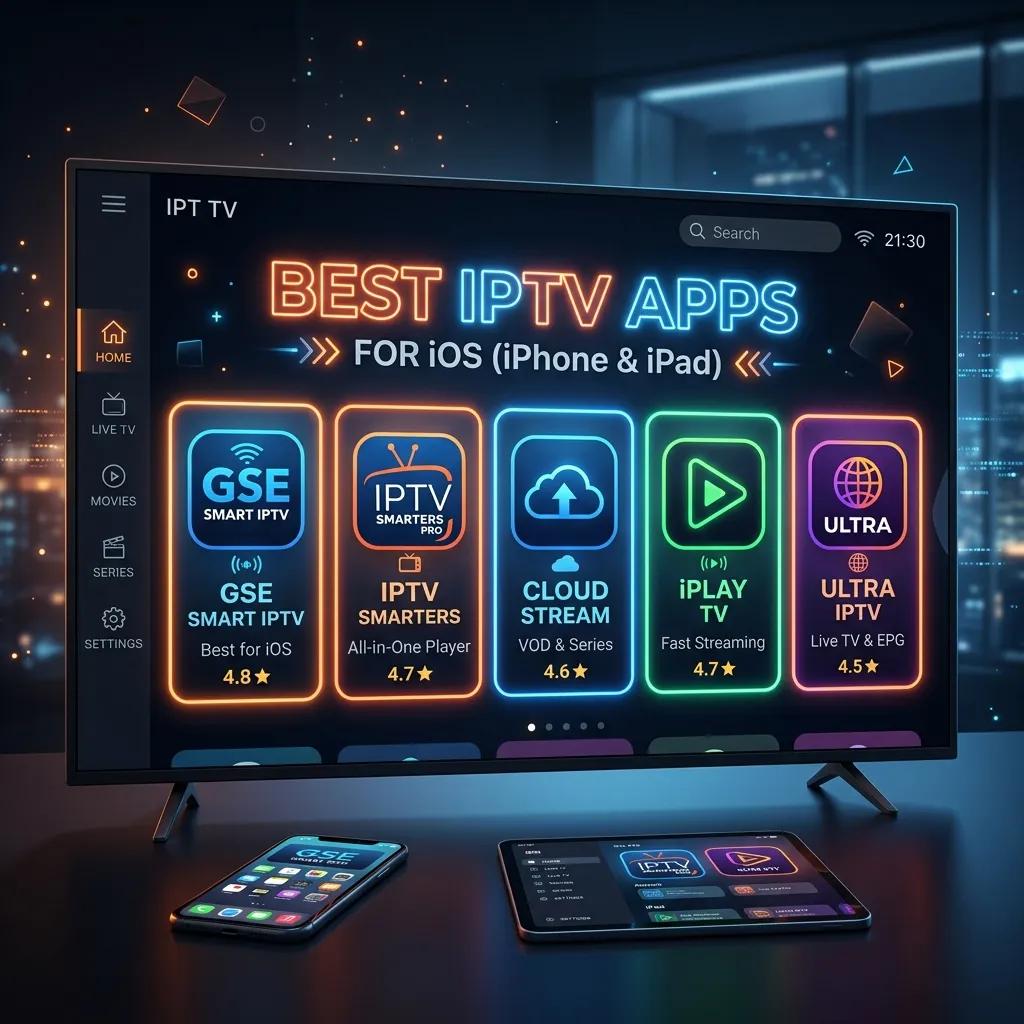
The way we consume television and live entertainment has undergone a dramatic transformation over the past decade. The shift from traditional cable and satellite subscriptions to Internet Protocol Television (IPTV) has empowered viewers to take control of what, when, and where they watch. If you are an Apple ecosystem user, particularly relying on your iPhone or iPad for media consumption, you're in luck. The App Store is home to some of the most sophisticated, feature-rich, and beautifully designed IPTV players on the market.
In this comprehensive guide, we will dive deep into the absolute best IPTV apps for iOS (iPhone & iPad). Whether you are looking for a sleek user interface to navigate through thousands of live channels, seamless Video on Demand (VOD) integration, catch-up TV capabilities, or multi-screen viewing options, we have got you covered.
Disclaimer: The apps listed in this guide are strictly media players. They do not provide any content, channels, or streams out of the box. To utilize these apps, you will need a reliable IPTV Subscription from a trusted provider like Smartiflix.
Before we explore the top applications, let's establish a foundational understanding of what IPTV is in the context of iOS, what features you should be prioritizing, and how you can optimize your streaming experience. Don't forget to visit our Homepage to learn more about our premium services.
What is IPTV and Why Use It on iOS?
Understanding IPTV
IPTV stands for Internet Protocol Television. Unlike traditional broadcast methods that rely on satellite signals or physical cable networks, IPTV delivers television content over the internet. This technology allows for a highly customized viewing experience. Content is streamed directly to your device, meaning you only download the data for the specific channel or movie you are currently watching.
IPTV services generally deliver content in three formats:
- Live Television: Real-time broadcasting of TV channels, mirroring traditional TV but delivered via the internet.
- Video on Demand (VOD): A library of movies, TV shows, and documentaries that you can select and watch at your convenience.
- Time-Shifted TV: The ability to pause, rewind, or fast-forward live TV, or watch shows that aired hours or days ago (often called "Catch-Up").
The iOS Advantage: iPhones and iPads as Streaming Powerhouses
Apple's iOS devices—the iPhone and iPad—are exceptional platforms for IPTV consumption for several key reasons:
- Retina Displays: Apple's proprietary screen technology ensures that HD and 4K content looks incredibly sharp, with vibrant color accuracy and deep contrast. Watching a live sports event or a cinematic VOD on an iPad Pro is an immersive experience.
- A-Series and M-Series Chips: The processing power within modern iPhones and iPads means that decoding high-bitrate streams is effortless. You won't experience app crashes or sluggish UI navigation, even with massive playlists containing over 100,000 items.
- Portability: Your IPTV subscription travels with you. Whether you are commuting on a train, waiting at an airport, or simply moving from the living room to the bedroom, your iPhone or iPad ensures you never miss a moment of your favorite shows.
- AirPlay Integration: If you have an Apple TV or an AirPlay 2-compatible smart TV, you can effortlessly cast your IPTV stream from your iOS device to the big screen.
- Ecosystem Continuity: Seamlessly copy M3U links or Xtream Codes credentials from your Mac and paste them onto your iPhone using Universal Clipboard.
If you are just getting started, pairing these exceptional devices with our top-tier IPTV Subscription is the ultimate recipe for entertainment. Check our Pricing to find a plan that fits your needs.
Key Features to Look for in an iOS IPTV App
With dozens of IPTV players available on the Apple App Store, choosing the right one can be overwhelming. Not all apps are created equal. Some focus on a minimalist aesthetic, while others cram in every technical feature imaginable. Here are the crucial elements to evaluate when selecting your preferred iOS IPTV player:
1. Playlist Format Support
Your app must support the standard formats used by IPTV providers. The most common are:
- M3U/M3U8 URLs: The traditional and most widely supported playlist format.
- Xtream Codes API: The modern standard. It requires a Server URL, Username, and Password. It loads significantly faster than M3U links and automatically categorizes Live TV, Movies, and Series beautifully. Smartiflix highly recommends using Xtream Codes for the best experience.
2. Electronic Program Guide (EPG)
An EPG is your digital TV guide. It shows you what is currently playing and what is coming up next on various channels. A good iOS IPTV app will integrate EPG data seamlessly, allowing you to browse schedules without leaving the player interface. Look for apps that support XMLTV formats and can sync EPG data quickly.
3. User Interface (UI) and Navigation
A cluttered, non-intuitive UI will ruin your streaming experience. You want an app that feels like a native iOS application—smooth scrolling, logical menus, and easy access to favorites. It should categorize content efficiently, especially if your provider offers tens of thousands of channels and VODs.
4. VOD and Series Presentation
If you watch a lot of movies and TV series, the app's VOD section is critical. The best apps scrape metadata from databases like TMDB or IMDB, presenting you with movie posters, plot summaries, cast information, and IMDb ratings. It should feel like browsing Netflix or Apple TV+.
5. Catch-Up TV Support
If your IPTV provider offers a "Catch-Up" feature (the ability to watch previously aired live broadcasts from the past few days), the app needs to have the infrastructure to support it. This usually appears as a small icon or a dedicated section within the EPG.
6. Picture-in-Picture (PiP)
Given that you are using a mobile device, PiP is a lifesaver. It allows you to minimize the live stream into a small, floating window while you check your emails, browse Safari, or reply to a text message on your iPhone or iPad.
7. Multi-Screen Viewing
Some premium apps allow you to watch 2, 3, or even 4 channels simultaneously on a split-screen. This is a game-changer for sports fans who want to track multiple live games at once, particularly beautiful on the larger canvas of an iPad.
8. Parental Controls
If your iOS device is shared with children, the ability to lock specific channels or categories (like adult content or violent movies) behind a PIN code is a mandatory feature.
Top 10 Best IPTV Apps for iOS (iPhone & iPad)
Now that we know what makes a great app, let's explore the top contenders available on the App Store in 2026.
1. Smarters Player Lite (IPTV Smarters)
Often recognized by its previous name, IPTV Smarters Pro, Smarters Player Lite remains an industry standard. It is arguably the most popular and widely recognized IPTV application across all platforms, and its iOS version is exceptionally robust.
Overview: Smarters Player Lite is renowned for its user-friendly interface. It heavily relies on the Xtream Codes API login method, dividing your content into three distinct, easily navigable columns: Live TV, Movies, and Series.
Key Features:
- Master Search: A powerful global search function that scans live channels, VODs, and series simultaneously.
- EPG Integration: Seamlessly pulls in TV guide data with a dedicated timeline view.
- Multi-Screen Support: Allows watching up to 4 streams at once (iPad highly recommended for this).
- Catch-Up TV: Excellent handling of server-side recording archives.
- Subtitle and Audio Track Selection: Easily switch between different languages and audio streams if the source provides them.
Pros & Cons:
| Pros | Cons |
|---|---|
| Incredibly easy to set up with Xtream Codes | Sometimes struggles with massive, unoptimized playlists |
| Beautiful layout for VOD with posters and info | The "Lite" version in the App Store has occasional ads (Pro upgrade available) |
| Native Picture-in-Picture (PiP) support | Customization options for the UI are somewhat limited |
Verdict: If you are new to IPTV, start here. It’s intuitive, reliable, and perfectly complements a high-quality service. Need help setting it up? Check out our Installation Guide.
2. GSE Smart IPTV
GSE Smart IPTV is the veteran of the iOS IPTV world. It has been around for years and is considered the "Swiss Army Knife" of IPTV players due to its extensive list of advanced features and immense customizability.
Overview: While its interface might feel slightly dated compared to newer apps, GSE compensates with raw power. It is a complete user-defined Advanced IPTV solutions for live and non-live TV/stream.
Key Features:
- Extensive Format Support: Supports almost every streaming format imaginable (M3U, JSON, XML, RTMP, HTTP, etc.).
- Dynamic Language Support: The app itself is available in over 31 languages.
- Local Cast & AirPlay: Exceptional integration for casting to Apple TV and Chromecast devices directly from your iPhone.
- Advanced EPG Engine: Can parse huge XMLTV files locally without crashing the device.
- Playlist Management: Allows you to merge, edit, and organize multiple playlists from different providers.
Pros & Cons:
| Pros | Cons |
|---|---|
| Unmatched customization and technical settings | The user interface is complex and not very modern |
| Handles extremely large M3U playlists efficiently | Setup process can be daunting for beginners |
| Excellent casting capabilities | Free version is heavily ad-supported |
Verdict: For power users who want absolute control over their streaming experience, codecs, and playlist management, GSE Smart IPTV is an unstoppable workhorse.
3. TiviMax (The TiviMate Alternative for Apple)
For years, Android users have boasted about "TiviMate" being the greatest IPTV app ever created. Because TiviMate is not available on iOS, developers created TiviMax—a premium application designed to mimic the beloved TiviMate experience for iPhone, iPad, and Apple TV users.
Overview: TiviMax offers a gorgeous, TV-centric interface that translates surprisingly well to touch devices like the iPad. It focuses heavily on the EPG layout, making live TV surfing feel exactly like using a high-end cable box.
Key Features:
- Modern TV-Style UI: A sleek, dark-themed interface built around a highly responsive TV guide.
- Multiple Playlists: Easily switch between different IPTV subscriptions.
- Custom Favorites: Create multiple, distinct favorite lists (e.g., "Dad's Sports," "Mom's News").
- Background Playback: Audio continues playing even when you exit the app.
- Advanced Player Controls: Granular control over aspect ratio, buffer size, and hardware decoding.
Pros & Cons:
| Pros | Cons |
|---|---|
| Arguably the best looking EPG interface on iOS | It is a premium, paid application (one-time purchase or subscription) |
| Incredibly smooth scrolling and channel zapping | VOD interface is good, but secondary to the Live TV focus |
| Feels perfectly optimized for iPad screens | Setup requires some initial configuration to look perfect |
Verdict: If you are willing to pay a few dollars for a premium, ad-free, deeply polished experience that rivals actual cable boxes, TiviMax is worth every penny.
4. IBO Player
IBO Player is a relatively newer entrant but has quickly gained immense popularity due to its speed, stability, and clean, minimalist aesthetic.
Overview: Unlike apps where you input your credentials directly on the device, IBO Player utilizes a "Device MAC address" system. You go to their website, enter your device's unique ID provided by the app, and upload your playlist there. The app then syncs instantly.
Key Features:
- Lightning Fast Loading: Because the playlist is managed server-side by IBO, the app loads channels and VODs incredibly fast on iOS.
- Minimalist UI: Clean, dark, and uncluttered. It gets out of the way and lets the content shine.
- Cross-Platform Sync: If you use IBO on your Smart TV and your iPhone, your favorites and watch history sync across devices.
- Excellent Subtitle Support: Native integration with OpenSubtitles for quick subtitle downloads.
Pros & Cons:
| Pros | Cons |
|---|---|
| Very fast performance and minimal buffering | Requires utilizing a web portal for initial setup |
| Clean, highly responsive user interface | It is a paid app after a 7-day free trial (approx. $8 lifetime) |
| Great cross-platform ecosystem | Customer support for the app itself can be slow |
Verdict: A fantastic choice for users who want a "set it and forget it" app with premium performance. Pair it with a top-tier IPTV Subscription for flawless streaming.
5. Opus IPTV Player
Opus IPTV Player takes a slightly different approach by attempting to aggregate your IPTV content into an interface that strongly resembles major streaming platforms like Hulu or Netflix.
Overview: Opus is designed for the modern streamer. It heavily emphasizes cover art, backdrops, and detailed metadata for VODs and Series, making your IPTV subscription feel like an elite, unified streaming service.
Key Features:
- Stunning Metadata Scraping: Excellent at pulling high-res posters, cast lists, and trailers for movies and shows.
- Continue Watching: Remembers exactly where you left off in a movie or TV episode.
- Cloud Sync: Syncs your settings, favorites, and history via iCloud across your iPhone, iPad, and Apple TV.
- Offline Downloads: A rare feature! Opus allows you to download VOD content locally to your iOS device for offline viewing (e.g., on an airplane).
Pros & Cons:
| Pros | Cons |
|---|---|
| Beautiful, Netflix-style user interface | The app is subscription-based (monthly/yearly fees) |
| Offline viewing feature is incredibly useful | Can consume significant storage space caching images |
| Seamless iCloud synchronization | Live TV interface is good, but VOD is the main focus |
Verdict: If your primary use for IPTV is watching Movies and TV Series (VOD) rather than Live TV, Opus provides the most luxurious browsing experience on the iPhone and iPad.
6. IPTV Streamer
If you prefer a lightweight, straightforward application that doesn't overwhelm you with features, IPTV Streamer is a fantastic option.
Overview: It focuses on the core necessity: playing M3U links reliably without crashing. It is a highly optimized player that requires very little processing power, making it excellent for older iPhones or iPads.
Key Features:
- Lightweight Client: Very small app size and extremely low battery consumption.
- Easy M3U Import: Simple copy-paste or file upload for M3U playlists.
- AirPlay Enabled: Native, stable AirPlay support.
- Channel Sorting: Basic but effective alphabetical and category sorting.
Pros & Cons:
| Pros | Cons |
|---|---|
| Very battery efficient and fast on older iOS devices | Lacks advanced features like Catch-up or Multi-screen |
| Easy for absolute beginners to understand | VOD presentation is very basic (mostly text lists) |
| Free to use (with non-intrusive ads) | EPG support can be hit-or-miss depending on the provider |
Verdict: Best suited for users with older iOS hardware or those who want a simple, no-nonsense live TV viewer without the bells and whistles.
7. rIPTV
rIPTV (Rich IPTV) was one of the first apps on iOS to truly focus on merging Live TV and the Electronic Program Guide into a unified, beautiful experience.
Overview: It brings a very "Apple-like" design philosophy to IPTV. It uses native iOS UI elements, making the app feel like a stock application that came pre-installed on your iPhone.
Key Features:
- Native iOS Design: Blends perfectly with the iOS aesthetic.
- IMDb Integration: Tap on a movie in the EPG or VOD section to instantly view its IMDb page, ratings, and reviews.
- Today Widget: Includes an iOS home screen widget showing your favorite channels and what is currently playing.
- Time-shifting: Excellent support for Catch-up TV and pausing live streams.
Pros & Cons:
| Pros | Cons |
|---|---|
| Gorgeous, native iOS user interface | Has not received major updates as frequently as competitors recently |
| iOS Home Screen widget is very convenient | Can occasionally struggle with parsing very large Xtream Codes APIs |
| Deep IMDb integration helps you choose what to watch | Paid application |
Verdict: A solid, aesthetically pleasing choice for iOS purists who love widgets and native design language.
8. Flex IPTV
Flex IPTV is an underrated gem in the App Store. It is robust, frequently updated, and offers a great balance between functionality and ease of use.
Overview: Flex IPTV is designed to handle multiple complex playlists simultaneously without breaking a sweat. It allows for deep customization of the video player itself.
Key Features:
- Custom XMLTV EPG Support: Allows you to manually assign EPG sources if your provider's guide is incomplete.
- Hardware Acceleration: Utilizes Apple's VideoToolbox framework for extremely smooth playback of 4K and 60fps streams.
- Gestures: Advanced swipe gestures for volume, brightness, and channel zapping (similar to VLC player).
- Auto-Reconnect: If your internet connection drops momentarily, the app violently tries to reconnect the stream in the background without requiring user input.
Pros & Cons:
| Pros | Cons |
|---|---|
| Highly stable player with great hardware acceleration | UI is functional but lacks the polish of TiviMax or Opus |
| Excellent gesture controls for mobile viewing | Settings menu can be overwhelming |
| Auto-reconnect feature is a lifesaver on cellular data | Managing VODs is slightly clunky |
Verdict: A robust, reliable player that prioritizes stream stability and playback performance over visual flair.
9. LillyPlayer
LillyPlayer has been making waves recently for its fast, modern interface and excellent support for Xtream Codes.
Overview: It is a highly responsive app that aims to provide a premium viewing experience similar to Smarters but with a more updated, fluid user interface.
Key Features:
- Fast Loading: Optimized to parse large playlists rapidly.
- Modern UI: Clean, intuitive design for navigating Live TV, Movies, and Series.
- Favorites Management: Easy to add and organize favorite channels and VODs.
- Built-in Player: Uses a robust built-in media player for seamless playback of various formats.
Pros & Cons:
| Pros | Cons |
|---|---|
| Very modern and fluid interface | Relatively new compared to established apps |
| Quick playlist loading and parsing | May require in-app purchases for full features |
| Good VOD presentation | Support community is smaller |
Verdict: A great alternative to Smarters Player Lite if you want a fresher interface and speedy performance.
10. Cloud Stream IPTV Player
Cloud Stream is a reliable and versatile IPTV player that supports a wide range of formats and offers a solid set of features for iOS users.
Overview: It's a straightforward app that gets the job done without overcomplicating the user experience. It supports M3U, M3U8, and other common playlist formats.
Key Features:
- Format Support: Handles various streaming formats efficiently.
- Background Play: Allows audio to continue playing in the background.
- UDP Proxy Support: Useful for certain network configurations.
- Subtitle Support: Basic support for included subtitles.
Pros & Cons:
| Pros | Cons |
|---|---|
| Simple and reliable | UI is quite basic and text-heavy |
| Good format compatibility | Lacks advanced VOD features |
| Supports background audio | Ad-supported in the free version |
Verdict: A dependable backup player or a good choice for users who prefer simplicity and basic functionality.
How to Set Up an IPTV Subscription on Your iPhone or iPad
Setting up an IPTV app on iOS is generally a straightforward process. While the exact steps might vary slightly depending on the app you choose (e.g., Smarters vs. GSE), the core principles remain the same.
Here is a general, step-by-step guide on how to configure your player. For detailed, app-specific tutorials, please visit our comprehensive Installation Guide.
Step 1: Secure Your IPTV Subscription
Before downloading an app, you need a service. Visit our Pricing page to select a Smartiflix subscription plan. Once subscribed, you will receive an email containing your login credentials. Keep this email handy.
Step 2: Download Your Chosen App
Open the App Store on your iPhone or iPad. Search for one of the recommended apps above (e.g., "Smarters Player Lite") and tap Get to install it.
Step 3: Choose Your Login Method
When you open the app for the first time, you will usually be prompted to Add a User or Add a Playlist. You generally have two main options provided by Smartiflix:
Option A: Xtream Codes API (Highly Recommended)
This is the fastest and most organized method.
- Select "Login with Xtream Codes API" in your app.
- Enter any name in the "Name" field (e.g., "Smartiflix").
- Input the Username provided in your email.
- Input the Password provided in your email.
- Input the Server URL (or Portal URL) provided in your email.
- Tap Add User or Login. The app will now download the channel list, VODs, and EPG data.
Option B: Load via M3U URL
- Select "Load Your Playlist or File/URL".
- Enter a name for the playlist.
- Select M3U URL.
- Carefully paste the long M3U Link provided in your subscription email.
- Tap Add. The app will parse the link and load your content.
Step 4: Allow Permissions
The app may ask for permission to find and connect to devices on your local network (necessary for AirPlay/Chromecast) and permission to send notifications. Grant these as you see fit.
Step 5: Start Streaming!
Once loaded, navigate through the Live TV categories or explore the VOD library. Tap a channel to start playing.
Expert Tip for iOS Users: If you are pasting a long M3U URL or complex password, copy it on your Mac or another Apple device logged into the same Apple ID. The text will instantly be available to paste on your iPhone via Apple's Universal Clipboard.
Safety and Security Considerations When Using IPTV on iOS
While iOS is renowned for its robust security and closed ecosystem (making it nearly impossible to get a virus from a standard App Store app), privacy and security regarding what you stream is still a critical consideration.
Do I Need a VPN on my iPhone or iPad?
The short answer is: Yes, it is highly recommended.
While using apps like Smarters or TiviMax is perfectly legal (they are just blank media players), the way your Internet Service Provider (ISP) interacts with IPTV traffic can be problematic.
- ISP Throttling: Many ISPs actively monitor network traffic. If they detect heavy streaming from IPTV servers, they may deliberately slow down (throttle) your connection speed, resulting in constant buffering, especially during live sporting events.
- Privacy: A VPN (Virtual Private Network) encrypts all the internet traffic leaving your iPhone or iPad. This masks your IP address and hides your online activity from your ISP and other third parties.
- Geo-Restrictions: Sometimes, an IPTV server might route through a location that restricts certain content. A VPN allows you to virtually relocate your device to another country, bypassing these digital borders.
Recommended VPNs for iOS
Look for reputable VPNs with strict no-logs policies and fast, WireGuard-enabled protocols on their iOS apps. Top choices include ExpressVPN, NordVPN, and Surfshark. These apps can be downloaded directly from the App Store and configured with a single tap before you open your IPTV player.
Is Smartiflix Safe?
Absolutely. At Smartiflix, we prioritize user security and server stability. We do not track your viewing habits, and our servers are fortified against DDoS attacks. For a deeper dive into our security protocols and why you can trust our service, read our detailed Security Guide.
Enhancing Your Viewing Experience on iOS
To get the absolute most out of your IPTV setup on your iPhone or iPad, consider these additional tips:
- Optimize Wi-Fi: Streaming high-bitrate live TV requires a stable connection. Ensure you are connected to the 5GHz band of your Wi-Fi router rather than the slower 2.4GHz band. If you are far from the router, consider a mesh network system.
- Adjust App Settings: Dive into the settings of your chosen IPTV app. You can often tweak the "Buffer Size" (increase it if you experience slight pausing) and change the default video decoder (Hardware vs. Software decoding) to optimize performance and battery life.
- Utilize Picture-in-Picture: Swipe up from the bottom of your screen while watching a stream (on iPhones with Face ID) to activate PiP. This allows you to text, browse Safari, or use social media without interrupting the game.
- Invest in Good Audio: The iPad Pro has excellent built-in speakers, but pairing your iOS device with AirPods Pro or AirPods Max provides an immersive, spatial audio-like experience, especially when watching blockbuster VODs.
Comparing iOS vs. Firestick for IPTV
While iPhones and iPads are fantastic for mobile and personal viewing, how do they compare to dedicated streaming sticks like the Amazon Fire TV Stick?
| Feature | iOS (iPhone/iPad) | Amazon Firestick |
|---|---|---|
| Primary Use Case | Mobile, personal viewing, travel | Living room, main TV, shared viewing |
| App Ecosystem | App Store (Stricter rules, highly polished apps) | Appstore & Sideloading (More versatile, TiviMate available) |
| Performance | Industry-leading processors, perfectly smooth UI | Good, but can lag on older/cheaper stick models |
| Display | High-res Retina displays | Relies on your TV's display capabilities |
| Remote Control | Touchscreen interaction | Dedicated physical remote control |
The Verdict: They serve different purposes. Your iPad is perfect for watching in bed or on a flight. The Firestick is built to transform your "dumb" TV into an IPTV powerhouse. In an ideal world, an IPTV enthusiast utilizes both!
If you are looking to set up IPTV on your main television, we highly recommend reading our dedicated guide on Firestick Setup. Our Smartiflix subscriptions allow for multi-device connections, so you can enjoy your content seamlessly across both your iOS devices and your Firestick.
Conclusion
The ecosystem of IPTV apps for iOS has matured beautifully. Gone are the days of clunky, crash-prone players. Today, iPhone and iPad users have access to sophisticated software like Smarters Player Lite, TiviMax, and Opus IPTV, which deliver a premium, cable-like experience right in the palm of your hand.
Choosing the "best" app ultimately depends on your specific needs:
- For the best all-around, free experience: Smarters Player Lite.
- For an immersive, TV-style interface on the iPad: TiviMax.
- For the ultimate VOD and movie lovers: Opus IPTV Player.
No matter which app you choose, the software is only as good as the service powering it. To ensure a buffer-free, high-definition viewing experience with tens of thousands of channels and movies, trust a premium provider.
Explore our IPTV Subscription packages today and transform your Apple device into the ultimate entertainment hub. Welcome to the future of television with Smartiflix.