4K HDR IPTV Streaming Requirements for Ultimate Viewing Experience
Unlock the secrets to 4K HDR IPTV streaming requirements. Explore internet speeds, hardware, and tips for seamless, buffer-free entertainment.
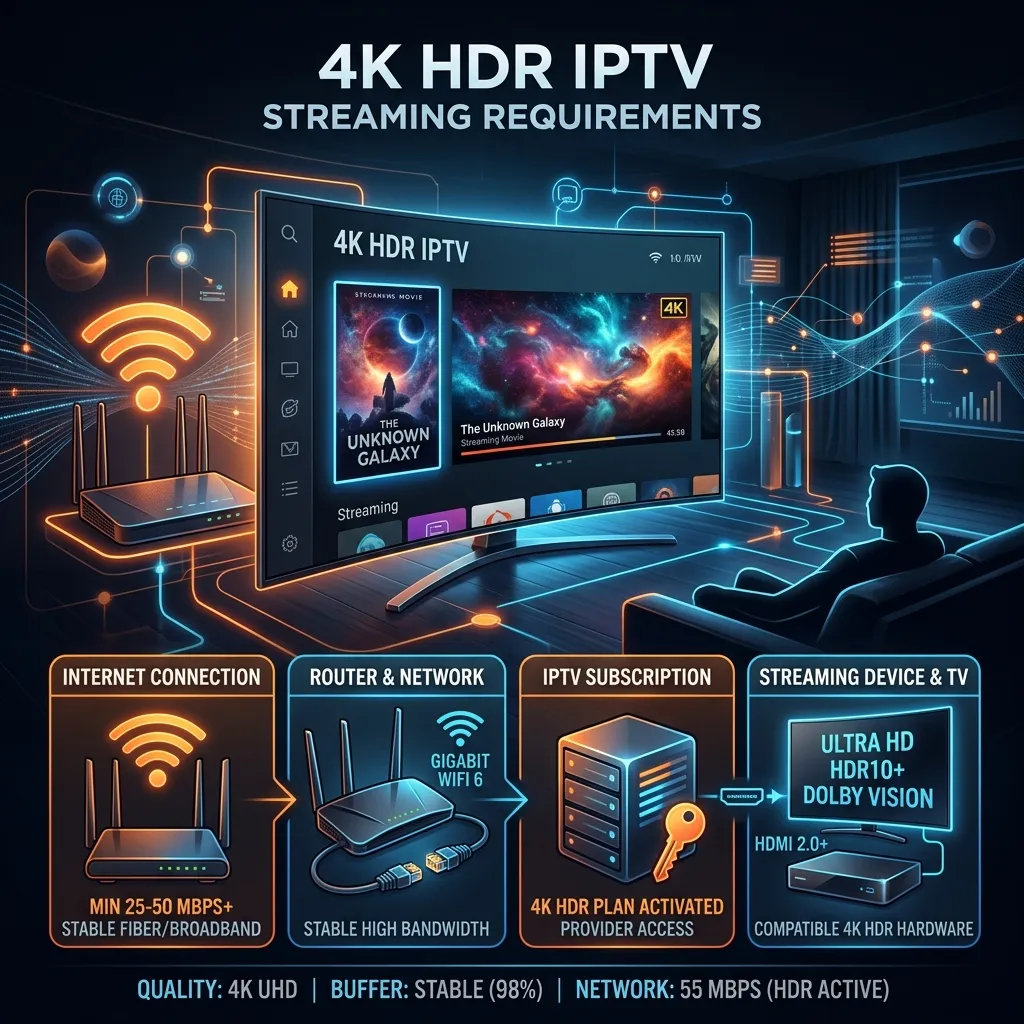
The landscape of home entertainment has undergone a massive paradigm shift. Gone are the days when blurry, pixelated broadcasts were the norm. Today, discerning viewers demand nothing short of perfection, and that perfection takes the form of 4K HDR. But what exactly does it take to stream ultra-high-definition, high-dynamic-range content smoothly over the internet? Whether you are a hardcore sports fan looking for that immersive stadium feel, or a cinephile wanting to experience movies exactly as the director intended, understanding 4K HDR IPTV Streaming Requirements is your first step to digital nirvana.
In this exhaustive, step-by-step guide, we will break down every single component required to transform your living room into a state-of-the-art cinematic hub. From network specifications and bandwidth thresholds to display hardware, streaming devices, software, and cybersecurity, we cover it all. By the end of this article, you will have all the knowledge necessary to build the ultimate streaming setup and take full advantage of a premium IPTV Subscription from Smartiflix. Let's dive in.
1. Demystifying the Technology: What are 4K and HDR?
Before we examine the hardware and network requirements, it is critical to understand what 4K and HDR actually mean. These two technologies work in tandem but serve completely different purposes when it comes to enhancing your visual experience.
Understanding 4K Resolution (Ultra High Definition)
4K, often referred to as Ultra High Definition (UHD), dictates the number of pixels on your screen. While standard Full HD (1080p) has a resolution of 1920 x 1080 pixels (roughly 2 million pixels), 4K boasts a resolution of 3840 x 2160 pixels. That translates to over 8.2 million pixels.
- Sharper Details: With four times the pixel density of 1080p, 4K allows for incredibly sharp images, making text crisper, edges smoother, and background details much more discernible.
- Larger Screen Capabilities: The higher pixel count means you can sit closer to larger screens without seeing individual pixels.
Understanding HDR (High Dynamic Range)
If 4K is about adding more pixels, HDR is about providing better pixels. High Dynamic Range drastically improves the contrast ratio and color accuracy of an image.
- Contrast: HDR makes the bright parts of an image brighter and the dark parts darker, without losing detail in either extreme. Imagine looking into a dark cave in a movie; with HDR, you can see the textures on the cave walls, while the bright sunlight outside remains blindingly realistic.
- Color Depth: Standard Dynamic Range (SDR) typically uses an 8-bit color depth, which allows for about 16.7 million colors. True HDR utilizes 10-bit or even 12-bit color depth, unlocking over 1 billion colors. This eliminates "color banding" and produces impossibly smooth color gradients.
Note on HDR Formats: There are several HDR standards. The most common is HDR10, which is an open standard supported by almost all 4K TVs. Dolby Vision and HDR10+ are more advanced formats that use "dynamic metadata," allowing the TV to adjust brightness and contrast scene-by-scene or even frame-by-frame.
2. Internet Speed and Network Requirements
The single most critical bottleneck for 4K HDR IPTV streaming is your internet connection. Delivering over 8 million pixels, frame by frame, with expanded color data requires a massive data pipeline.
Minimum vs. Recommended Speeds
Many Internet Service Providers (ISPs) and streaming platforms quote minimum required speeds. However, relying on the absolute minimum is a surefire recipe for buffering. Here is a breakdown of what you actually need:
| Resolution / Quality Tier | Minimum Speed Required | Recommended Speed (Overhead Included) |
|---|---|---|
| Standard Definition (SD) | 3 - 5 Mbps | 10 Mbps |
| High Definition (1080p) | 10 - 15 Mbps | 25 Mbps |
| 4K UHD (SDR) | 25 - 30 Mbps | 50 Mbps |
| 4K HDR / Dolby Vision | 35 - 40 Mbps | 75 - 100 Mbps+ |
Why the overhead? An internet connection is rarely perfectly stable. If you pay for 50 Mbps, you might realistically get 45 Mbps, and during peak hours, it could dip to 30 Mbps. Furthermore, if other devices on your network are downloading files, updating apps, or browsing social media, your available bandwidth shrinks. A 100 Mbps connection ensures that your premium stream never starves for data.
Latency, Ping, and Jitter
Speed (bandwidth) is how much data can travel at once, but latency (ping) is how fast that data arrives at its destination.
- Latency: For IPTV, a ping of under 50ms to your provider’s server is ideal. Anything over 100ms may introduce delay, especially critical when watching live sports.
- Jitter: This is the variation in latency over time. High jitter causes packets of data to arrive out of order, leading to stuttering video and audio desync.
The Codec Factor: H.264 vs. HEVC (H.265)
How does so much visual data fit through your internet pipe? Through video compression (codecs).
- H.264 (AVC): The older standard. It is highly compatible but inefficient for 4K. Trying to stream 4K via H.264 requires massive bandwidth.
- H.265 (HEVC): High-Efficiency Video Coding. This codec compresses data up to 50% more efficiently than H.264 without losing quality. To stream 4K HDR IPTV effectively, your streaming device MUST support HEVC decoding.
To ensure you have the best possible connection and the most up-to-date server infrastructure that utilizes efficient codecs, consider exploring our premium Smartiflix Pricing plans.
3. Network Infrastructure: Wired vs. Wireless
Even with a Gigabit internet connection, a poor local network setup will destroy your 4K HDR experience. The pathway from your modem/router to your streaming device is critical.
Ethernet (Wired Connection)
The Golden Rule of IPTV: If you can plug it in, plug it in. Using a direct Ethernet cable from your router to your streaming device is the single most effective way to eliminate buffering.
- Stability: Ethernet is not subject to interference from walls, microwaves, Bluetooth devices, or your neighbors' Wi-Fi networks.
- Consistent Speeds: It guarantees that you are getting the full bandwidth your router can provide.
- Cabling Standard: Use at least Cat 5e or Cat 6 Ethernet cables. They easily handle Gigabit speeds.
Wi-Fi 5 vs. Wi-Fi 6 (Wireless Connection)
If wiring an Ethernet cable isn't physically possible, you must optimize your wireless network. Streaming 4K HDR over 2.4 GHz Wi-Fi is nearly impossible due to its low bandwidth capabilities and high interference. You must use the 5 GHz or 6 GHz band.
- Wi-Fi 5 (802.11ac): Sufficient for 4K streaming if the router is in the same room. However, its performance drops significantly through walls.
- Wi-Fi 6 (802.11ax): The modern standard. It handles multiple devices far better, offers higher throughput, and reduces latency. If you are buying a new router specifically for your Homepage Smartiflix setup, ensure it is a Wi-Fi 6 or Wi-Fi 6E model.
Pro Tip: Position your Wi-Fi router in a central, elevated location. Do not hide it behind a TV or inside a metal cabinet, as this acts as a Faraday cage and blocks the signal.
4. Hardware Requirements: The Display and Connections
You cannot watch 4K HDR without a display capable of rendering it. But buying any TV with a "4K" sticker isn't enough.
Choosing the Right TV Panel
To truly experience High Dynamic Range, your TV needs to be able to reach high peak brightness and display deep black levels.
- OLED (Organic LED): Offers infinite contrast because each pixel emits its own light and can turn completely off. OLEDs produce the absolute best black levels, making them perfect for dark rooms and cinematic HDR viewing.
- QLED / Mini-LED: These LCD-based panels use Quantum Dots for vibrant colors and Mini-LED backlights for extreme brightness. They can get much brighter than OLEDs, making them ideal for bright, sunlit living rooms and HDR highlights.
Minimum TV Specifications for Real HDR
- Resolution: 3840 x 2160 (4K).
- Refresh Rate: 60Hz is standard for movies and most TV. However, for live sports (like soccer or Formula 1), a 120Hz native refresh rate panel handles motion much better, reducing blur.
- Peak Brightness: For true HDR impact, look for a TV that can hit at least 600 to 1000 nits of peak brightness.
- Color Gamut: Must cover at least 90% of the DCI-P3 color space.
The Unsung Hero: HDMI Standards
If you are using an external streaming box (like an Apple TV or NVIDIA Shield), the cable connecting it to your TV is critical.
| HDMI Version | Max Resolution & Framerate | HDR Support | Bandwidth |
|---|---|---|---|
| HDMI 1.4 | 4K @ 30fps | No | 10.2 Gbps |
| HDMI 2.0a/b | 4K @ 60fps | Yes (HDR10, Dolby Vision) | 18 Gbps |
| HDMI 2.1 | 4K @ 120fps / 8K @ 60fps | Yes (Dynamic HDR) | 48 Gbps |
Requirement: Ensure you are using an Ultra High Speed HDMI Cable (HDMI 2.0 or 2.1). Older cables will bottleneck the signal, resulting in a blank screen, flashing, or a downgrade to 1080p SDR.
5. The Best Streaming Devices for 4K HDR IPTV
While modern Smart TVs have built-in apps, their internal processors are often underpowered, leading to sluggish menus and poor handling of heavy 4K HEVC streams. Investing in a dedicated streaming device is highly recommended.
1. NVIDIA Shield TV Pro
Widely considered the undisputed king of IPTV streaming.
- Processor: Tegra X1+ (Incredibly powerful for decoding heavy 4K streams).
- AI Upscaling: Uses artificial intelligence to up-convert 720p or 1080p sports broadcasts to near-4K quality flawlessly.
- Audio/Video: Full support for Dolby Vision, HDR10, and Dolby Atmos.
- Connectivity: Features a built-in Gigabit Ethernet port.
2. Amazon Fire TV Stick 4K Max (2nd Gen)
The best budget-friendly option that punches way above its weight class.
- Networking: Supports Wi-Fi 6E for hyper-fast wireless streaming.
- Storage: 16GB of storage, ensuring you have enough space for IPTV cache and EPG data.
- Compatibility: Excellent sideloading capabilities for custom IPTV apps.
- Setup: Need help setting this up? Check out our comprehensive Firestick Setup Guide.
3. Apple TV 4K (3rd Gen)
The premium choice for users within the Apple ecosystem.
- Power: Powered by the A15 Bionic chip, it opens apps instantly and never lags.
- Video: Supports HDR10+ and Dolby Vision.
- Network: The 128GB model includes a Gigabit Ethernet port.
- App Ecosystem: Supports top-tier IPTV apps like iPlayTV, UHF, and Snappy.
4. Formuler Z11 Pro Max
A device built specifically for IPTV enthusiasts.
- Software: Runs on the exclusive MYTVOnline3 app, which offers the best cable-like interface on the market.
- Performance: 4GB RAM and a powerful GPU for instant channel zapping and 4K HDR decoding.
6. Software and Application Requirements
Hardware is only half the battle. To decode a 4K HDR stream, you need the right software player. Not all IPTV applications are coded equally; some have poor hardware acceleration, resulting in choppy 4K video.
Essential App Features for 4K HDR
When choosing an application, ensure it has the following capabilities:
- Hardware Decoding (HW/HW+): The app must be able to offload the video processing to the device's GPU. Software decoding (SW) will cause the CPU to overheat and the 4K stream to stutter.
- Auto Frame Rate Matching (AFR): Movies are shot at 24 frames per second, while sports are broadcast at 50 or 60 fps. The app should automatically adjust your TV’s refresh rate to match the content, eliminating "judder" (stuttering panning shots).
- HEVC/H.265 Support: As mentioned earlier, mandatory for compressed 4K.
Top Recommended 4K IPTV Applications
- TiviMate (Android/FireOS): The absolute gold standard. It features a beautiful UI, flawless hardware decoding, AFR support, and handles massive 4K playlists without breaking a sweat.
- IPTV Smarters Pro (Multi-platform): Highly versatile and user-friendly. Great for VOD (Video on Demand) 4K movies and series.
- iMHQ / iPlayTV (tvOS/iOS): The best options for Apple TV users, offering seamless integration with Apple's native media engine for smooth HDR playback.
For a detailed walkthrough on how to install and configure these applications, visit our Smartiflix Installation Guide.
7. The Role of Your IPTV Provider
You can have a $5000 OLED TV, Gigabit fiber internet, and an NVIDIA Shield, but if your provider's servers are weak, you will not get 4K.
Real 4K vs. Upscaled 1080p
Many sub-par providers advertise "4K channels," but they are actually broadcasting a 1080p stream that has been artificially upscaled at their server level. This wastes your bandwidth while delivering soft, unimpressive image quality. A premium provider like Smartiflix offers True 4K UHD channels, capturing the raw feed directly from the source broadcasters.
Server Infrastructure and CDN
Delivering 4K HDR content to thousands of users simultaneously requires an enterprise-grade Content Delivery Network (CDN).
- Anti-Freeze Technology: Our servers use advanced load balancing to ensure that during major live events (like the Super Bowl or Champions League finals), the server load is distributed, preventing the dreaded buffer circle.
- High Bitrate VODs: Our Video on Demand library features true 4K HDR remuxes, offering bitrates comparable to physical 4K Blu-ray discs.
Ready to experience the difference? Explore our Smartiflix IPTV Subscription packages and elevate your viewing.
8. Network Optimization and Cybersecurity
When streaming high-bandwidth IPTV content, you must ensure that your connection is both optimized and secure. ISPs often monitor traffic and can deliberately slow down your connection if they detect heavy streaming.
The Threat of ISP Throttling
Internet Service Providers sometimes use Deep Packet Inspection (DPI) to monitor your activity. If they see massive, continuous data usage (which 4K HDR streaming requires), they may "throttle" (artificially slow down) your connection to save network bandwidth. This immediately causes your 4K stream to downgrade to 720p or buffer endlessly.
Why You Need a Premium VPN
A Virtual Private Network (VPN) encrypts your internet traffic, routing it through a secure tunnel.
- Bypassing Throttling: Because your ISP can no longer see what data you are downloading (they only see encrypted garbage), they cannot target your IPTV stream for throttling. You get your full bandwidth.
- Routing Around Congestion: Sometimes the route your ISP takes to the IPTV server is congested. A VPN can force a different, faster route, lowering your ping and reducing jitter.
- Security: It protects your IP address from malicious actors.
Important: Do not use free VPNs for 4K streaming. They have data caps and intentionally limit bandwidth to 5-10 Mbps, making 4K impossible. Use a premium, fast VPN like ExpressVPN, NordVPN, or Surfshark, and ensure you use the WireGuard protocol for maximum speed.
For more information on keeping your data and devices secure, read our comprehensive guide: Is Smartiflix Safe?.
Router Quality of Service (QoS)
If you share your internet connection with a family, QoS is vital. QoS is a feature in modern routers that allows you to prioritize traffic to specific devices. By logging into your router and setting your NVIDIA Shield or Firestick to "High Priority," you ensure that even if someone else starts downloading a massive video game on their PC, your router will reserve enough bandwidth to keep your 4K stream flawless.
9. Troubleshooting Common 4K HDR Issues
Even with the perfect setup, you might occasionally run into gremlins. Here is how to troubleshoot the most common 4K HDR IPTV problems.
Problem 1: Constant Buffering on 4K Channels Only
- Check: Run a speed test on the streaming device itself, not on your phone. Apps like
AnalitiorSpeedtest by Ooklacan verify if the device is actually receiving the 50+ Mbps required. - Fix: If on Wi-Fi, move to the 5GHz band. If already on 5GHz, change the Wi-Fi channel on your router to a less congested one. Restart your router to clear its cache.
Problem 2: The Video Looks Washed Out, Dark, or Colors are Wrong
- Check: This is a classic "Color Space" mismatch. Your device is sending an HDR signal, but the TV is interpreting it as SDR (or vice versa).
- Fix:
- Go into your TV's picture settings and ensure that "HDMI Deep Color," "HDMI Enhanced Format," or "Input Signal Plus" is turned ON for the specific HDMI port your device is plugged into.
- Check your streaming device settings. On an Android box, go to Display Settings and ensure HDR is set to "Auto" rather than forced on/off.
Problem 3: Audio is Out of Sync with Video (Lip Sync Issue)
- Check: 4K streams with heavy Dolby Digital/Atmos audio tracks take time for soundbars or AV receivers to process, leading to delays.
- Fix: Most IPTV apps (like TiviMate) have an "Audio Offset" or "Audio Delay" setting in the playback menu. Adjust this forward or backward by 50ms increments until it matches. Alternatively, check your TV's audio settings for an "A/V Sync" option.
Problem 4: The Stream Stutters or Skips Frames
- Check: Your TV is likely running at 60Hz, while a European sports broadcast is running at 50fps. This 10-frame difference causes visible stutter.
- Fix: Enable "Auto Frame Rate Matching" (AFR) in your IPTV application settings.
10. The Ultimate 4K HDR Checklist
Before you sit back with your popcorn, run through this final checklist to ensure your home theater is fully optimized for Smartiflix 4K content:
- Internet Speed: Verified 100+ Mbps download speed at the device level.
- Network Connection: Connected via Cat 6 Ethernet OR placed on a clean 5GHz/6GHz Wi-Fi 6 network.
- Display Setup: 4K TV with HDR10/Dolby Vision support, utilizing an HDMI 2.1 port.
- TV Settings: "Enhanced HDMI Format" enabled for maximum bandwidth and color depth.
- Streaming Device: Using a high-end device like NVIDIA Shield TV Pro or Firestick 4K Max.
- Application: Using a premium player like TiviMate with Hardware Acceleration (HW+) enabled.
- Security/Routing: Premium VPN active (WireGuard protocol) to prevent ISP throttling.
- Subscription: Active plan from a premium provider guaranteeing real, uncompressed 4K feeds.
Conclusion
Transitioning to a 4K HDR IPTV streaming environment is an investment in your entertainment experience. It requires harmony between your network hardware, streaming device, display technology, and software configuration. A weak link in any of these areas—be it a cheap HDMI cable, ISP throttling, or a low-quality IPTV provider—can bottleneck the entire system.
By following the exhaustive guidelines laid out in this article, you are not just preparing your living room for ultra-high-definition content; you are future-proofing it. You will experience sports with the fluidity of being in the bleachers and movies with the dynamic contrast the director intended.
Are you ready to unleash the full potential of your home theater? Don't settle for heavily compressed, upscaled 1080p disguised as 4K. Join the revolution of true, high-bitrate streaming today.
Explore our Smartiflix IPTV Subscription packages, review our Smartiflix Pricing, and step into the vibrant, crystal-clear world of real 4K HDR.